Hi,
I am having build errors when building for Android every 3 out of 4 builds, it gets very frustrating and time consuming. I believe it may have happened when I updated my Android SDK, but I’m not entirely sure.
Eventually the build will work and the game runs, so somehow I must have build settings correct to some extent.
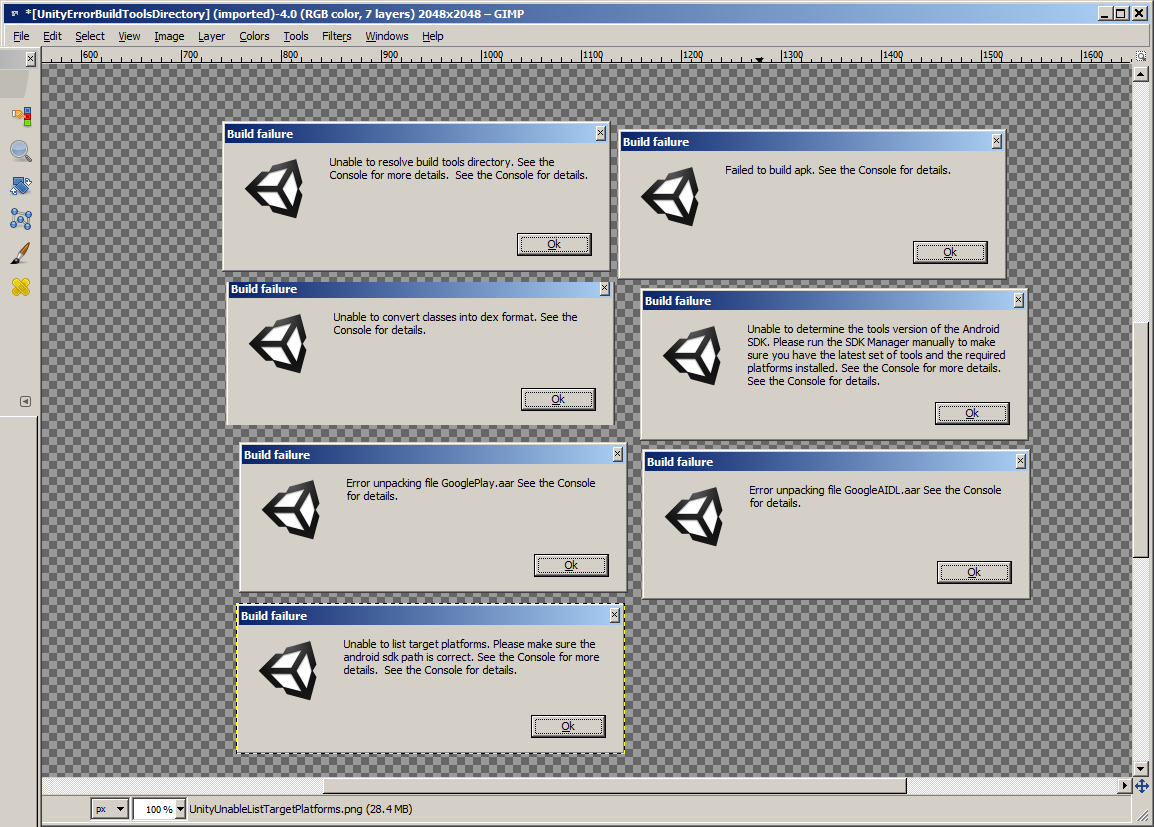
Please see the attached image, I need to get this solved before I go nuts!
Errors I get:
- Unable to resolve build tools directory
- Failed to build apk
- Unable to convert classes into dex format
- Unable to determine the tools version of the Android SDK. Please run the SDK manager…
- Error unpacking file GooglePlay.aar
- Error unpacking file GoogleAIDL.aar
- Unable to list target platforms. Please make sure the android sdk path is correct
Currenty using Unity version 5.4.1p2 (5.4.0f3 had the same issues). I can share more settings if it will help, thanks!
Does the Unity support team look at these posts? If not who do I send this to? I can barely work at this point.
Here are my last 4 builds, then it finally worked.
Oh, and I also use an asset from the asset store that temporarily renames scipt filenames, then puts that back to their original names at the end of the build.
This is a problem because the doesn’t complete most of the time so I’m left with renamed script files! So now I can’t use that asset.
I realize Unity is free to use, but there has to be a way to contact them to get help.
Here’s another build error I just received while typing this message:

Well, I ended up uninstalling and reinstalling:
Android SDK
Java JRE
Java JDK
into c:\Android and c:\Java and it looks like my builds are working without errors now. I’ve only done about 10 builds now, so I will reply back if it starts back up again. Usually by now I would have had 4-5 stopped builds, so this is promising.