Hi Everyone working on Create an interactive face filter (Create an interactive face filter - Unity Learn) and using iPhone Xs Max ios 16.3.1 for testing with Unity 2021.3.19f and Xcode 14.2.
I cannot get the filter to work with the front the facing camera on the phone. It always goes to the rear.
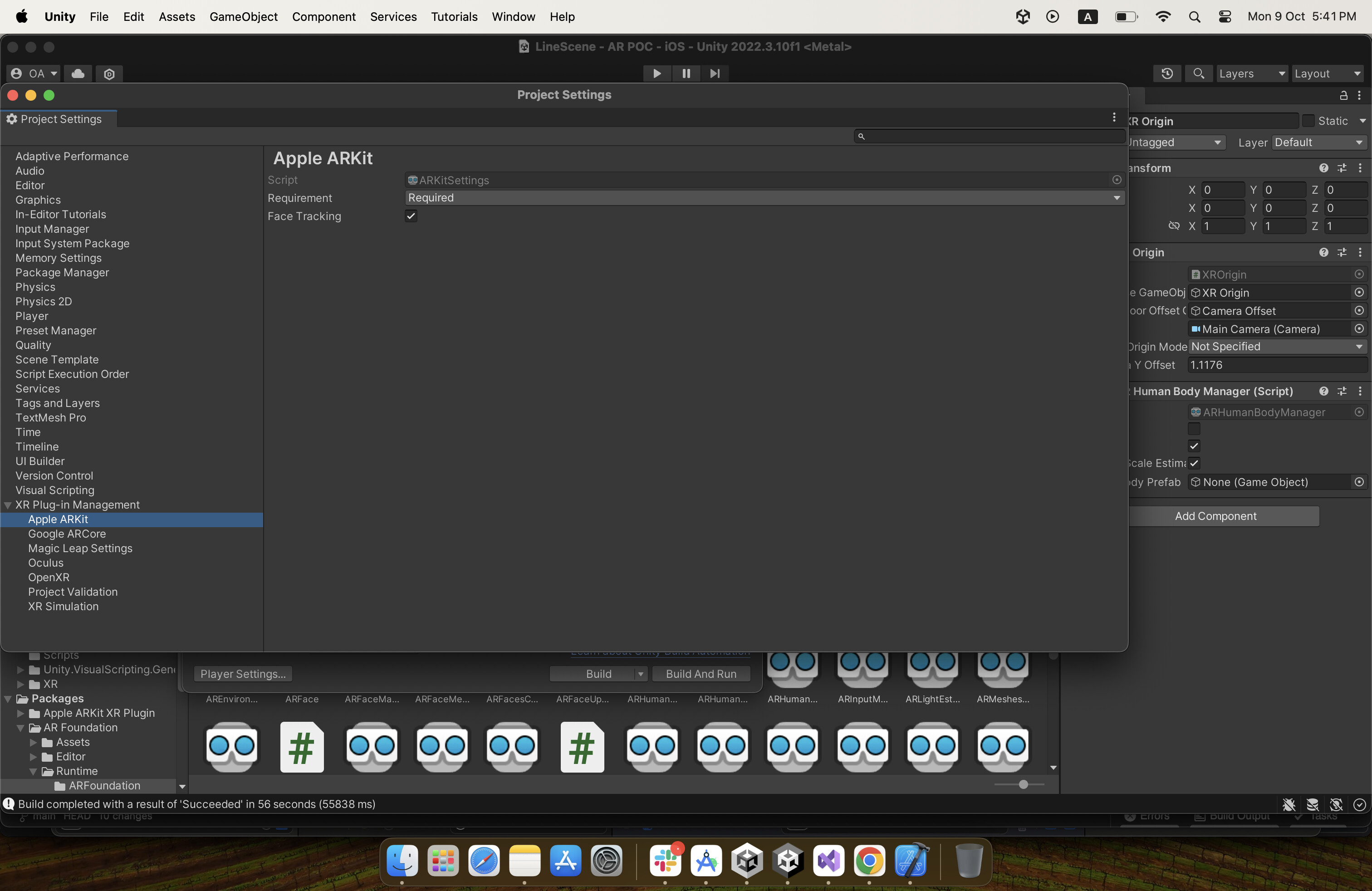
Checked Project Settings and ARKit is checked for Face tracking
AR Session Origin is using Face manager
AR Camera has AR Camera Manager (Script) set to Facing Direction - User.
Cannot figure out why it still use the World Camera when launched on iPhone. Any ideas anyone? Thanks
It is likely that your app is requesting other features that are only supported in a rear-facing configuration. This creates a conflict that the configuration chooser must resolve. Learn more about the configuration chooser (and how to write your own configuration resolution logic) here:
@stuartimagery I was facing the same issue. I have resolved the issue by simply enabling Face Tracking in Apple ARKit settings in Player Settings → XR Plug-in Management → Apple ARKit
3 Likes
Was facing the exact same issue. Tried enabling ARKit Face as well. However, what fixed it finally for me was enabling Light Estimation to Everything on the AR Camera Manager component apart from setting “User” in the Facing Direction dropdown.
5 Likes