Behavior Package 1.0.10 Released! Changelog inside

Behavior Package 1.0.10 Now Available!

We’re excited to announce that Behavior 1.0.10 is now available with significant improvements and QoL features that enhance the overall graph experience!

1. Runtime Serialization

After months of stabilization and improvements, we’re pleased to announce substantial fixes to runtime serialization. The original implementation had several critical issues that prevented production usage, but this release addresses many of these concerns:

  • Cross-Assembly Support: Fixed serialization issues between different code assemblies

  • Reference Preservation: MonoBehavior and prefab references are now properly maintained during save and load operations

  • Updated Sample: The serialization sample has been revised to handles previously broken cases reported by users. It now also properly saves to disk between sessions

:warning: Important Notes on remaining limitation:

  • RunSubgraph (Dynamic) is not yet fully supported and should not be used with runtime serialization. Use RunSubgraph (Static) instead, which is fully supported.

  • Shared variables are also not yet supported and will not restore their previously saved value after deserializing. However, you can save these values separately and set the shared blackboard variables post-deserialization.

2. Quality of Life Improvements

While addressing high-priority issues, we’ve implemented several workflow enhancements to solve common pain points:

  • Authoring Performance Improvements: Graph editing is now more responsive, especially drag performance.

  • Enhanced Undo-Redo Support

    • More consistent and predictable undo/redo behavior
    • Now supports all Behavior commands, even when no graph/blackboard editor is open
    • Automatically rebuilds runtime data when needed
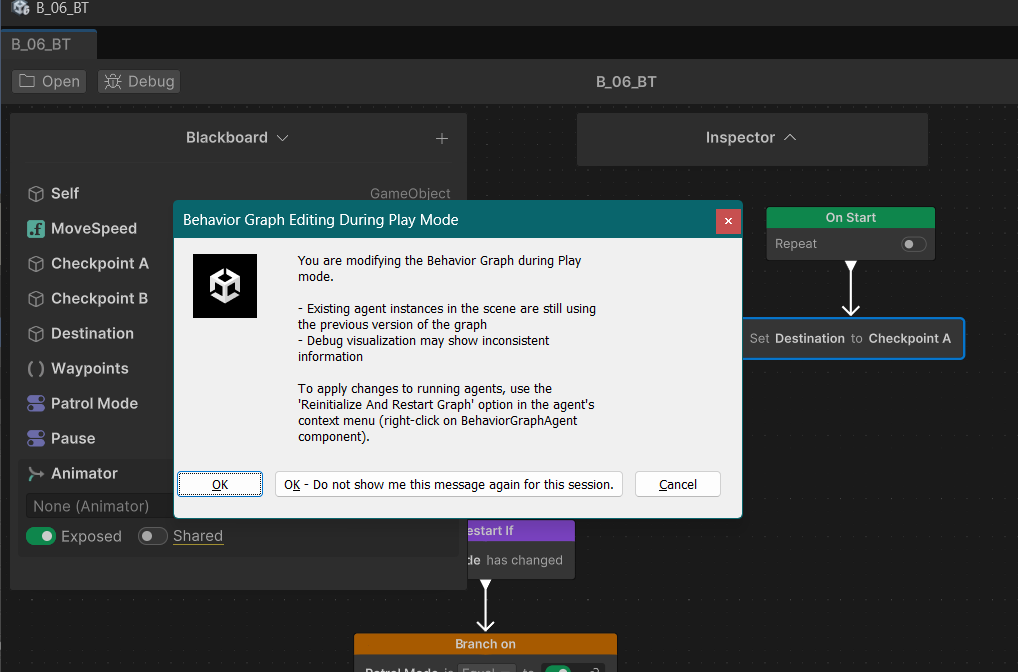
  • Play Mode Graph Iteration: You can now iterate on your graph behaviors during Play Mode, making rapid testing and adjustments much more efficient.
3. New StartOnEvent Node Mode

We’ve added a new Queue mode for the StartOnEvent node that preserves and processes messages sequentially. This is particularly useful when you need to preserve messages when multiple events are received in a single frame.

Please note that trying to use this new mode with existing event channels will raise a warning. These channels need to implement the IEventHandlerWithoutNotify interface to work properly. This release adds new generic EventChannel implementations that you can inherit from instead. These implementations include the new interface while providing all the required API, making event channels easier to maintain and update manually.

About Generative AI Features

As part of the Muse product sunset, the generative AI features in Behavior have been disabled.

Changelog

You can review the full changelog here: [1.0.10] - 2025-05-21

Please pay special attention to the “Known Issues” section, as it contains important information about current limitations.

Additional Know Issues (reported post-release)
  • The package currently only supports BlackboardVariables of basic types and derived Unity.Object types, not custom structs, plain old data structures, or C# object classes.
  • Renaming a type referenced by a Blackboard Variable will make the variable disappear from blackboards asset as serialized references are lost. A potential workaround is to use the undocumented [MovedFrom] attribute.
  • The Behavior package includes a default AppUISettings asset. AppUI settings cannot be customized as changes to this asset in the package cache are reverted during package operations. (workaround)
  • In the graph editor, moving a node outside of a sequence block doesn’t cause a runtime data rebuild. This can cause visually disconnected nodes to run and have inconsistent behavior with the authoring data. You can force a runtime data rebuild by deleting/reconnecting an edge.
  • New generic EventChannel classes have their delegate private, preventing users from registering strongly-typed function to their derived children. (workaround)

Documentation Update

What’s Next

For those who missed it, Harini shared an update about the package before 1.0.9.

We’re continuing to focus on improving the stability of Behavior. We are also looking into light mode support.

Your Feedback Matters

Thank you for your continued feedback - it directly shapes our development priorities. Please keep sharing your thoughts and experiences as we work to make Behavior even better!

16 Likes

Love the package so far!
I just wonder if there are any plans to move a part of the code to the Unity Job System in order to run code multithreaded. This would be great for scalability (for people not super technical or experiences in ECS)

2 Likes

Hi @DevDunk,

We have plan to look at performance (and memory) in details later this year, but this will mostly depends on users needs.

The code running the graph is actually pretty lightweight (except for agent instantiation, we have that on our list) and performances will mostly comes down to how much load each nodes brings to the overall frame time.

Nothing prevents users from using Job System or Awaitable to run parts of their custom nodes logic asynchronously. The package already do a bit of that by using NavMeshAgent in Navigation nodes, or handling resources management of ParticleSystem and Audio using Awaitable.

However it would be tricky to run the core graph module asynchronously because most users will want to interact with Components and MonoBehaviours (which is not doable from outside the main thread). I think that the best (safest) option to do that would be to use ECS and to only work with component data and systems. Some users already started to do that, but it’s a quite involving and might need to embed the package.

Thanks for your interest :slightly_smiling_face:

3 Likes

If we’re talking about preserving a GameObject reference that is assigned at runtime, may I ask how you accomplished that?

Please refer to the runtime serialization sample documentation:

Unity can’t serialize GameObject references directly. To work around this, the sample uses a GameObjectResolver to resolve object references during deserialization, based on saved agent identifiers. The SerializationExampleSceneController script includes a basic implementation of this resolver.

1 Like

@MorganHoarauUnity In regards to this, it does seem like there is some level of this built into the system. A blackboard variable of type GameObject seems to be able to be used in actions that take a type Transform, for example. Perhaps this could be extended in some way. It seems like it could be very useful for lots of situations.

The Behavior Graph library has such a great UI compared to other behavior tree solutions, making it a bit easier to work with arbitrary types and more complex variables would be welcome. For an example of the former, the Opsive Behavior Designer Pro library has custom bindings to any type. (It also allows hybrid DOTS/GameObject workflows, but its not clear how much that complexity is worth it.)

I very much hope Unity will continue to work on this solution in the future, because it’s a key part of game development, you guys have a pretty elegant solution, and I think with some additional refinement it could really shine.

It would be nice if in the “Merge Options” when dragging a new connection onto a node there was a “Replace” option for when I want to reparent something.

2 Likes

SwitchComposite has major GC/performance issues because Enum.GetValues is called in every Start instead of being cached, which allocates and is slow, I think. With 500 agents and a switch at the root Start is called every frame and performance tanks.

1 Like

It appears more generally there are some strange issues with enums. SwitchComposite, for example, appears to use the index of the enum option instead of the enum value, which is a very unusual and unexpected behavior in this case.

This means the results are unpredictable when assigning values to an enum or reordering values in the case where some of the enum values are explicitly defined, such as in this example:

enum Foo {
   A = 10
   B = 5
   C = -1
}

I believe this also applies to enum properties used on the blackboard in some way. Enum values on the blackboard appear in a different order than they do in a normal Unity inspector, and they may not de/serialize in an expected way if the user is relying on the actual integers associated with the enum, as is typical.

Also, you can’t type to search when picking an enum value as you can in a normal Unity inspector.

Perhaps I am missing it but there is no way to do null-checks built in. Is there a better way to do something like this? I created a custom condition for this situation.

using System;
using Unity.Behavior;
using UnityEngine;

public enum NullCheckOperator {
    Null,
    NotNull
}

[Serializable, Unity.Properties.GeneratePropertyBag]
[Condition(name: "Variable Null Check", story: "[Variable] is [Operator]", category: "Variable Conditions", id: "45c1e811a170dd5c9b90795ab6c8aa60")]
public partial class VariableNullCheckCondition : Condition {
    /// <summary>
    /// The blackboard variable that is being compared.
    /// </summary>
    [SerializeReference] public BlackboardVariable Variable;

    /// <summary>
    /// The condition operator that is used to compare the values.
    /// </summary>
    [Comparison(comparisonType: ComparisonType.BlackboardVariables, variable: "Variable")]
    [SerializeReference] public BlackboardVariable<NullCheckOperator> Operator;

    public override bool IsTrue() {
        return Operator.Value switch {
            NullCheckOperator.Null => Variable.ObjectValue == null,
            NullCheckOperator.NotNull => Variable.ObjectValue != null,
            _ => throw new ArgumentOutOfRangeException(),
        };
    }
}

You should check the Variable.ObjectValue instead, otherwise you are nullchecking the BlackboardVariable wrapper.

You might also encounter some inconsistency using only equal operator in editor so I’d recommend to use both is null and Equal(null). I’m linking you an older thread that touch on the subject:

Thanks, I figured that out and came back here to post and you’d already pointed it out! Also that subtlety in the implementation regarding the is null bug might be a good reason to include this condition in the core package.

1 Like

Thank you for your feedback, I won’t go over everything in details but we are processing them internally.

Enum performance and implementation issues

Enums handling in the package should indeed be improved a lot and we’ve been working on adding EnumFlag support (thanks to the contribution of the community) while improving the existing implementation for regular enum. So hopefully more on that soon!
Thanks for raising the performance concerns, we will make sure to take that into account.

C# object support

C# object support is the most requested feature of the package (even internally) :grin:

We implemented an implicit casting system for GameObject ↔ Component / Component ↔ Component and basic math types.

The main hinder to C# object support is the UI implementation, but to be very specific, there are 2 main challenges:

  1. From the blackboard perspective, each blackboard variable type need a custom visual element implementation to give the Blackboard a way to represent it. We have that for most common type, and the Object field implementation handles any Unity.Object with the reference picker. Theoretically, once we have a way to render any type public field in the blackboard (a bit in the same way property drawer do), those BBV could be assigned to a node expecting a BBV of the same type.
  2. From the node UI perspective, it’s going to be a bit different from the casting system we have now. To be able to select a specific property/variable from a ScriptableObject or plain old data structure, we would need a brand new UI/UX workflow.

We don’t have bandwidth to start working on the first and easiest step for the next release (but I’m hopeful that we might at least investigate it more afterward).

Thanks again for your feedback :folded_hands:

3 Likes

Hey Morgan, you’ve clearly put a lot of work into this release! A lot of great stuff in here!

It seems there is a significant change to the approach of events (maybe as part of the OnStartEvent?)
When creating an event before, we used to have access to EventChannel.Value from a BlackboardVariable<EventChannel> like BlackboardVariable.Value.Event += SomeHandler;
This still appears to be the case for already created events, but for newly created events it seems they derive from a EventChannel<T> which has a totally different API.
It the expectation that all events need to be migrated to the new format?
In my opinion this is a pretty substantial change that is not clearly called out in the changelog. It would be great to have more visibility into this and understand what we should do with existing event channels.

@MorganHoarauUnity I’d also like to thank you for the great stuff in this release. Especially for the addition of the ability to debug disabled agents, which works nicely.

One small request for a future release would be to be able to clearly distinguish agents where the game object is active but the Behaviour Agent is disabled from those where the game object itself is inactive. In our project we have maybe 100 agent that are culled when far away from the action - in this state, their gameobject is inactive, and I have no interest in debugging them. But we will also have some that are active, but their Behavior Agent is not enabled (because we run the update on FixedUpdate), and these we very much want to be able to debug.

It’s not a huge deal, as I can rename the agent I’m interested in so I can recognise it from the 100 others in the list by name. Still, it would be a nice quality of life improvement if it’s possible. Perhaps the active game objects could be shown as “(Disabled)” but not greyed out or something? Or alternatively another option for “allow debug of agents with inactive game objects” would be fine also.

Anyway, thanks again for the release…

1 Like

:eyes: Oopsy.
I remember wondering about why it was public as we were providing Register/Unregister API, but I forgot to make the delegate public and to add an override of the 2 methods with it :person_facepalming:. The choice of wrapping the event being for maintenance purposes. We will make sure to add that missing functionality to the new EventChannel. The rest of the API is unchanged.

2 suggested workaround if needed:
A - Manually implement your new EventChannel using EventChannelBase

B - Project specific generic EventChannels:

  1. Duplicate the new generic EventChannel implementations (EventChannel.cs) in your project assembly.
  2. Make the delegates public
  3. Add a new public property Event that implements add and remove (code below) in each generic class.
  4. After creating a new EventChannel, replace the parent of the class by your project assembly implementation.
EventChannel new Event property
// EventHandlerDelegate need to be public.
public event EventHandlerDelegate Event
{
    add { m_Event += value; }
    remove { m_Event -= value; }
}

We might make an early release to hotfix this as it’s pretty bad :grimacing:

Thanks for reporting!

Edit: Added additional workaround.
Edit 2: Fixed and released in 1.0.11.

4 Likes

Is there any way to have a condition that is evaluated each frame? Both “Switch” and “Conditional Branch” only branch when the node starts, meaning an Abort node is required above them. But the abort node requires completely re-specifying the condition (possibly in inverse and multiple times), which is very cumbersome to wire up. Am I missing something? It seems very important for implementing pretty much anything meaningful.

I would be perfectly happy to implement this myself, but we are unable to implement meaningful custom condition nodes because you’re not allowed to implement a condition node with multiple children, and are therefore stuck with just the two that are included (the switch also having a serious performance bug).

Implementing something like this doesn’t work (and would be the same issue with a simpler distance check condition):

I tried a workaround like this but it is pretty painful and convoluted and I’m still not even sure if it worked because I ended up trying to pack everything into a single action, which defeats the composability of the behavior tree.

In addition, that there is no way to simply invert a condition is pretty frustrating.

Now, it’s possible I’m too much of a novice with behavior trees to see the solution here, but I think something is going on if a fairly competent programmer has this much trouble setting up what seems like basic use cases of a behavior tree. I’ve spent three days trying to implement stuff, have been enjoying a lot of elements of the way things are put together, but have had to dig around in the framework, fork it to fix performance issues on a local copy, etc, and it’s pretty disappointing. If it requires this much work to figure out, I’m not sure how this can be workable for people with limited or no programming experience who want the simplicity of a GUI solution, which seems to be a big part of the design goal of this thing.

Thanks, sorry for the slight rant but I think I have given it a fair bit of effort to figure out and dig around and I’m feeling (as usual) a bit burned by trying to use a first-party Unity solution, especially since it appears like Unity is unable to invest much in this solution going forward. I hope I’m missing something here and there is a way to actually use this in a production project.

1 Like

Hi wilgieseler

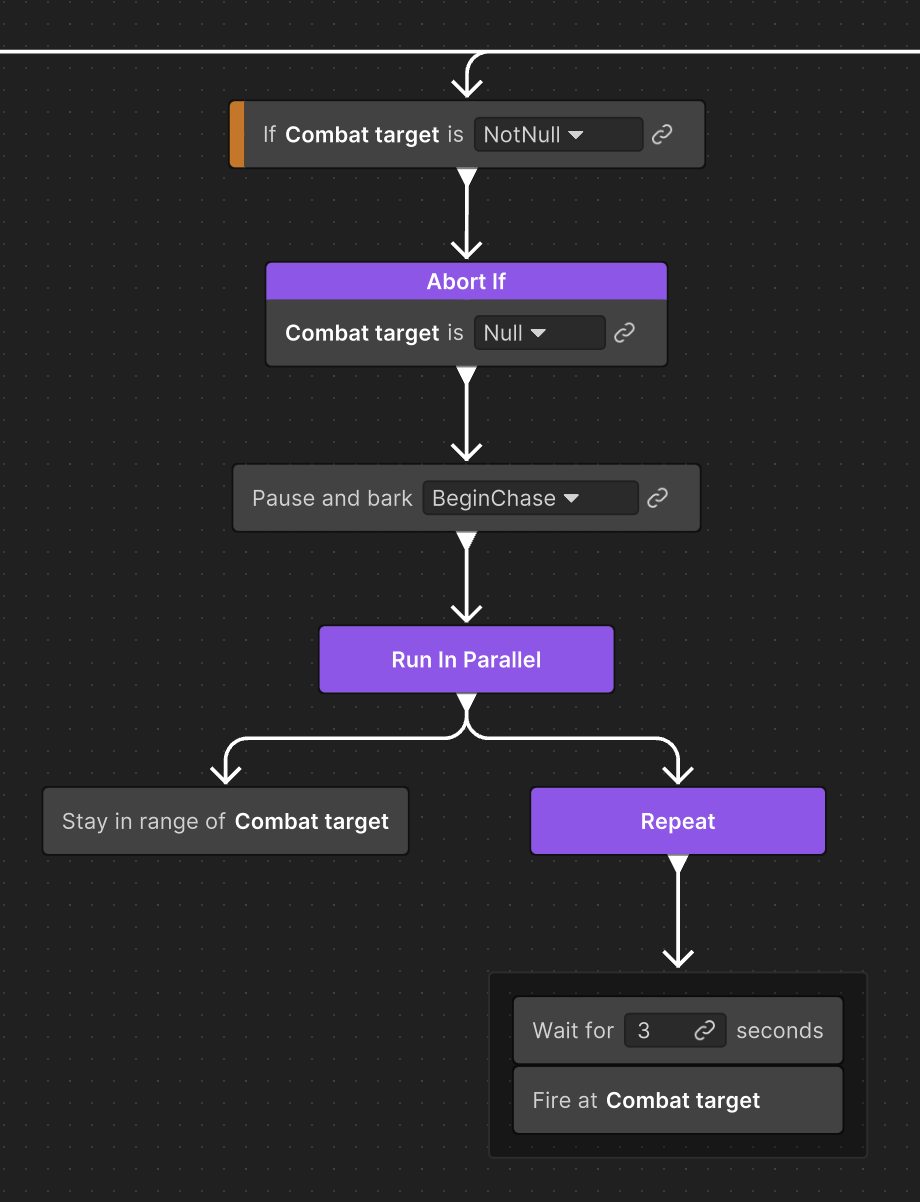
You’re right that both ‘Switch’ and ‘Conditional Branch’ only evaluate their condition when the node starts. For continuous condition checking, you can use Abort, Restart and Repeat While nodes.

In your case, I believe that using a combination of Try In Order + Abort could get you the expected result:

Let me know if I’m missing something.

We understand that you might be experimenting friction while trying to achieve simple tasks and we are monitoring your feedback to improve the product.

I also believe that an option to invert condition is a much needed addition. (along with a copy paste condition, Merge Option “Replace” and Blackboard Variable Duplicate option… Will see if we can get some bandwidth for them soon! :grin: )

1 Like

I believe this solution still requires an abort on both branches, unfortunately, otherwise it gets stuck on the second branch and never returns to the first one.