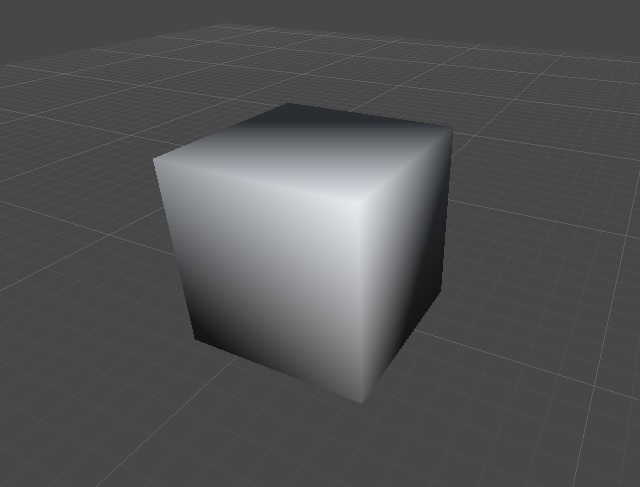
I did a bunch of searches across the site and on other sites, but haven’t really found a solution.
For the lighting issues, I did find a person who had a similar problem, but I just couldn’t see a solution in the mess. On this site
http://gamedev.stackexchange.com/questions/7502/how-do-i-fix-this-weird-lighting-problem
the person has importing issues with the object having “smooth” shading. I went to even the basic cube. I added a cube mesh in blender, and saved it as a blend file, and imported it into Unity, and it appears to be “smooth” shaded and not flat. If I were to export into DAE format for example, and import that, it is flat shading and looks fine, but the blend file isn’t correct. I don’t know what I’m doing wrong in Blender. My normals seem okay, and its a basic mesh anyway. All I did was Add->Mesh->Cube. Save file, drag over to Unity, and it has lighting anomalies. It should just be flat shading.