I’m trying to build my project but it takes too long.
I was using 2019 LTS version with this project and it wasn’t taking this long, only takes few minutes.
Tried opening the shader it was stuck on (a Shader Graph shader). Removed the Universal target, saved, reapplied the Universal target, saved. (Reddit - The heart of the internet)
In the end, the solution appears to be enabling as much shader stripping as possible in Project Settings > Graphics. I did:
Instancing Variants > Strip All
BatchRendererGroup Variants > Strip All
Enabled URP > Strip Runtime Debug Shaders
Enabled URP > Strip Post Processing Variants
Enabled URP > Strip Unused Variants
I imagine one of those (my money’s on the last one) was causing trouble.
Got it down to 14 mins, which still isn’t great (pretty sure that’s longer than my pre-Unity 6 build time), but it’s manageable now.
It has been 6 months. I don’t remember what did I do after this post. I look up in my github commits but couldn’t find anything.
I just tried again building as a test and it take 14 minutes. Then I did another and that taked 8 seconds. Obviously it’s because I select same folder and it only export files that are changed. So if you can use same folder.
One thing I did change is the Instancing Variants to Strip Unused. But Idk it’ll help since you already tried Strip all. I also remember trying some of the stuff you said.
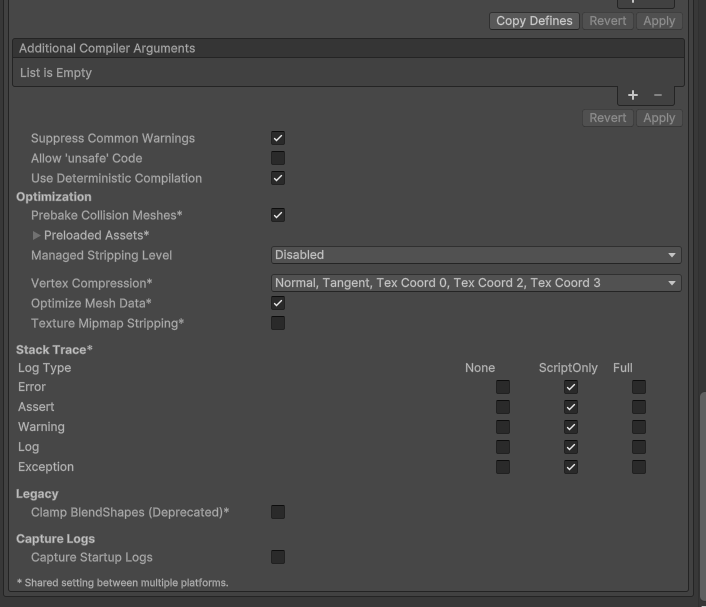
I don’t know how to help. So here’s build and player settings I use. Maybe there’s something I missed.
Few things I want to mention. My project is using built-in render pipeline (don’t ask), and can work with Shader Graph somehow in Unity 6. But If I make a lit Shader with SG and try to build, it takes soo long to build. It’s because lit shaders from SG in build-in has 4.17k variants. An unlit SG has 23 variants and my custom HLSL Shaders has around 350 variant each. More variant shader = more build time.
When I upgrade to Unity 6, Pro builder made bunch of Shader Graph materials, I remember deleting them.
However, my project is not URP or HDRP. Maybe this problem is exclusive to Build-in render pipeline.
God you saved my life!!
For me it took forever to build since I changed one of my project to Unity 6.0.
Never have experienced this kind of situation when I was using 2022 or 2023..
But Following your setting(Stripping all), made my build time just like 2023. Took only like 6 minutes or so. None of my assets on the scene are affected by changing thos setting either.
Thank you so much!
I have a simple third person platformer with multiplayer and it’s been building for over 2 hours?? Why in the world is it taking this long to build? It shouldn’t be taking more than 10 minutes let alone 2 HOURS???
I had an almost identical problem when I created a single reflection probe in the scene, which caused all the shaders to increase their number of variations to millions, and the build size doubled. Since this feature wasn’t central to the game, I had to resort to my own computational workarounds, because the mere presence of probes and other factors that can affect lit shaders automatically increases their weight by adding a potentially large amount of functionality and variations.
I’m having huge build time issues as well. Managed to update our game from 2021.3 to 6.5 with everything working properly, but the build times went from 10-15 minutes to 2,5 hours. Trying now to strip all possible shaders, but it’s a 2D game, so not many shaders should be in use anyway… Also according to the loading bar a lot of the time the editor is just “Build Player” stage, and not even compiling shader variants.
This is a very odd problem to have. Haven’t completed my troubleshooting where the big change is, but at least as far back as 6.2 had these same problems.
The URP sample definitely has a list of always included shaders. I know the cube shaders for example are used for reflection probes and in the past were tripped out while they should be kept. if that issue has been solved, please update the URP template.
Off topic but why does the “Always Include Shaders” tab even exist? Like what does it do other than making the build process slow then? It includes the shaders that are not on the list in the build anyway.
Those shaders are pretty lightweight and do not have many variants, so there’s little influence from those on the build times.
Most of the excess build time often comes from URP configuration.