

And also im Begginer
Your class doesn’t have a closing bracket (}). The console tells you that ([...] } expected).
Add one at Line 39.
now i hav e 4 more errors
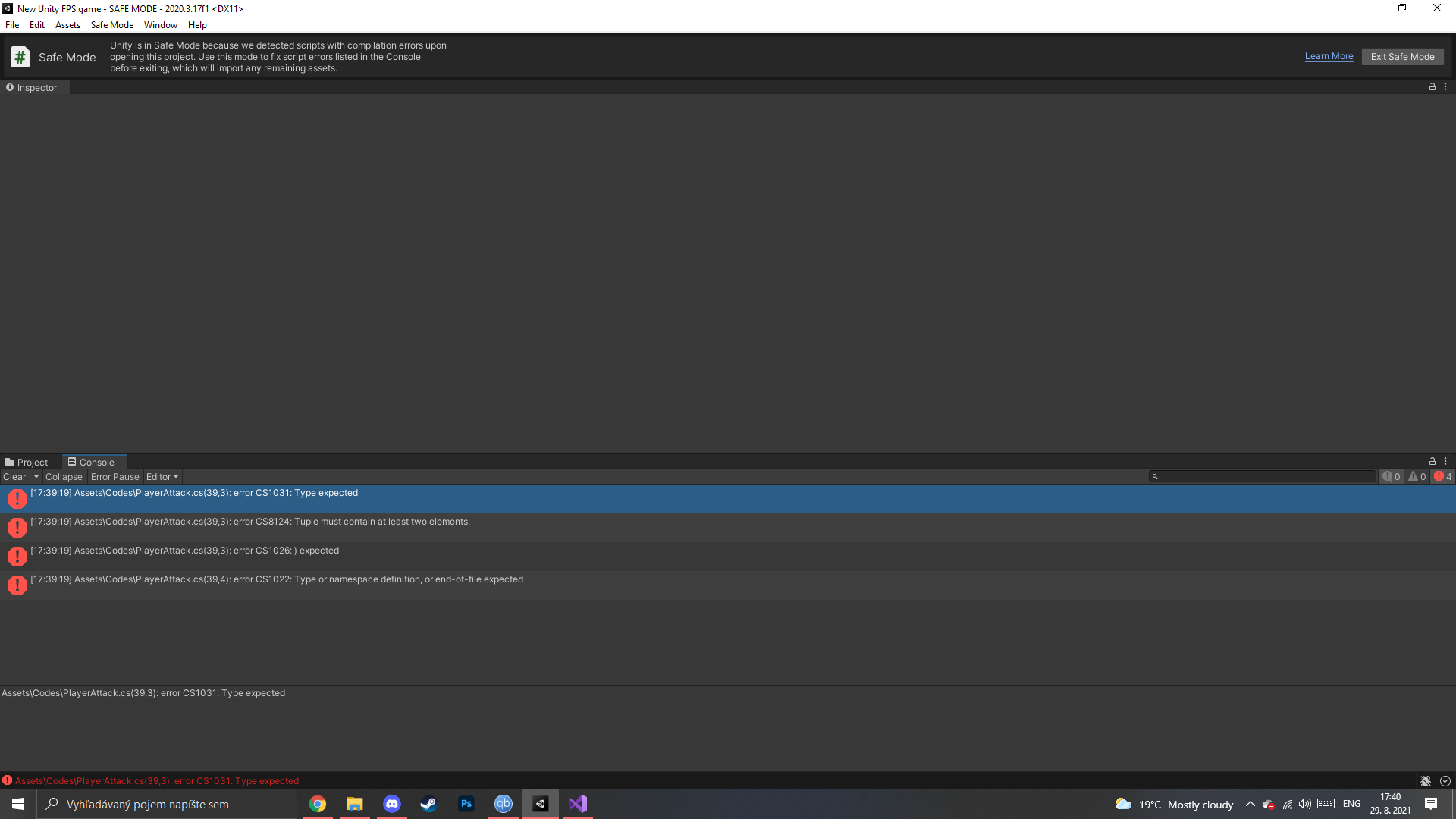
Line 25: You’re missing the word void between Private (which should be written with a lowercase P) and DoAttack().
By the way, please put your script into your post via Code tags next time instead of showing us a screenshot:
Remember, we’re not here to be your personal typo service to track down your fatfinger errors.
You may be a beginner, but if you plan to monkey-hammer-bang code into your computer, you need to bring accuracy to the table.
This will save you a LOT of time:
How to do tutorials properly:
Tutorials are a GREAT idea. Tutorials should be used this way:
Step 1. Follow the tutorial and do every single step of the tutorial 100% precisely the way it is shown. Even the slightest deviation (even a single character!) generally ends in disaster. That’s how software engineering works. Every single letter must be spelled, capitalized, punctuated and spaced (or not spaced) properly. Fortunately this is the easiest part to get right.
Be a robot. Don’t make any mistakes. BE PERFECT IN EVERYTHING YOU DO HERE.
If you get any errors, learn how to read the error code and fix it. Google is your friend here. Do NOT continue until you fix the error. The error will probably be somewhere near the parenthesis numbers (line and character position) in the file. It is almost CERTAINLY your typo causing the error, so look again and fix it.
Step 2. Go back and work through every part of the tutorial again, and this time explain it to your doggie. See how I am doing that in my avatar picture? If you have no dog, explain it to your house plant. If you are unable to explain any part of it, STOP. DO NOT PROCEED. Now go learn how that part works. Read the documentation on the functions involved. Go back to the tutorial and try to figure out WHY they did that. This is the part that takes a LOT of time when you are new. It might take days or weeks to work through a single 5-minute tutorial. Stick with it. You will learn.
Step 2 is the part everybody seems to miss. Without Step 2 you are simply a code-typing monkey and outside of the specific tutorial you did, you will be completely lost.
Of course, all this presupposes no errors in the tutorial. For certain tutorial makers (like Unity, Brackeys, Imphenzia, Sebastian Lague) this is usually the case. For some other less-well-known content creators, this is less true. Read the comments on the video: did anyone have issues like you did? If there’s an error, you will NEVER be the first guy to find it.
Beyond that, Step 3, 4, 5 and 6 become easy because you already understand!
but i did everything according to the tutorial and there is still lots of errors . I try it again and sorry for my english im using Translator
No, you did not.
Read my point above.
For one, I am 100% confident that the tutorial told you to type private
However, you have typed Private
That’s not the same thing.
Let me post Step 1 again to help you get up to speed on this:
Step 1. Follow the tutorial and do every single step of the tutorial 100% precisely the way it is shown. Even the slightest deviation (even a single character!) generally ends in disaster. That’s how software engineering works. Every single letter must be spelled, capitalized, punctuated and spaced (or not spaced) properly. Fortunately this is the easiest part to get right.
Be a robot. Don’t make any mistakes. BE PERFECT IN EVERYTHING YOU DO HERE.
When you make simple typos like this, you should see red squiggly errors from Visual Studio. If you are not, this may help you with intellisense and possibly other Visual Studio integration problems:
Sometimes the fix is as simple as doing Assets → Open C# Project from Unity. Other times it requires more.
https://discussions.unity.com/t/778503
Also, try update the VSCode package inside of Unity: Window → Package Manager → Search for Visual Studio Code Editor → Press the Update button
Also, this: https://discussions.unity.com/t/805330/7
In the future, DO NOT POST SCREENSHOTS of code. That’s not useful.
If you post a code snippet, ALWAYS USE CODE TAGS:
How to use code tags: https://discussions.unity.com/t/481379