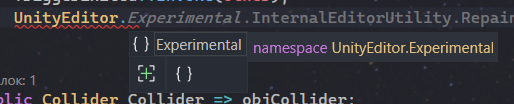
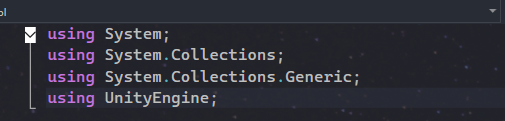
Recently updated from VS 2019 to 2022. All of my previous code using UnityEditor was in #if UNITY_EDITOR so there was no errors right after. But now it seems like namespace UnityEditor doesn’t have any classes in it except Experimental for some reason.
I’ve already selected right version, regenerated project settings and restarted UnityEditor and PC.
Also updated Visual Studio Editor package to 2.0.23:
Apart from the “reset VS” recommendations you should first try delete all .csproj and .sln files from the Unity project’s root folder. Close Unity and VS before doing so. Then try again.
You may also want to limit the .csproj generation to just what’s needed because the additional projects do increase memory usage and add to delays in VS.
Note that generating .csproj for “Player Projects” might be a bad idea - that generates an additional set of .csproj files to represent the solution as it will be in release - so no editor code.
Unless Visual Studio handles that correctly, that will mean that it might be picking up the wrong set of csproj files and that could be what is confusing it.
I recently enabled all of them only because I didn’t have System namespace and that’s was the solution I found.
I think I’m supposed to enable only embedded packages and local packages, but then after deleting .csproj and .sln and opening VS through UnityEditor, VS doesn’t recognize any Unity namespaces and System.