I know that GUI Text has been removed a few versions ago. So here his the thing, a project that I have from 2019.1 I’m trying to test and build&run on android using 2020.1, but when i build and run i get this error:
Warning (yellow)
Component of type GUI Text is no longer available in Unity. References to it will be removed!
Error (red)
Component could not be loaded when loading game object. Cleaning up!
UnityEngine.GUIUtility:ProcessEvent(Int32, IntPtr)
And it fails to compile and run.
I’ve checked all my scenes and prefabs and I can’t find GUI Text anywhere. But when I try to build it keeps giving me that error. Also, I tried to write a script to find “GUIText” on all my project and point me to where it is… but since GUIText is not any type in 2020, it can’t search for it.
Conclusion, how do we fix this? How do we find where it is located and remove it?
Hello, this is a known bug that should be fixed reasonably soon. Unfortunately, for now you will have to manually find these references and remove them. The easiest way is to run a text search through your scene files (if you’re using text serialization; if not - that’s going to be a bit more complicated). You should look for anything matching !u!92 (the ID for GUILayer), !u!131 (the ID for GUITexture) or !u!132 (the ID for GUIText) and remove the entire entry up to the next component (i.e. the first line beginning with — !u!XX below it).
The problem here is that you don’t see these loose components on GameObjects in the Editor, but the actual scene file does not get reserialized until you modify and save it. Thus, if no changes are made to the scene, it triggers the missing component check upon being loaded until it finally gets re-saved.
It’s not only a problem of “warning thrown”… it is in fact an error thrown, and as such, it won’t build your game on android or iOS, blocking a customer release. So it is not something to take lightly
Im reporting it here so it doesn’t make it to the final version. Not saying you should make releases with a beta/alpha. The idea is that it gets fixed before this turn final otherwise people won’t be able to make releases.
So to conclude: 1) it’s an error that will stop a release (so it’s critical). 2) if the upgrade doesn’t automatically remove it, the compilation error should at least tell you which prefab or scene has it, so you can load it up and resave (that’s all it needs to do).
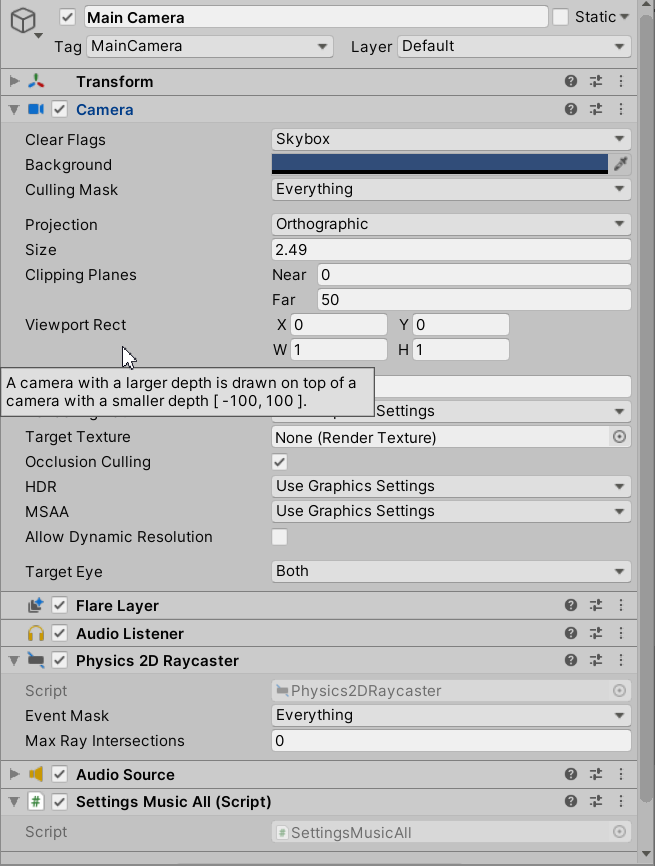
Hi, updated to Unity 2019.3, got an error for every scene: Component GUI Layer in Main Camera for Scene Assets/Scenes/FirstMenu.unity is no longer available. It will be removed after you edit this GameObject and save the Scene. UnityEngine.GUIUtility:processEvent(Int32, IntPtr)
@MaxUnity111@Jelmer123@LeonhardP
The “Component GUI Layer in […] is no longer available” error is still persisting and removing the FlareLayer Component doesn’t resolve the issue for me. The Outline is not at all working/visible. Any help?