Hello guys!
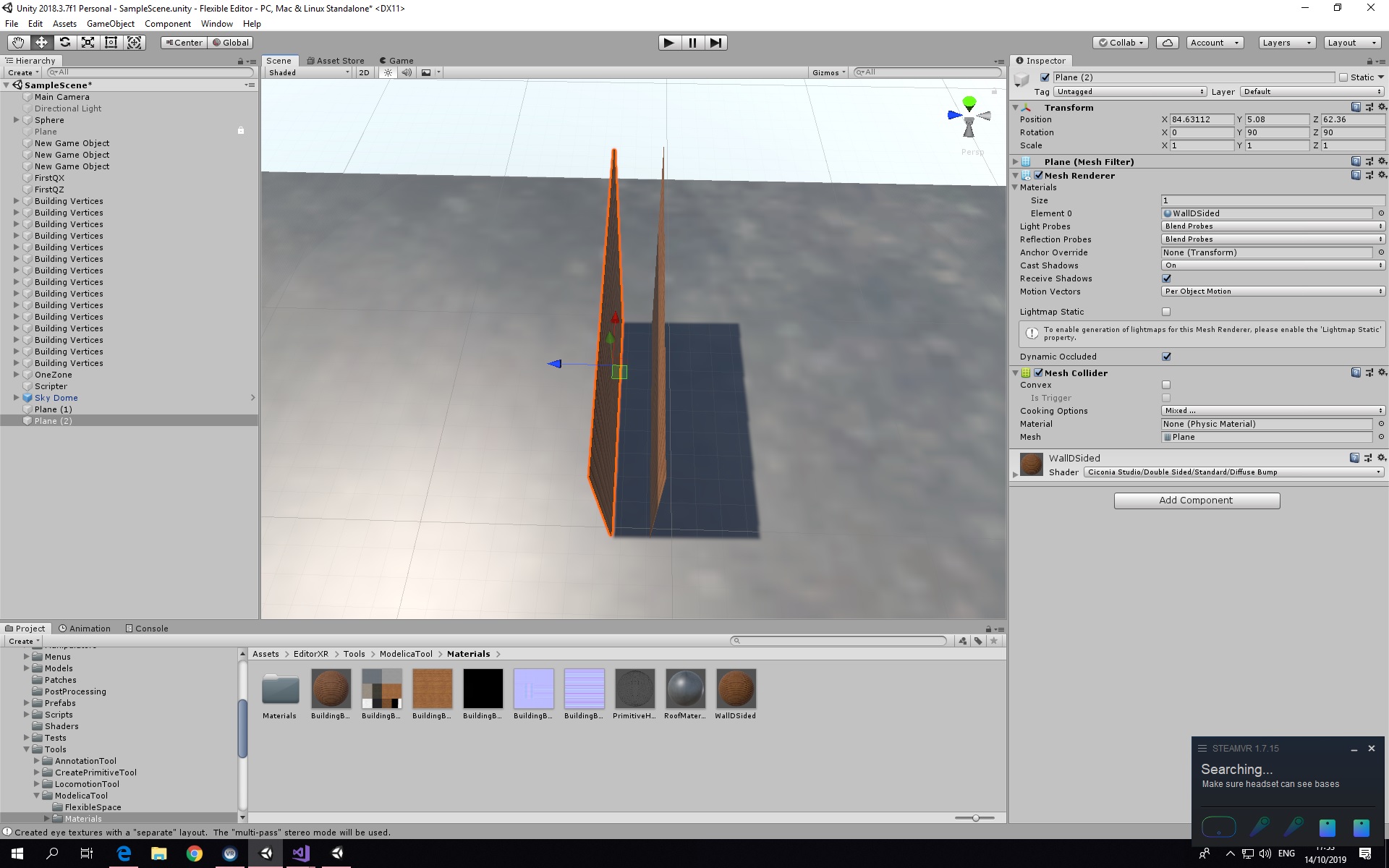
so I am working on a project in which their are supposed to be two parallel planes to be created from the position specified by the player. The player just gives an input of two vector3 coordinates and the code creates custom meshes using four sides of a square plane.
I have and can calculate all the data of one plane, but the other plane I am supposed to create should be parallel to my previous plane and should be 0.3f outwards to it. How to proceed with it?
Warm regards
You can use the plane’s normal vector. Then just use the position of the vertices and add 0.3f * normal to it.
You are perfectly right, but due to some reason, the two planes are parallel but not equidistance from each other.
  private void OutsidePlane(Vector2 FirstVertice, Vector2 SecondVertice, Vector3 MidPoint, GameObject game)
        {
            var name = "PlaneOutside" + i;
            var vectoir1 = FirstVertice + FirstVertice.normalized * 0.3f;
            var vectoir2 = SecondVertice + SecondVertice.normalized * 0.3f;

            Poly2Mesh.Polygon poly = new Poly2Mesh.Polygon();
            poly.outside = new List<Vector3>() {
            new Vector3(vectoir1.x,0, vectoir1.y),
            new Vector3(vectoir2.x, 0, vectoir2.y),
            new Vector3(vectoir1.x, 2, vectoir1.y),
            new Vector3(vectoir2.x,2, vectoir2.y),
        };
            // Set up game object with mesh;
            Poly2Mesh.CreateGameObject(poly, PlaneDMaterial, game, "Plane");
        }

Oh I got the solution!
It was my mistake, I normal I calculated was of the vector,which was being calculated from origin. So, I calculated the normal of the plane and then reprogramed it accordingly.
Thanks a lot!