I’ve seen this a couple of times since starting a new project but this is the most easily isolated case.
Versions:
Unity 2021.1.18f1
Shadergraph 11.0.0
Render Pipeline: HDRP
Trying to add a softness slider to a depth based “pulse” effect but when I expose a simple float property the output seems oddly truncated and I can’t reason about what’s casuing it.
This shows the graph with the Softness property disconnect and a literal value of 1 plugged in. Result as expected.
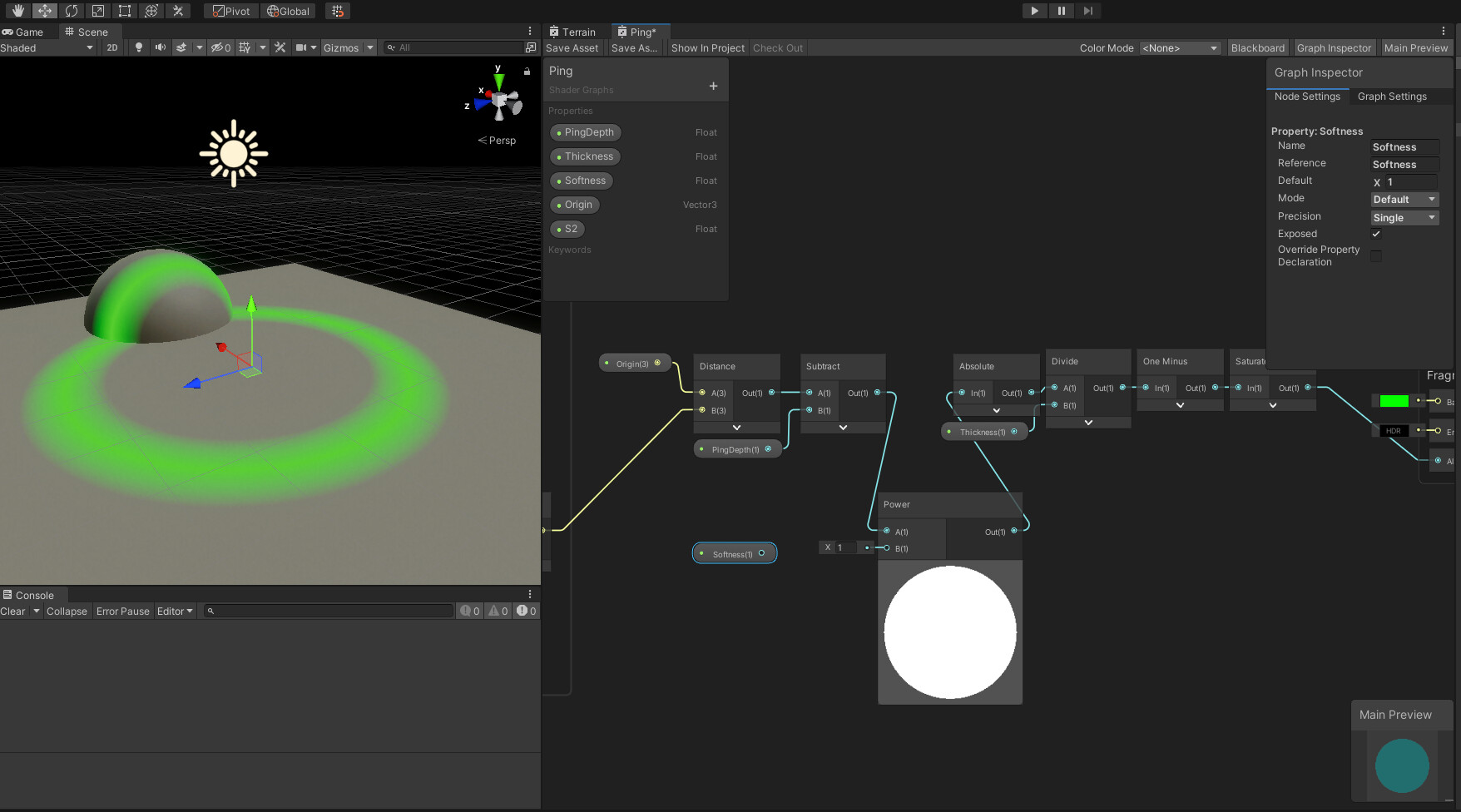
Same expected result with a literal value of 4 instead of 1.

Then I plug in softness and get this result with a property driven value of 1 from the material.

Can anyone shed some light on what’s happening here? I suspect this is a bug as swapping a literal for a property with the same value should never cause this to happen but maybe there’s something about shader graph I’m not aware of here. I checked and tried forcing the same precision across everything and got the same divergent outputs. Stranger still, if I don’t expose the property to the material inspector and jsut default the value to 1, the effect doesn’t render at all.
Full graph:

Pastebin of graph YAML: Ping shader - Pastebin.com
Put on object close to camera, set material to transparent and look through it to origin property’s world position and should render over any opaque geometry near origin property value.