I have an SVG generated sprite from a local 2D point array.
My sprite could be in 3D world space position (4f, 0f, 4f) with a rotation of (0, 50, 0) facing the camera. The camera can rotate but not move, so the camera position will always be 0,0,0 but the rotation can be either in the X or Y axis.
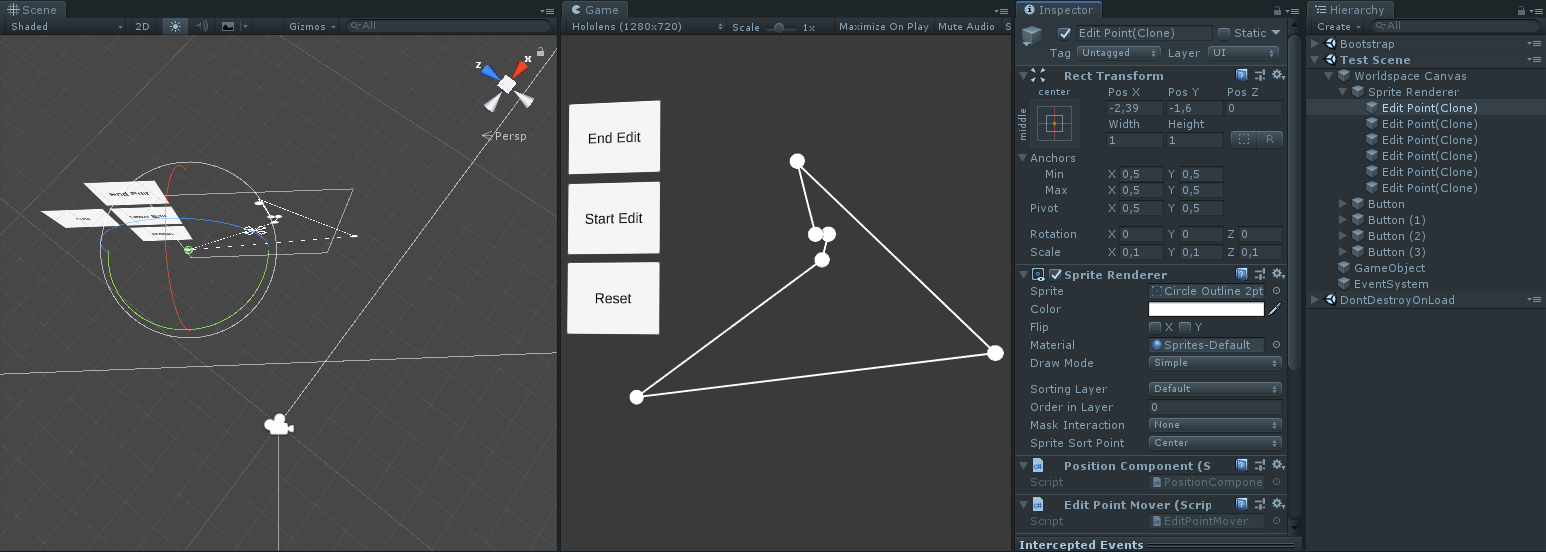
To edit the points I instantiate multiple points from the point array which are in local position.
When I drag these points I want to move the points to where my cursor is.
But how do I convert mouse input screen space coordinates to a local position of my 3D sprite, keeping it at 0z because local 2D space.
But then they will get an offset and not be under the mouse pointer.
I’ve tried things like camera.ScreenToWorldPoint and use transform.InverseTransformPoint but without success. I had some really weird positions when dragging and also the Z axis being changed.
TLDR;
I want to use the mouse pointer position and convert that to the point’s local position but ignore the Z value. Local position Z value should always be 0.
if (RectTransformUtility.ScreenPointToLocalPointInRectangle(dragPlane, eventData.position, MainCam, out var newPosition))
{
    transform.localPosition = newPosition;
}
dragPlane = parent RectTransform, which means it will convert the screen point to a local point within the parent rect transform. Then I can set the local position which is just X and Y axis which is exactly what I need!
I’m struggling with your visualization and description. I suspect your problem can be easily solved with raycasting to a plane and then using the resulting impact coordinate, but I’m not sure I fully understand what you’re actually trying to do.
@eses Right I already had the idea my description was being vague.
The world space canvas wasn’t necessary for the sprites but eventually I want the user to be able to switch between a normal predefined circle sprite (which is UI) and a custom shape sprite (Sprite Renderer, non UI). But due to some constraints I couldn’t get it right with normal UI sprites, not sure what that constraint was.
@Antistone yes and no at the same time, I am using the IDragHandler but I am not using a UI Image, I am using a Sprite Renderer which is not quite the same. It has a RectTransform because of the Worldspace canvas.
Edit: @Antistone hah now I came accross a RectTransformUtility that I actually required by looking at the IDragHandler.
The Scripting API manual uses:
        Vector3 globalMousePos;
        if (RectTransformUtility.ScreenPointToWorldPointInRectangle(m_DraggingPlane, data.position, data.pressEventCamera, out globalMousePos))
        {
            rt.position = globalMousePos;
            rt.rotation = m_DraggingPlane.rotation;
        }
However, I’ve slightly modified it to my needs doing this instead:
if (RectTransformUtility.ScreenPointToLocalPointInRectangle(dragPlane, eventData.position, MainCam, out var newPosition))
{
    transform.localPosition = newPosition;
}
Where dragPlane is my parent transform (my actual Sprite Renderer RectTransform)
The eventData.position is just the mouse position from the IDragHandler
MainCam well being the Camera.main but saved in a variable for performance purposes as it isn’t going to switch anytime. And an out variable being the local point in the Rect! yay for .net 4.x with later C# versions where you can declare the variable in the out on 1 line.
This pretty much did the trick! Thank you, I didn’t think of actually using the RectTransform Utility! though now it comes in handy! haha
I can’t use the Graphic Raycaster because I use Sprite Renderer which is not part of Graphic but inherits from Renderer instead. Hence I use a 2D collider system with the 2D physics raycaster on my camera
The SVG is converted into a sprite which is then set to the Sprite Renderer.
I had some trouble with putting that sprite into an Image sprite because it then has to use a Mesh as sprite. some other issues came up, but can’t remember them anymore beacause I have been busy quite a few hours to get this working.
for the SVG rendering yes, sadly I couldn’t get that to work properly. Atleast I will require the 2D polygon collider that I generate with that SVG rendered sprite (because I need to be able to click it inside the custom shape, ignore outside). But I remember something being wrong with putting that sprite into an Image UI. not sure what that issue was. Maybe I can work around it now… will have to try this.
for the Drag Points I could indeed use Image UI’s and just use the RectTransformUtility to move them.
Luckily I left my work PC on, so I could access it and change the code and prefabs. I changed the points to use Image UI, but I cannot escape the fact that I am going to need a physics 2D raycaster and Polygon collider for my SVG generated sprite.
A UI Image is always a square box collider, yes you could ignore alpha but the inner of my SVG shape is completely 0 alpha. Which means I would click right through it which beats the point of having a custom shape.
 which beats the point of having a custom shape.