I see but it’s still an issue as it defeats main purpose of this plugin. Maybe if it could also work in runtime for built games I’d consider it worth doing.
Unfortunately the code posted by @Kamyker does not work for my case.
The dark UI theme has been officially introduced in 2019.4.8 & 2020.1.2!
https://twitter.com/willgoldstone/status/1293584111844679685
3 Likes
Nice!
1 Like
Hura. 2020 was passing.
By the way why menu bar is still bright and white?
Probably because its part of the native os window context. On each os the menu bar is handled differently so they left it as is.
Many programs like unreal, affinity designer, rider, has colored bars and even full-screen with dropable menu(rider). It would be great if unity fix that bright line in dark mode. It is possible.
1 Like
I am with you on this, especially considering I use rider and vscode daily. Sublime text has a white bar, but you can hide it and just have it appear when you hit alt. I agree that there are plenty of options, I just didn’t want to push the issue much yet, considering we only recently, finally, got dark mode in general.
1 Like
Now we will wait another 10 years for them to fix this:) Or may be they will fix it in pro version and unlock it after ten years for all.
Hi, could you tell me how you got the icons from 2019.2 to replace the new ones? I want to use them in 2019.4, thanks.
It’s pretty old but I had to save all icons from 2019.2 and load them in newer version. Some code is in https://github.com/kamyker/UnityDarkenThemer
Just decided to give this one above (which can be found here) a try because I liked it a lot. Looks pretty good I’d say:

There are some quirks, however:
- Package Manager - or UI Toolkit-based elements in general - do not seem to be stylable, leaving them in the default Unity color.
- Checkboxes, toggle boxes,
scrollbars,etc… use plain images.Same with that bottom-right Tools window inside the Scene view.They would need to get replaced in order to make them fit.
I’m considering finishing this up as best as possible and throw it onto GitHub.
Would there be any interest?
Edit (Dec 11): It can now be found on GitHub and there’s a dedicated thread here:
1 Like
Interest - yes. The images need some way to easily inject your own, maybe a scriptable? A way to dump them on disk, and then import on load?
Looking sharp @Mauri ! I am always interested in having new themes to use!
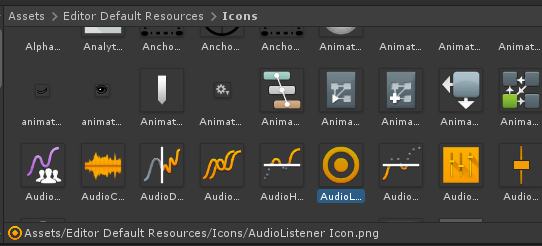
Does anyone of you know how to swap out the editor icons? I am trying to use the old icons from before the 2019 editor “upgrade”. I put them in the “Editor Default Resources\Icons” folder as described here . However this is not working at all.
I saw some of your skins had changed a couple of editor icons, how do they achieve that?
I have the import format set to “Editor GUI and Legacy GUI”
Can anyone help me out?
I am working on a theme that restores the editor to how it used to look, and this is pretty much the final step.

Been using the theme posted by @Mauri and I’m really enjoying it, but in my editor version (2021.3) and up some of the elements are using the default colouring. So I tried to poke around and style them but I don’t think I’m quite understanding how it’s done. Either I’m using the wrong element names from the UI Toolkit Debugger or I’m way off on the configuration structure. Is there like a ‘full template’ somewhere?
1 Like
I have encountered the same problems. The names the debugger gives you dont work (Even though the “documentation” says you can use these), and I have found no way to change the play button especially
@Khaeops and @Vincent13122 Sorry for the rather late reply 
It’s not that you’re “too dumb” or anything like that. Unfortunately, some of the Editor’s own UI Toolkit elements just can’t be styled this way (i.e. with a sole .uss stylesheet) - unless you’re [using custom code scripts like MechaWolf99]( Draggable overlays, custom toolbars, new Tool systems page-3#post-7803597). I haven’t tried his method (yet) because my goal was ultimately to only use a simple, non-invasive stylesheet file to theme the entire Editor.
Unity Technologies itself doesn’t officially support theming the Editor. I remember I once had a chitchat with a staff member regarding Editor theming and it was made pretty clear to me that, what I was trying to do, is not really desired by them. So, I eventually gave up frustratingly.
3 Likes
In 2023, we cant customize the global classes? I want to override unity-binding–prefab-override class globally but now i dont know what to do. Have anyone succeeded for styling UI Toolkit element’s classes?