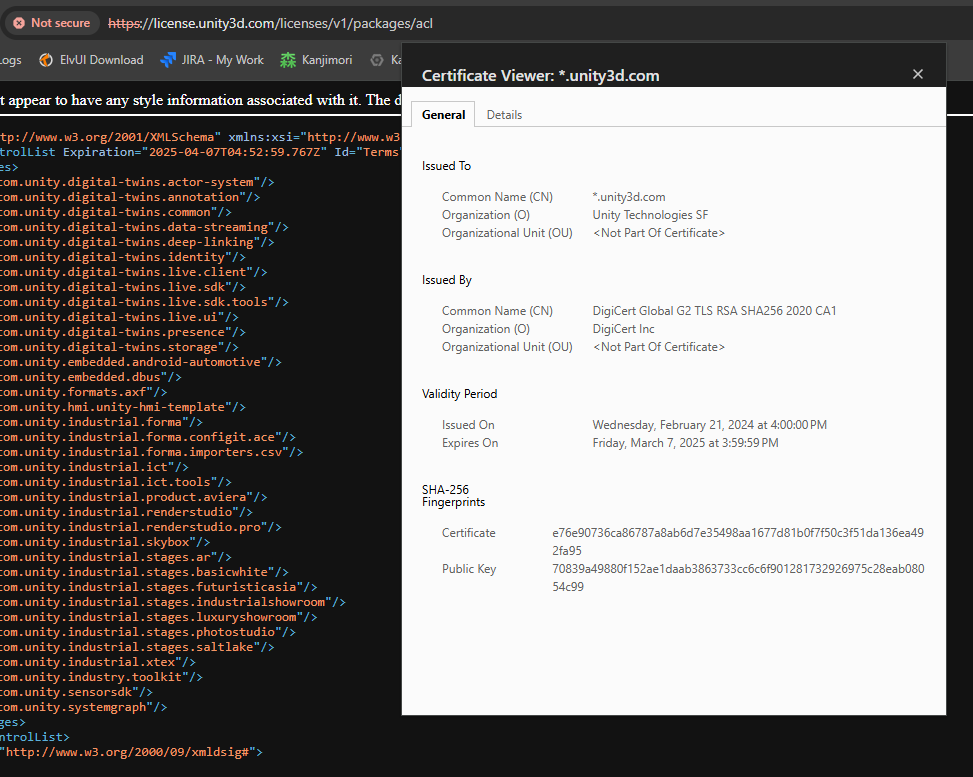
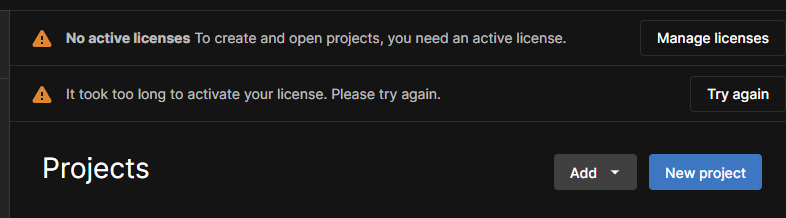
I am experiencing licensing issues with Unity Hub due to an SSL certificate error. The error message indicates a failure in establishing an SSL connection, specifically citing a “NotTimeValid” error. Upon further investigation, I discovered that the SSL certificate for the domain license.unity3d.com appears to be expired (e.g., expired on March 7, 2025), while my system’s date and time are correctly configured.
I have confirmed this issue by checking the certificate details using OpenSSL and through my web browser, both of which show that the certificate is no longer valid.
UPD [AFTER 12H]
As correctly noted by users @ELGUN and @Smeksy, you can set your computer’s clock back. This should resolve the issue in case of a life-dependent situation.
However, we are still waiting for a fix from Unity (they have already responded in this thread, confirming that they are aware of the problem).
UPD [AFTER RESOLVED]
Thank you to all forum users for your activity! This is truly important—it helped get a quick response and fix from Unity.
Unity team, thank you for the fast fix.
A special thanks to @RichardFine for his engagement and responsiveness.
2025-03-08 03:06:44.157 - [ 13288] - [    17] - ERROR - [PackageService.HttpRequests] /!\ Exception caught while sending request: [GET | https://license.unity3d.com/licenses/v1/packages/acl | ]
System.Net.Http.HttpRequestException: The SSL connection could not be established, see inner exception.
 ---> System.Security.Authentication.AuthenticationException: The remote certificate is invalid because of errors in the certificate chain: NotTimeValid
   at System.Net.Security.SslStream.CompleteHandshake(SslAuthenticationOptions sslAuthenticationOptions)
   at System.Net.Security.SslStream.ForceAuthenticationAsync[TIOAdapter](Boolean receiveFirst, Byte[] reAuthenticationData, CancellationToken cancellationToken)
   at System.Net.Http.ConnectHelper.EstablishSslConnectionAsync(SslClientAuthenticationOptions sslOptions, HttpRequestMessage request, Boolean async, Stream stream, CancellationToken cancellationToken)
   --- End of inner exception stack trace ---
   at System.Net.Http.ConnectHelper.EstablishSslConnectionAsync(SslClientAuthenticationOptions sslOptions, HttpRequestMessage request, Boolean async, Stream stream, CancellationToken cancellationToken)
{"timestamp":"2025-03-08T06:50:37.972Z","level":"warn","moduleName":"LicensingSdkService","pid":21240,"message":"[ 'A problem occurred while trying to activate all entitlement based licenses', '{\"messageType\":\"ActivationManagementResponse\",\"results\":[],\"responseCode\":1500,\"responseStatus\":\"Internal Client Error: The SSL connection could not be established, see inner exception.\",\"id\":\"21\"}' ]" {"timestamp":"2025-03-08T06:50:37.972Z","level":"info","moduleName":"LicenseService","pid":21240,"message":"activateAllEntitlementBasedLicenses: EntitlementBasedLicenseActivationResponse { messageType: 'ActivationManagementResponse', getSubResult: [Function (anonymous)], results: [], responseCode: 1500, responseStatus: 'Internal Client Error: The SSL connection could not be established, see inner exception.', id: '21' }"}
Edit: Sorry for replying to the wrong post in the chain, it’s my first time on the forum.
Set your computer date to past for example 5 March then restart the Unity Hub, it will work. Anyway this is serious issue, Unity needs to renew their SSL certificates.
Same for me. This morning (8 March 2025) I got an “Unable to refresh license. Please try again.” and despite trying different solutions from old posts with the same issue I can not find a solution
So frustrating. I can see my personal unity license in my profile but the Unity Hub keeps giving me the same error
Downloaded Unity after a few years and wanted to get started on a project. Seems like it wasn’t meant to be… At least setting system time back seems to work, but seriously. SSL cert renewal should be handled automatically in the year 2025
Same for me!
messageType: ‘ULFActivationResponse’, responseCode: 1500, responseStatus: ‘Internal Client Error: The SSL connection could not be established, see inner exception.’, id: ‘18’ }