TLDR: Can we have access to UnityEngine.DDSImporter, and if so would it crash if i removed the last few mip map levels?
Hey folks, so as in the title. Basically Unity does not support mip mapping along side models that use a texture atlas. I have tried contacting support about this issue but they recommend I post here (which I disagree with but here it goes).
Ok so the problem, lets start with some pictures:

So this is my terrain for a minecraft engine, it generates meshes and populates each blocks texture from a texture atlas, pretty standard practise. As you can see here, its looking fine at this distance, you can see some artifacts that even ansio level 13 can’t remove but those I can deal with. Lets zoom out:
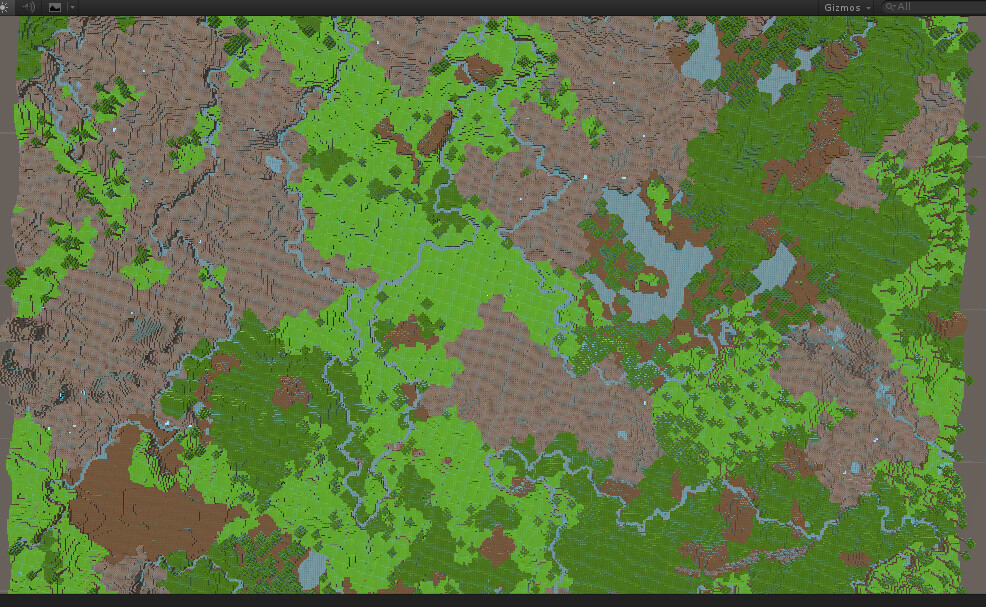
Ok already its look pretty warped and distorted, note that I have a mip map bias of -5. This is ten times what Unity recommends! However this I can also deal with by making a custom DDS file and blurring this mip.
However lets zoom further:

Now the terrain is just garbled. What is going on here is I have hit mip map 8 and the textures are bleeding. No amount of padding can over come this! Last image:
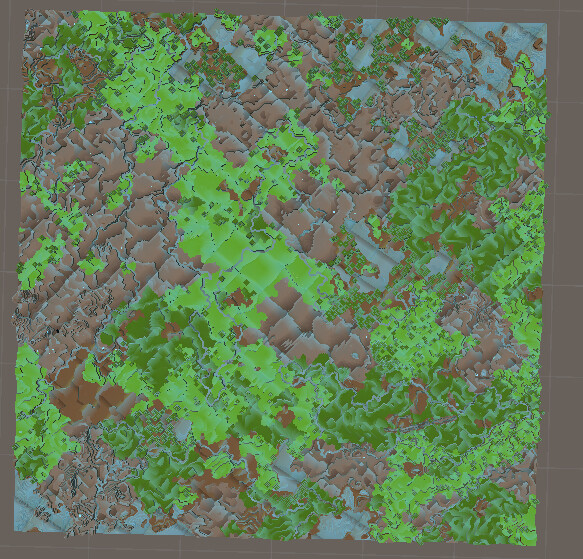
Utter distorted madness. What’s going on? Well its actually really simple.
What is happening is I am using block textures that are 128 by 128 and these can be chopped in half 7 times so the final mip is a pixel. Awesome mip mapping doing its job. But I place these textures into a 1024 by 1024 block atlas, with a 28 pixel padding to avoid bleeding. The problem here is that the 1024 texture can be chopped 11 times. So after mip map 7 the base textures no longer fit as one pixel, they bleed into each other because there is no more data but Unity keeps generating mip maps until the file is a pixel.
So to me there are two solutions. Either I fill mip maps 8 > 11 with mip map 7. I lose a little peformance by drawing the bigger textures but my terrain looks nicer. Or I delete these mips entirely.
Both solutions are currently impossible. If I try to do either Unity will automatically generate the remaining mip maps again, if they are gone they get recreated, if they are larger than expected they are automatically shrunk.
It looks like my solution is to make a custom texture importer and override this functionality (however I doubt the validity of this as I imagine if the mip maps are not what unity expects I will get some nasty crashes/errors). I can’t do that however, I can see if I try to import my DDS file it fails to import with the standard texture importer since there is a class for that called: UnityEngine.DDSImporter. However attempting to create an instance or cast to this type results in compiler errors.
To me this is a pretty fundamental design flaw! Does anyone have any suggestions on how to overcome this? If not please bump this thread in the hopes a Unity dev see’s it to comment.
Cheers!
Jason


