Hi,
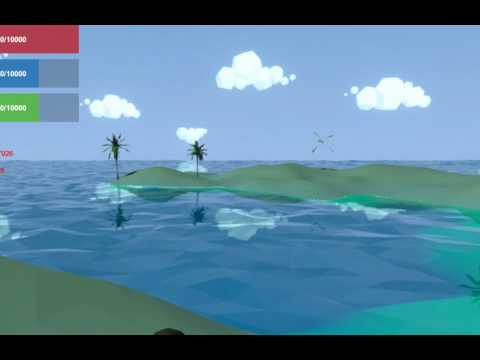
In my 3d game it is necessary that the objects (stones, trees) smoothly appear as the player moves through the territory.
I tried to do this through gradual changing the transparency of the material, but this option is not very good. The main problem is that to regulate the transparency of each object - I need to make a copy of the material, turn on Fade mode and smoothly change the alpha channel. It works, but the performance drops significantly. It seems to me that reason is that I make a lot of copies of the material. In addition, switching to Fade does not always work for a mysterious reason.
How to solve this problem? Can there be other ways?
I have fully procedurally generated world (open and endless). So I can not to draw all objects - even with low LOD.
Before I used Fog to hide far landscape. However objects (trees, stones, etc) have lesser radius of visibility than terrain. Therefore Fog does not help me to hide them.
It is logical to use the alpha channel for the gradual appearance of objects. But it’s expensive because you have to create a separate material for each object.
It lets you set the far clip plane of your camera on per-layer basis, so you can put your detail objects on a separate layer with a shorter far distance.
If this is not what you want, you might have to write a primitive shader that manages alpha based on distance from the camera. That way you will reduce the material instances to just one for all detail objects.
Well, as an option it will do. Thanks.
However it will look worse in compare with transparency, of course.
Yes I can. But this is not exactly the same. Because once I created an object - I want it to gradually appear, even if the player stopped. In the case of calculating the distance in the shader, the object still transparent if player have stopped.
I’ve tried this way. Unfortunately it is not fit for me.
Array layerCullDistances is not same that CliipingFar.
Array layerCullDistances just cut whole object if it is out of clipping. There is described more detailed:
I read this article. But it is very difficult for me
Keijiro posted an example of how to use dithered cross fading here:
It’s also built into the Standard shader in 2017.1 so you don’t need a custom shader to use it anymore. Previously was only built into the speed tree shader.
edit: I’m wrong, they built it in as an option for surface shaders, not the standard shader, so you’ll still need a custom shader to use it, but it’s a potentially little easier to use than what’s in Keijiro’s example.
Ok, guys.
I made surface shader, based on dithered cross fading.
There is two variants - shader with adjustable fading factor (I use it for specific objects that have own non standard shader), and a shader that determines the fading factor by the distance to the camera (for most count of objects).
@StarTwinkle I’m pretty new to understanding how shaders work. I want to us the Standard shader but that Dither affect that you used is perfect. However it looks in that video that it would only work on base colors rather that texture maps.
So in short I need all the features from the Normal Standard Shader plus that affect. I cannot for the life of me figure out how to add it. It compiles but never transitions.
Do you know of a way to make that system work in the PBR Standard Shader?
I figured it out. I just needed to manually add all the maps to it. So I’v got what I want to. All the cross fade dithering plus the PBR function from the Standard Vertex\Frag shader