Good afternoon. The majority of the actions and inputs are being handled in the new input system while the old input system is still active for backwards compatibility on some 3rd party assets I have installed. However, everything that I am doing and creating uses the new input system for action mapping as it is a lot easier to manage.
I am currently trying to manually handle the UI events within a worldspace UI as Unity does not support worldspace UI interaction using the new input system as of 2022 LTS when the cursor is locked from what I read. Unfortunately, the cursor must remain locked even when interacting with in-game UI, but the player is still able to move their head around in a free-look fashion as this is a first person view. I am using this, along with an aiming reticle, to show where and what they are looking at to process any interactions by using a Physics.Raycast ray starting from the cursor position (which is locked in the center of the screen) using Camera.main.ScreenPointToRay(Input.mousePosition) as the ray.
The issue I am having is that when casting a physics-based ray against a worldspace UI canvas and passing in the translated local position hit information, the graphic raycaster is able to find the UI elements, but the locations of the detected UI elements are all offset by half of the UI element’s location for some reason towards the upper right coords (1,1) of the canvas despite the UI elements never changing location.
For example, the “Click Me” button will be found by the GraphicRaycaster at the (.75x, .75y) location instead of the actual location in the center (.5x,.5y) despite the UI not changing in location within the canvas. The found locations are all different than what their actual locations are. The only information that is being passed into the graphic raycaster is the code found below. Nothing else is being modified.
**The logic & scene is setup like below: **
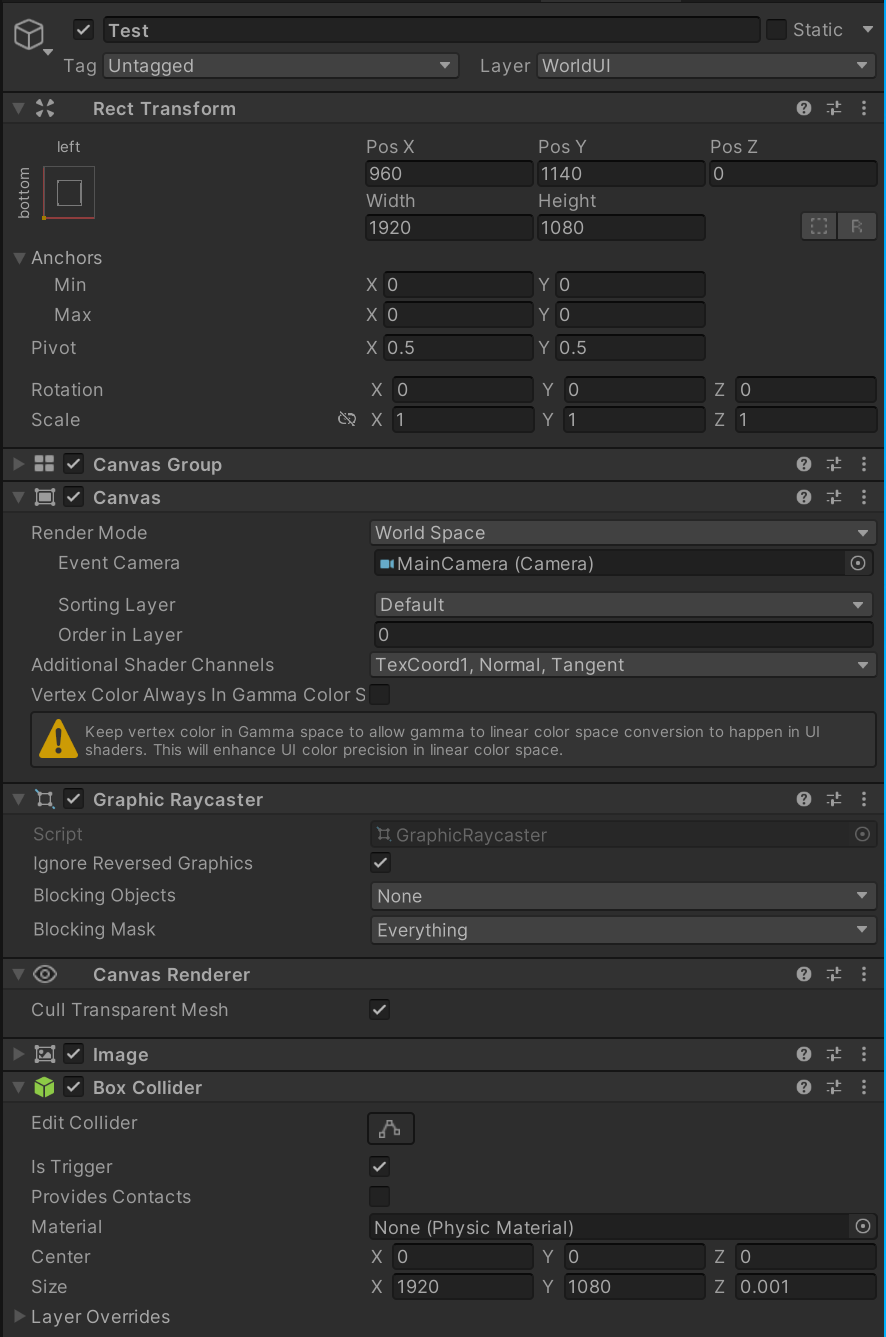
All worldspace canvases are parented to a gameobject which has the scale set to 0.00025 on xyz to scale it down and are set to 1920W x 1080H with a box collider that is also set to 1920x, 1080y, .001z in size to help detect when hit by the Physics.Raycast ray.
Event system:

Parent object:

Testing canvas:
Testing UI:

When the player looks at an area within the worldspace UI this hit data is then passed into the GraphicRaycaster translating the hit location into canvas space coords to process any events shown below.
This has been driving me crazy trying to figure out why this is happening. Has anyone else had this issue to help resolve it or could provide some insight into getting the new input system to work with a locked cursor using the new input system?
Code to handle input:
 // Update is called once per frame
    void Update()
    {
	    // Cast a ray from the mouse position.
	    Ray ray = Camera.main.ScreenPointToRay(Input.mousePosition);

	    // Temporary hit variable to store hit information.
	    RaycastHit hit;

	    // Raycast with the calculated information.
	    if(Physics.Raycast(ray, out hit, 1f, worldSpaceMask))
	    {
		    if (graphicRaycaster == null)
		    {
		    	graphicRaycaster = hit.transform.GetComponent<GraphicRaycaster>();
			    canvasRect = hit.transform.GetComponent<RectTransform>();
		    }

		    // Normalize the hit location into canvas space coords.
		    // Lowerleft (0,0) & Upper Right (1,1).
		    Vector2 localPosition = hit.transform.InverseTransformPoint(hit.point);
		    Vector2 NormalizedPosition = new Vector2(
			    ((localPosition.x + (canvasRect.rect.width * canvasRect.pivot.x)) / canvasRect.rect.width),
		    	((localPosition.y + (canvasRect.rect.height * canvasRect.pivot.y)) / canvasRect.rect.height));

		    // Raycast using Graphic Raycast to determine hits & handle events.
		    OnInput(NormalizedPosition);
	    }
	    else if (graphicRaycaster != null)
	    {
	    	graphicRaycaster = null;
	    	canvasRect = null;
	    }
    }