Hello, Why I can't attach a generic class component to GO?

// solution #1
// emptyGo.AddComponent<DefenseNexus<Character, PlayerCommonClipNames>>();
 
 // solution #2
 // type = AbilityManager.Instance.TryToCreateGenericType(AbilityManager.Instance[kind]);
 //emptyGo.AddComponent(type);
public abstract class Magics : MonoBehaviour{}
[RequireComponent(typeof(Radar))]
public class DefenseNexus<C, E> : Magics
where E : Enum
where C : notnull, Component, IAnimationController<E>{
 void Awake()
    {
        radar = GetComponent<Radar>();
        radar.RadiusX = yard;
        radar.Tag = Config.Tag.Monster;
        radar.SetSleepMode(RigidbodySleepMode2D.NeverSleep);
        radar.OnTargetChanged += () =>
        {
            ICreature<C, E> creature = CreatureTargetTransform.GetComponent<ICreature<C, E>>();
            creature.CreatureInfo.UpdateMagicProperty();
        };
    }
}
[RequireComponent(typeof(CapsuleCollider2D), typeof(Rigidbody2D))]
public class Radar : MonoBehaviour, IComponentRelationship{}

The docs said it supports a generic version, my generic type is a generic class.


In the inspector Window, the code process is below.
step 1: solution#1 or solution #2.
step 2: when DefenseNexus<C,E> script is attached to GO, then [RequireComponent(typeof(Radar))] is called, it takes [RequireComponent(typeof(CapsuleCollider2D), typeof(Rigidbody2D))] 2 components below.
step 3: Finally the DefenseNexus<C, E> script content is missing!!!

Can someone help me out thank you!!

You have some gaps in your example.

For example, you define a generic class like

public class DefenseNexus<C, E> : Magics { ... }

However, you don’t show whether Magics derives from MonoBehaviour, which is a Component based on a C# script. Let’s say it does.

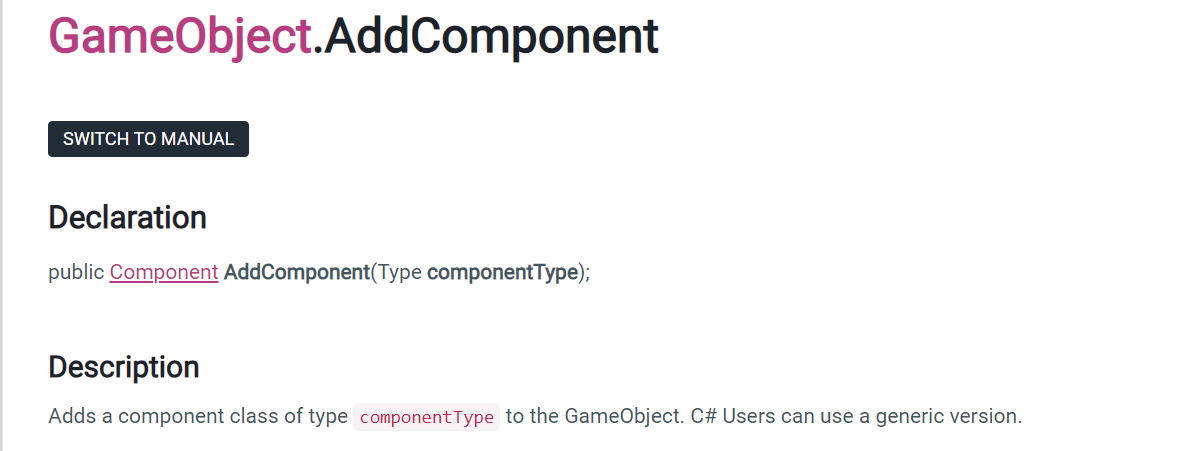
Next, the documentation page says public Component AddComponent(Type componentType); can take generic types.

Your example strategy #1 says emptyGo.AddComponent<DefenseNexus<Character, PlayerCommonClipNames>>(); but that’s not the same API method overload.

I personally think that generics as MonoBehaviours is going to be fraught with all sorts of over-engineered, highly-fragile, tightly-bound ball-of-mud design flaws. But that’s just me. I just tried this syntax and found it to compile and work, … partially. I think they need to remove anything in the documentation that says it’s supported.

public class Gen<T>: MonoBehaviour
{
    public T something;
    // whatever you like
}
    // to attach a Gen<T> to a gameObject
    public static Gen<S> AddGen<S>(GameObject gob)
    {
        return gob.AddComponent(typeof(Gen<S>)) as Gen<S>;
    }

When I run the AddGen() code here, it does add something to the GameObject, but it produces this warning in the Console. The Inspector has no idea what to do with it, and can only say that there is an anonymous component on the GameObject that was added at runtime, attributable to the script that tried to add it. It cannot serialize it (as Unity’s serialization scheme cannot handle generics).

The class named 'Screenplay.Gen`1' is generic. Generic MonoBehaviours are not supported! UnityEngine.GameObject:AddComponent (System.Type) Screenplay.Gen`1<string>:AddGen<int> (UnityEngine.GameObject)

public abstract class Magics : MonoBehaviour{}

This is the parent class Magics structure. it seems the unity MonoBehaviour class does not support the generic class that it inherited from. because there is eventhandle inside the DefenseNexus<?,?> class, so I have to add generic type to the class.

I found that you can’t add a script(generic class) to the gameobject in the editor inspector panel.

9523372--1343494--upload_2023-12-12_5-26-34.png
9523372--1343497--upload_2023-12-12_5-26-55.png
I found that you can’t add a script(generic class) to the GameObject in the editor inspector panel.

This is just something Unity doesn’t support. With either components or scriptable objects, you always need a concrete type with no generics. You can of course inherit from a type with generics, giving them concrete types.

In unity there is a difference between adding a component to a GameObject at runtime and adding a component at editor time. That difference being the necessity for the editor time one to be serialized to disk and loaded later on.

If you look in the *.unity, *.prefab (as well as SO’s for *.asset) you’ll see something like this scattered about in it:

--- !u!114 &7255019216938518865
MonoBehaviour:
  m_ObjectHideFlags: 0
  m_CorrespondingSourceObject: {fileID: 0}
  m_PrefabInstance: {fileID: 0}
  m_PrefabAsset: {fileID: 0}
  m_GameObject: {fileID: 7255019216938518867}
  m_Enabled: 1
  m_EditorHideFlags: 0
  m_Script: {fileID: 11500000, guid: e903f0bc27efa1547accf61bf2537cb7, type: 3}
  m_Name: 
  m_EditorClassIdentifier: 
//SNIP - any serialized fields pertaining to the script

This is how your script is serialized. We have a lot of data here including what gameobject in the scene/prefab we’re attached to, enabled, editor flags, etc… but very specifically we have:

m_Script: {fileID: 11500000, guid: e903f0bc27efa1547accf61bf2537cb7, type: 3}

This is what points to what script its attached to. And you may notice… there’s nothing about the actual class name!

Instead there is a guid. Now if you were to go to the script location in the assets folder you’ll find a meta file (the file may be hidden if you don’t have them configured to be visible). In it you’ll find info like so:

fileFormatVersion: 2
guid: e903f0bc27efa1547accf61bf2537cb7
MonoImporter:
  externalObjects: {}
  serializedVersion: 2
  defaultReferences: []
  executionOrder: 0
  icon: {instanceID: 0}
  userData: 
  assetBundleName: 
  assetBundleVariant:

Note the guid matches here. If you also used AssetDatabase and called a method like AssetPathToGUID it would return this same value:

THIS is how it attaches scripts via the serializer. It’s a file association rather than a type association. This is also why your script file needs to be named the same thing as your class itself. They need to match.

Not that a generic class’s name would not match the filename since it literally represents multiple class types and the class definition doesn’t contain any of those names but rather a “T” or in your case a “C” and an “E”.

…

Now someone might come along and say “But lordofduct, how do dll’s work??? I have a dll and I can add scripts from it!”

When you use a dll the guid will now be associated with the guid connected to the *.dll itself (there’ll be a *.dll.meta file with it when you import it into your project). And the m_Script line will look something like:

  m_Script: {fileID: -790813810, guid: a8c78d74a98c0bc46ae90e875babbdaf, type: 3}

Note that the ‘fileID’ in this case is a much different number. Where as all the scripts that are directly referenced are always 11500000. Well that’s because this ‘fileID’ holds a hash for the class name. So Unity can actually load that assembly create a table of all the scripts in the dll and their hashed names and use that to lookup which script is to be attached.

Now you might ask “well why not use that to support generics then???”

You can’t.

Cause the problem with generics. That: MyClass<T,K> isn’t ACTUALLY the class. That’s not how C#/.Net works. Lets say we created this class:

public class MyClass<T>
{
    public T value;
}

Then we were to do this:

var obj = new MyClass<string>();
Debug.Log(obj.GetType().FullName);
Debug.Log(obj.GetType().Name);

You’ll get this output:

ConsoleTest02.MyClass`1[[System.String, mscorlib, Version=4.0.0.0, Culture=neutral, PublicKeyToken=b77a5c561934e089]]
MyClass`1

The class’s name is MyClass`1.

We could create another MyClass and we’d get a similar result of:

ConsoleTest02.MyClass`1[[System.Int32, mscorlib, Version=4.0.0.0, Culture=neutral, PublicKeyToken=b77a5c561934e089]]
MyClass`1

We could even call GetType().GetGenericDefinition() which returns the System.Type that represents the MyClass.

What’s going on here?

Well… generics exploits the fact that C#/.Net is a JIT compiled language (just in time). Your program isn’t compiled into machine code until it is needed while the program is running. This means you can create types in whole at runtime (this is the same reason you can use ‘emit’ to create types at runtime).

Problem is your MyClass or other generic variant can have an unknown number of types shoved into T! And the type very well may not exist at runtime when it goes to deserialize!

OK… so then why doesn’t Unity just you know… cause it to exist?

Well, there’s 2 problems. We don’t know what the type is… we only know what the type name hashes too. The type name would have to pre-exist to compute the hash to then lookup to get the type. This is why non-generic classes in the dll works… we can list all the concrete types in the assembly.

And the other problem is that we also need to support IL2CPP!

C++ is NOT a jitted language. It is compiled ahead of time for its target platform. This means all types must be known at compile time!

How IL2CPP will do this is to look through your code and find every List and MyClass and what not and make sure to create corresponding concrete C++ classes for each and then compile all those. This is why IL2CPP doesn’t allow things like ‘emit’ and the sort.

…

Could Unity maybe engineer a solution to all of this that ensured your generic types were known about? Sure. I could think of ways to hack it into the existing serialization engine. But… it’d be a pretty heavy lift and pretty hacky to build it into the existing design of the yaml, or it would require altering the yaml layout (which could have huge ramifications and cause bugs through out the serialization system that relies on the existing yaml format). And for what? Let you attach a generic class?

Just create concrete version of it. You’re done.

…

Note this doesn’t mean in years to come the feature ends up getting added. It could… unity added support for generic fields not too long ago. I didn’t even know they worked cause for a decade they didn’t work (with the exception of List) until one day I just happened to have a generic field and I saw it in the editor and was like “WOAH! That works now!!??!?”

And who knows, maybe one day this will work. But I’m not holding my breathe, and well, at least now you know why it doesn’t work currently.
Amusingly after Unity added support for serialisation of types with generics, we got [SerializeReference] in 2019… which didn’t support generics again. At least not until 2023.1 where support for that got added.

lol, I can see that

I read your message carefully and learned a lot, Unity doesn’t support generic(This situation) classes to be added to GameObject in the editor, because it needs a specific (T) type to store in the disk, basically it is a static type.

in my first code snippet solution #1, which was a hard code and provided all generic static types before it was compiled. It is hard to say Unity doesn’t support generic classes, maybe it can’t process nested generic.

emptyGo.AddComponent<DefenseNexus<Character, PlayerCommonClipNames>>();

emptyGo.AddComponent<DefenseNexus>();

I’m confused by this paragraph. Is this a follow-up question?

Yes, According to my understanding, Unity needs a static type to create a script instance which able to attach to a GameObject, the code like this below. it’s easy to understand.

emptyGo.AddComponent<DefenseNexus>();

the follow-up question is why

emptyGo.AddComponent<DefenseNexus<Character, PlayerCommonClipNames>>();

I have already provided specific generic types in a hard code way. Unity can’t identify the types “Character”, and “PlayerCommonClipNames”, attributable to as they belong to nested generic types?. Does Unity only identify the first-level generic type?

It’s just something Unity doesn’t support. As to “why”… because Unity doesn’t support it? It’s something that hasn’t been implemented, and probably isn’t on their radar for the complications it creates. That’s all there is to it.

It’s just one of those restrictions we have to work with.

As you may know, MonoBehaviour components have to be located in separate files and the file has to match the class name. That file is registerd in the AssetDatabase as a unique asset and gets an asset id. Keep in mind that generic classes are essentially incomplete classes. They are missing an implementation detail. Whenever you actually provide those generic arguments, you create a completely new type on-the-fly. So the same script asset could potentially cover infinite concrete classes.

Many don’t understand what generic classes are. They are in some sense the opposite of inheritance. While inheritance and polymorphism provide different “flavours” of the same type and the derived types still are the base type, a generic class on the other hand provides the exact same code but works on different data. Two concrete instances of a generic class are not compatible in any way. Generic classes can have some compatibility, but only one directional depending on the type argument. The keywords here would be covariance and contravariance. Though that’s kinda irrelevant here since non-concrete classes can’t be used as components.

What you can do, is create another script for each concrete variant and create a subclass (again with matching file name). That way you can actually use that subclass. So you can do

// DefenseNexusCharacter.cs
public class DefenseNexusCharacter : DefenseNexus<Character, PlayerCommonClipNames>
{
}

and now you can attach the “DefenseNexusCharacter” class to a gameobject as usual.

I’m curious why you actually decided to use a generic class. As I said, generics do NOT provide a generalisation (like inheritance) but a concretisation. So it makes things incompatible by default. Generics are great when you have the exact same logic which should work with different data while with inheritance and polymorphism it’s the other way round. You have the same data since you inherit all that from the base class but you can exchange / override the logic.

A good example is the most well known generic type List<T>. A List<string> and a List<int> are two completely different types. They are not compatible with each other in any way. There’s no way to generalise them. However in both cases the class does exactly the same thing, just with different data. So again, what exactly was your goal that this generic class should achieve?

You phrased this much more politely than I, when I said in the same vein, “all sorts of over-engineered, highly-fragile, tightly-bound ball-of-mud design flaws.”

In response “I’m curious why you decided to use a generic class”. As you know I have a DefenseNexus(a skill) that inherited from Magics(parent class), basically the DefenseNexus works well for My main Character, in order to be compactable with monsters, and NPCs, I need to pass other creatures (Monsters,NPCs) data to initialize this skill, then it becomes DefenseNexus<C,E>

      radar.OnTargetChanged += () =>
        {
            if (CreatureTargetTransform.gameObject.Is<Character>())
            {
                // Hard Code
                ICreature<Character, PlayerCommonClipNames> creature = CreatureTargetTransform.GetComponent<ICreature<Character, PlayerCommonClipNames>>();
                // dynamic code, because <E,C> were not privided here, it lifted up to Class level DefenseNexus<E,C>
                ICreature<E, C> creature = CreatureTargetTransform.GetComponent<ICreature<E, C>>();
                UIBuffBar.Instance.DisplayBuffBar();
                PlayerInventory.Instance.CallOnManualRefresh();
                //code code code.......
            }

        };

I have realized, that I can create some prefab objects to take different scripts in advance, instead of creating those skills dynamically. maybe this is a best practice work flow in Unity development.

Just keep in mind that too much abstraction is not really suited for game development in general, and Unity in particular. Let’s take for example your interface ICreature<Character, ClipNames>… I’d simply flat it out and turn it into a non generic ICreature which contains an ICharacter and a collection of IClips. This ICreature interface would be used by all creatures, without a need to specify any generic type parameters on it. The difference between characters/clips will come from the ICreature/IClip implementation itself, not through the parent type parameters.

Thanks for the clarification attempt. However you have to be more specific here :slight_smile:

A bit earlier you did:

which kinda makes sense but you haven’t shown what you actually do with that generic instance. When you want to generalise a bit of code, you usually can (or should) work with interfaces or base classes. In the end whatever you use from that ICreature in that method has to be defined in that interface. If that interface has methods that return one of the generic types, you would need a generic constraint on your generic argument so they fulfill a certain hierarchy or implement a certain interface. Though in that case you could already work soley with the interfaces in the first place.

So to be more concrete, what exactly, method / property of that “creature” instance, do you use in that method? As I explained, generics is NOT a way to abstract objects as different type bindings are incompatible with each other. When you use the a generic method with type A and B and use it again with types C and D, you end up with 2 versions of the same method in native code. In that sense C# generics are a bit similar to C++ templates but not quite. C++ templates are completely statically compiled and have way much more freedom what you can do as the compiler would throw up when something is incompatible during compile time. C# generics on the other hand require that all of the code works with all potential combinations of types.

Generic types like “List” do not have any interactions with the generic type’s fields or methods, that’s why List does not have any generic constraints on the type arguments. If you want to interact with the generic type argument in any way, you would need a constraint to force that type to implement a certain interface or be derived from a certain base class. Of course your code would only have access to what that interface or base class provides.

Sure you could do some type casting inside the method which would throw a runtime exception when it’s not supported. However in that case you could have used “object” instead as generics provide no benefits.

So how exactly are your type arguments E and C used in your interface? What methods / properties are using those types?

As you can see class Creature<C, E> ,interface IAnimationController need a specific type to initialize, those generic types have to pass down or up layer by layer to the end where the instances able to get specific types. I have a DefenseNexus magic that should apply to monsters, NPCs, players, etc… They have different properties and animation clips, in order to access specific properties, fields, and clips at the instance of the class DefenseNexus magic, that why I use generic types <C,E> I think either process the logics inside the class DefenseNexus magic(without propagation), or lift up the<C,E> to the upper level. that why the DefenseNexus<C,E> came from.

public enum PlayerCommonClipNames
{
    Idle,
    Run,
    Attack,
}
public enum MonsterMonmonClipNames
{
    Idle,
    Run,
    Attack,
    Flee,
}
   if (CreatureTargetTransform.gameObject.Is<Character>())
            {
                ICreature<Character, PlayerCommonClipNames> creature = CreatureTargetTransform.GetComponent<ICreature<Character, PlayerCommonClipNames>>();
                UIBuffBar.Instance.DisplayBuffBar();
                PlayerInventory.Instance.CallOnManualRefresh();
                // creature.CreatureInfo.Owner.movement +=1f;
            }
            if (CreatureTargetTransform.gameObject.Is<Monster>())
            {
                ICreature<Monster, MonsterMonmonClipNames> creature = CreatureTargetTransform.GetComponent<ICreature<Monster, MonsterMonmonClipNames>>();
                if (creature.CreatureInfo.Owner.CurrentClipName == MonsterMonmonClipNames.Flee)
                {
                    creature.CreatureInfo.Owner.movement = 10f;
                }
            }
            if (CreatureTargetTransform.gameObject.Is<NPC>())
            {
                ICreature<NPC, NPCMonmonClipNames> creature = CreatureTargetTransform.GetComponent<ICreature<NPC, NPCMonmonClipNames>>();
                // creature.CreatureInfo.Owner
                // code code
            }
using System;
using System.Collections.Generic;
using System.Linq;
using Arsenal;
using UnityEngine;

/// <summary>
///  Store each creature biological information.
/// </summary>
/// <typeparam name="C">Creature</typeparam>
/// <typeparam name="E">Aniamtion Enum</typeparam>
public class Creature<C, E>
where E : Enum
where C : notnull, Component, IAnimationController<E>
{
    const float AnimationMutliplier = 100;
    public MagicPropertyWiki intrinsicProperty = new();
    List<MagicPropertyWiki> gearBasicPropertiesList = new();
    public RuntimeAbility runtimeAbility = new();
    public event Action OnCreatureInfoUpdated;
    public C Owner;
    MagicPropertyWiki _rawMagicProperty;  // cobmined career + gears.

    //..... code code
    public Creature(C creature, CareerType type)
    {
        Owner = creature;
        //..... code code
 

        }

    }

    //..... code code
}
/// <summary>
/// Providing a Creature Info Property as interface.
/// </summary>
/// <typeparam name="C"></typeparam>
/// <typeparam name="E"></typeparam>
public interface ICreature<C, E> where E : Enum
where C : notnull, Component, IAnimationController<E>
{
    public Creature<C, E> CreatureInfo { get; }
}
public interface IAnimationController<E> where E : System.Enum
{
    public AnimatiorControlBase<E> AnimatiorController { get; }
    public E CurrentClipName { get; }
}

I think what you said is very reasonable. Too much design will make it very troublesome and time-consuming to modify later! Especially the addition of generics, and generics do not have a default type <T=int> feature.