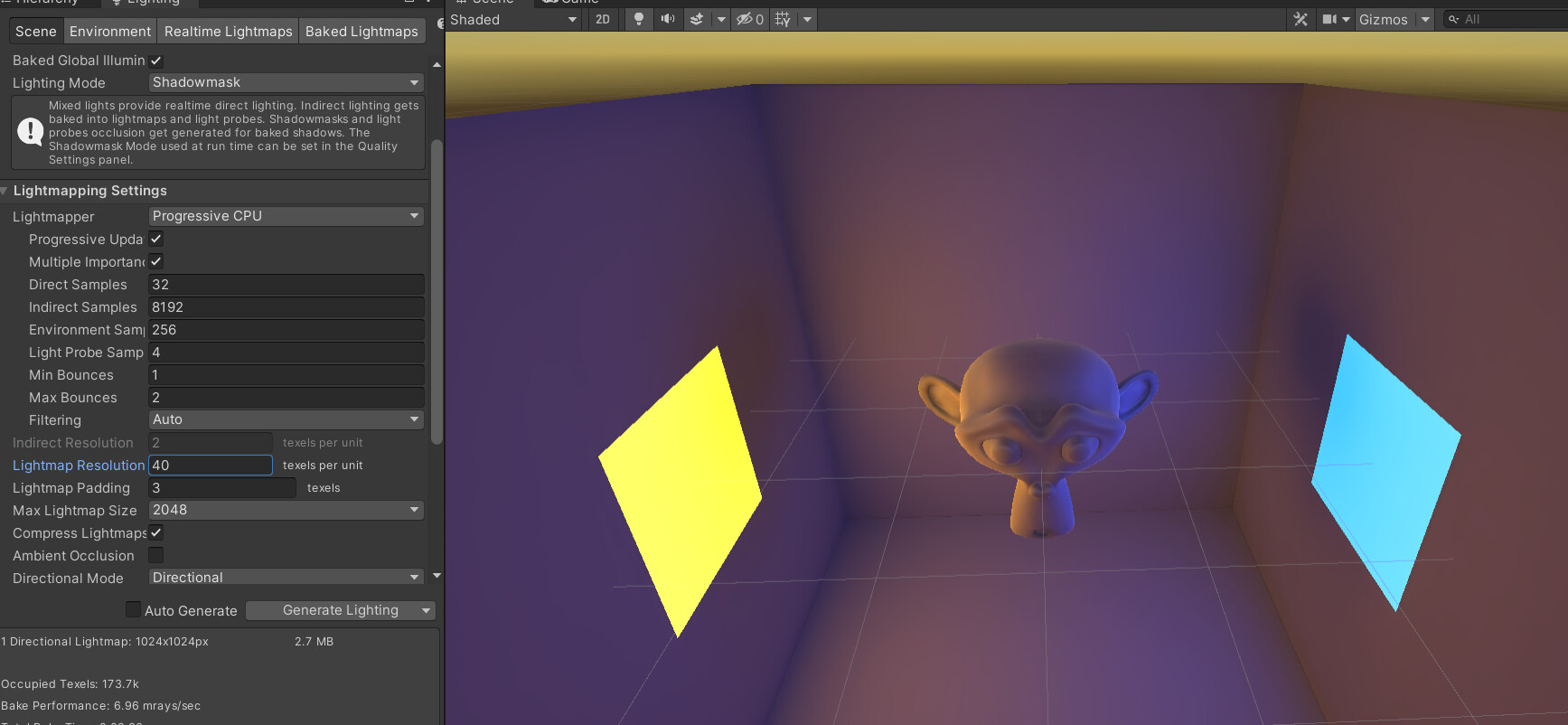
I spent many hours today following Brackey’s tutorial on baked lighting:
. I am using Unity version 2020.3.22f1. In the process of baking a lightmap, everything looks good and smooth in the editor, but as soon as baking is finished, the lighting looks terrible. Here’s an image showing the scene while the lightmap is baking:
The monkey is very weirdly lit, and this didn’t happen while it was baking. If you look just under the monkey’s chin, you can see that the lighting looks pixelated and jagged. The floor also has this problem:
My lighting settings are in the first two images, so could someone please explain what I’m doing wrong? Or if Brackey’s video is very outdated, could someone help me find good resources to learn from?
That’s lightmap compression at play. Disable it in the Lighting settings if you want to avoid these artifacts. Alternatively, override texture compression by selecting the lightmap texture in the project panel > inspector > check the compression override bool at the bottom for your platform of choice.