The 5.4 public beta shipped already, and includes Retina support for the Editor on OS X.
and for Windows?
I’m 24 years old and almost blind with glasses on, so for me it’s not a problem of “crispness” but of general size. At a glance, it doesn’t seem like it’s possible for Unity to have skins, despite that skins would also help - even if the text stays the same, black backgrounds with white text are much easier for everyone to read. For me personally, I have aniridia so my pupils don’t contract, meaning all light is MUCH brighter for me than it is for you, tear ducts don’t work properly and I sit closer to the computer so eyestrain comes more easily etc. (Yes, I wear sunglasses indoors, use eyedrops and invert / override colors on websites and text editors.) But, normal people also don’t actually realize how strained their eyes are until they try something better.
About changing your own system font, modern Macs don’t let you go to 800x600 resolution anymore which is what would be ideal, and you can’t change the system font size past version OS9 (everything nowadays is far into OSX). Not everyone can buy, or has space for, a huge monitor (or maybe they just want to work on the go). Besides, at least from what I’ve seen, huge monitors are actually made for huge resolutions and work really badly with small ones.
I know that everyone who works on Unity sees it as a huge problem to let people change the font size. But, they’re surely making lots of money. They’ll make even more money if they make their program more accessible to other people… I would even use a watered-down version of Unity, with a completely different layout and tons of missing features and everything, just for the text size. (And for that one person who will wonder - no, I can’t get eye surgery because the surgeries aren’t advanced enough).
Anyway, it’s very clear that Unity won’t reprogram their program to make this possible, but if any of you are programmers yourself it’s something to think about when you make your own product.
2 Likes
Changing my monitor display mode helped (ASUS V238, 1080p) - not great, but better. If you don’t have a preset that helps, finding the right balance of contrast / brightness / color balance / saturation may improve things for you.
This was a frustrating first day with Unity that sent me to bed with a headache
…Yeah, seriously?
Can we just have a toggle? 2x and 4x or something? or even pick between 2k and 4k monitors?
It seriously doesnt need to be anything fancy or complicated.
Obviously Unity has no plans of doing this period. Just one lie after another year after tear.
Just replaced my monitor with 27 inch 1920x1080 display to make Unity more usable. Games, 3d view and some other things look pixelated, but Unity left me no choice 
So on windows you have to switch to 1080 or touch monitor with your nose to see something? am I right?
Anybody noticed that it is not 2009 anymore, now you can buy 4k monitor pretty cheap and 2540x1440 was standard for me for couple years now. This is just sad 
If you are on Windows 10 (and maybe 8 & 7) you can right-click on the desktop, choose Display Settings, the adjust the slider for "Change the size of text, apps, and other items. That makes Unity’s fonts and UI bigger.
1 Like
thanks TokyoDan but this change everything else with it and yet I want only unity to have bigger fonts and icons, other applications I use are fine and some of them scales beautifully to any resolution but not unity
Yeah. That is a problem with Unity editor.
Has this been solved yet? I just got a new monitor and the font size in the editor is super small now.
I would like Unity to provide me with bifocals so I can finish building my game.
No and I wouldn’t expect them to touch something so minor regardless of how many people complain, easier to just change your settings from the desktop to increase font size.
Unity 5.4 has a working hdpi mode on OS X when using a scaled hdpi screen mode, so things on a 4K monitor, say, will appear the same size as on a 1920x1080 monitor, but with 4X as much detail. Since the code is working (even if not all the assets have hdpi versions yet obviously), I would assume it will happen on Windows as well, when whatever technical issues exist are addressed. I would not expect arbitrary scaling of fonts any time soon, if ever, since that’s just not what the Unity UI was designed for.
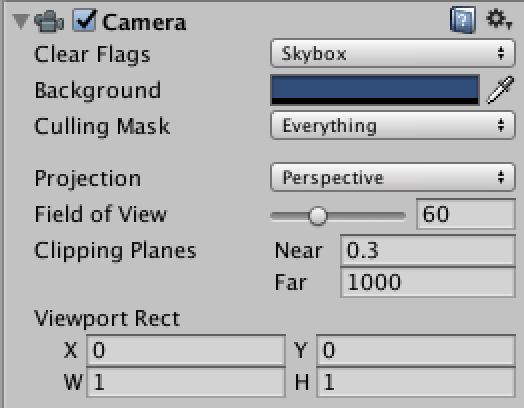

–Eric
1 Like
Non-responsive design in 2016 is not acceptable. It is not hard to do. And then especially in such a high end product targeting a market with such a wide variety of resolutions and platforms. It’s a total deal breaker for me. The UI looks very bad and is so small as to be unusable. Baffled at how bad this is…
2 Likes
My eyes thank unity for this small yet significant addition. So much better to look at now
And if you’re not using a 4k monitor, at 2560x1440, the font is still too small and doesn’t scale up in OSX. Apparantly not “hidpi” enough. Scalable fonts were needed ages ago.
I could never understand why anyone, unless they were into photography, graphic arts, or image editing, would want a 2560x1440 or higher resolution monitor. I think it is overkill and just requires more horsepower to drive what most people can’t even see. I could have gotten a 4K but chose a 27" 1440p monitor with a v-sync instead. I can’t even see the separate rasters. And I had a suspicion that the UI of some apps would be too small to easily see on a 4K. In fact I was about to but an iMac but it having only Retina made me not want one. 4K is like a 1000hp car that is useless for most kinds of driving. But then, maybe my 67-year-old eyes are not good enough.
That’s the only resolution my iMac came in when I purchased it.
1 Like
You can force HiDPI modes for non-HiDPI displays, but at 2560x1440 you’d end up with an effective resolution of 1280x720, which is not great for Unity. But at least it would solve the “too small font” problem for sure. 
Yes, I’m afraid that’s due to, well, less-than-optimal vision; it’s definitely something most people can see, and appreciate. (Unless you’re sitting across the room from the monitor I suppose.) The horsepower required to drive a 4K monitor is not a big deal for most tasks. Where it would potentially kill you is 3D gaming, but in that case you’d typically just use standard HD resolution and let it be upscaled (unless you have a high-end GPU).
That’s not actually the way it works. With a 4K retina display under normal operation, the display is “really” 1920x1080 as far as apps are concerned, in terms of size. Apps that support HiDPI are simply more detailed. If they don’t support HiDPI, they’re not tiny, they’re just blocky, since every pixel is being blown up to 4 pixels. See the comparison screenshots I posted above.
–Eric
1 Like