Hello
Maybe someone knows how to adjust the Cinemachine “Heading - Look at target - Bias”.
I would like to know how to adjust that so when seeing an enemy, and the enemy is selected, the camera is always at the back with an angle behind the player… If that is possible, of course.
While on zero is not good and has to be on -60 for example, depends on the angle where the enemy is and the camera has to adjust the position behind the player.
LINK found on Unity but didnt saw more information about this…: Change the default Freelook camer position in "Lock to target" Binding Mode?
25 July 2024
Roxanna
I found a solution…
So you make 2 cinemachine on 2 seperate empty game objects.
- thats the freelook camera for 3rd Person Camera
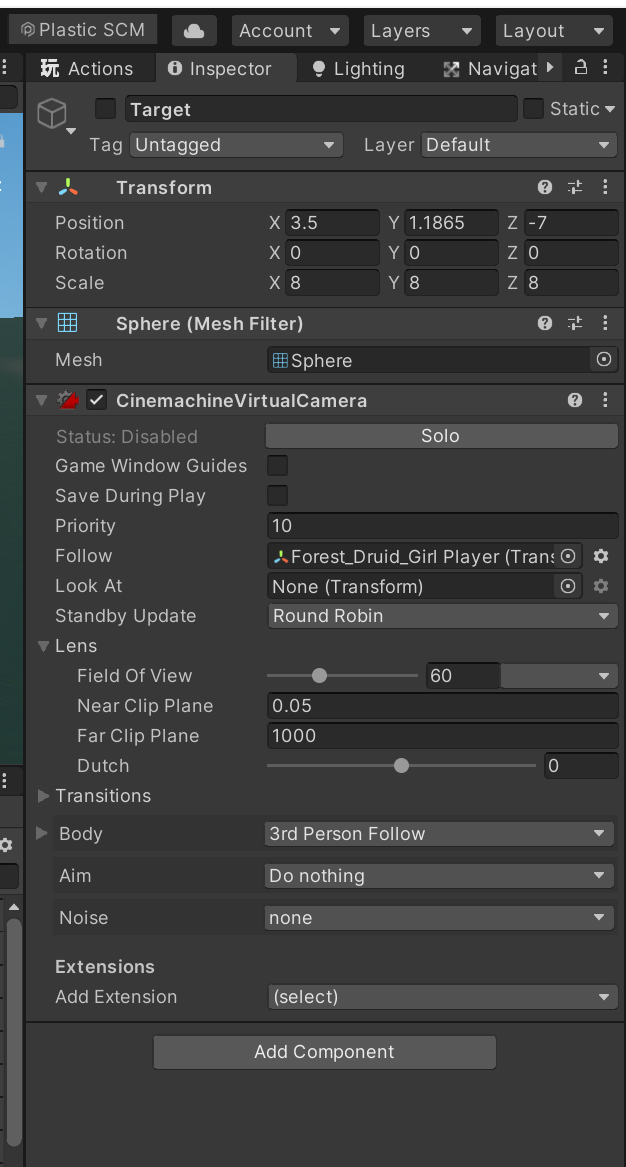
- Make a virtualcamera and only put follow “your main character”. The look at is"empty".
And when coding, you can add the enemy gameobject in the cinemachine.
I will share some pics so you can see it.
This is the 3rd person camera for the MC.
This is the second camera:
Here are the cameras under the MC.
Dont forget to activate and deactivate and blend the camera with the time. I set it on 0.5 seconds.
Its on your Cinemachine brain on your main camera.
Here are the codes.
So your camera will always be behind your player when engaging an enemy in front.
Have fun coding guys!!