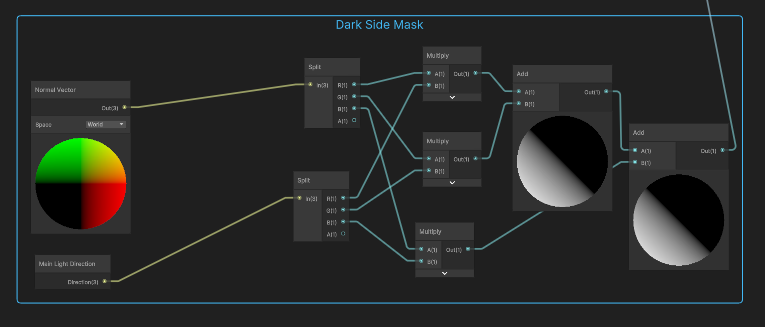
Hello,
I’d like to start using the Shader Graph (version 12.1.8) with the BUILT-IN render pipeline in Unity 2021 LTS (I am using Unity 2021.3.16f).
Unfortunately, the graph is missing some fundamental nodes like getting the direction of the main directional light (only present in shader Graph 13+ from Unity 2022+, Get Main Light Direction Node | Shader Graph | 13.1.9).
My question is, how can I access the _WorldSpaceLightPos0 built-in variable (containing the main light direction) from a node or a custom function node of my graph?
And other variables too like attenuation and directional light color?
Did you manage to find a solution for this?
From my limited knowledge about how lighting works in the built-in renderer pipeline, the concept of having a main light doesn’t work here, because unlike URP, the built-in renderer pipeline supports having multiple directional lights, so there isn’t really a main light. Meanwhile, the entirety of the URP code is all constructed around this idea of having only one directional light in your scene. So I’m trying to find an alternative to that.
any one know this? I tried [Main light Directoin Node] in new-version (13.1) of Shader Graph BUT is ALWAYS Zero for built-in RP (default Forward Render Path).
Btw, create a variable reference “_WorldSpaceLightPos0” not works too (compiler error : redefinition of that variable) That SO frustrated!
I’m also having issues with this node (I’m using URP). Using a debug node that displays scalar values as a texture, I found that the main directional light was read as [-0.5, -0.5, 0] in the ShaderGraph editor, and [0, 0, -1] in game. Neither of those are the direction of my light in the scene!
I’ve been dealing with something similar (Built-in RP) and here’s what I managed to figure out, based on the source code for some built-in shaders.
Most tutorials online for this are for URP it seems, and for URP there’s the GetMainLight() method. If you want to get a direction for the sun/main light (assuming you have a custom function with an HLSL), it’s:
_WorldSpaceLightPos0.xyz
Here’s an hlsl sample I’ve been trying to get to work from a tutorial.
void MainLight_float(float3 WorldPos,out float3 Direction,  out float3 Color, out float DistanceAtten, out float ShadowAtten)
{
#if SHADERGRAPH_PREVIEW
  Direction = float3(0.5, 0.5, 0);
   Color = 1;
   DistanceAtten = 1;
   ShadowAtten = 1;
#else
#if SHADOWS_SCREEN
   float4 clipPos = TransformWorldToHClip(WorldPos);
   float4 shadowCoord = ComputeScreenPos(clipPos);
#else
   float4 shadowCoord = TransformWorldToShadowCoord(WorldPos);
#endif
//this function doesn't quite work
   Light mainLight = GetMainLight(shadowCoord);
   //Direction = mainLight.position;
   //Color = _MainLightColor.rgb;
   //Direction = mainLight.direction;
//get xyz on lightPos?
   Direction = _WorldSpaceLightPos0;
   //Color = mainLight.color;
   //haven't figured out the color yet
      Color = 1;
   DistanceAtten = unity_ProbesOcclusion.x;
   ShadowAtten = mainLight.shadowAttenuation;
#endif
}
I’m a complete newcomer regarding shaders, but I hope this is of some use to someone.
Edit:
This seems to get the light position, I think further calculations are needed to get the direction from that
Unity 6, built-in pipeline, Main Light Direction node is zero in game.
No tweaks nor process above makes it not zero.
It shows a value in the shader preview, but in the actual game it is (0,0,0)
No solution found.
Just encountered this issue when migrating to Unity 6 from 2022. I added some breakpoints in SRP scripts and noticed that main light index was always -1, due to which it would always default to (0,0,1) direction. My guess is that lighting data from 2022 is not compatible with U6 and doesn’t migrate nicely.
The solution for me was: duplicate each directional light (after this step you should start receiving direction info immediately); delete the old one; re-bake (in my case after duplicating, lighting was too bright).
Spoke too soon, did more bakes today and it seems that right after baking, the light information goes away and the direction is back to (0,0,1) once more.