How to lower Android minimum SDK API Level?

I’m building a game for Android with Unity 2021.2.7f1. The Player Setting doesn’t let me choose the minimum SDK API Level lower than 22. I successfully downloaded the API level to the SDK folder, but still unable to choose it.

How can I build the game with the minimum API level set to 21 with that version of Unity?

Thanks,

You can’t. If you really need to, stick with 2020LTS.

2 Likes

Updated : 27th March 2023
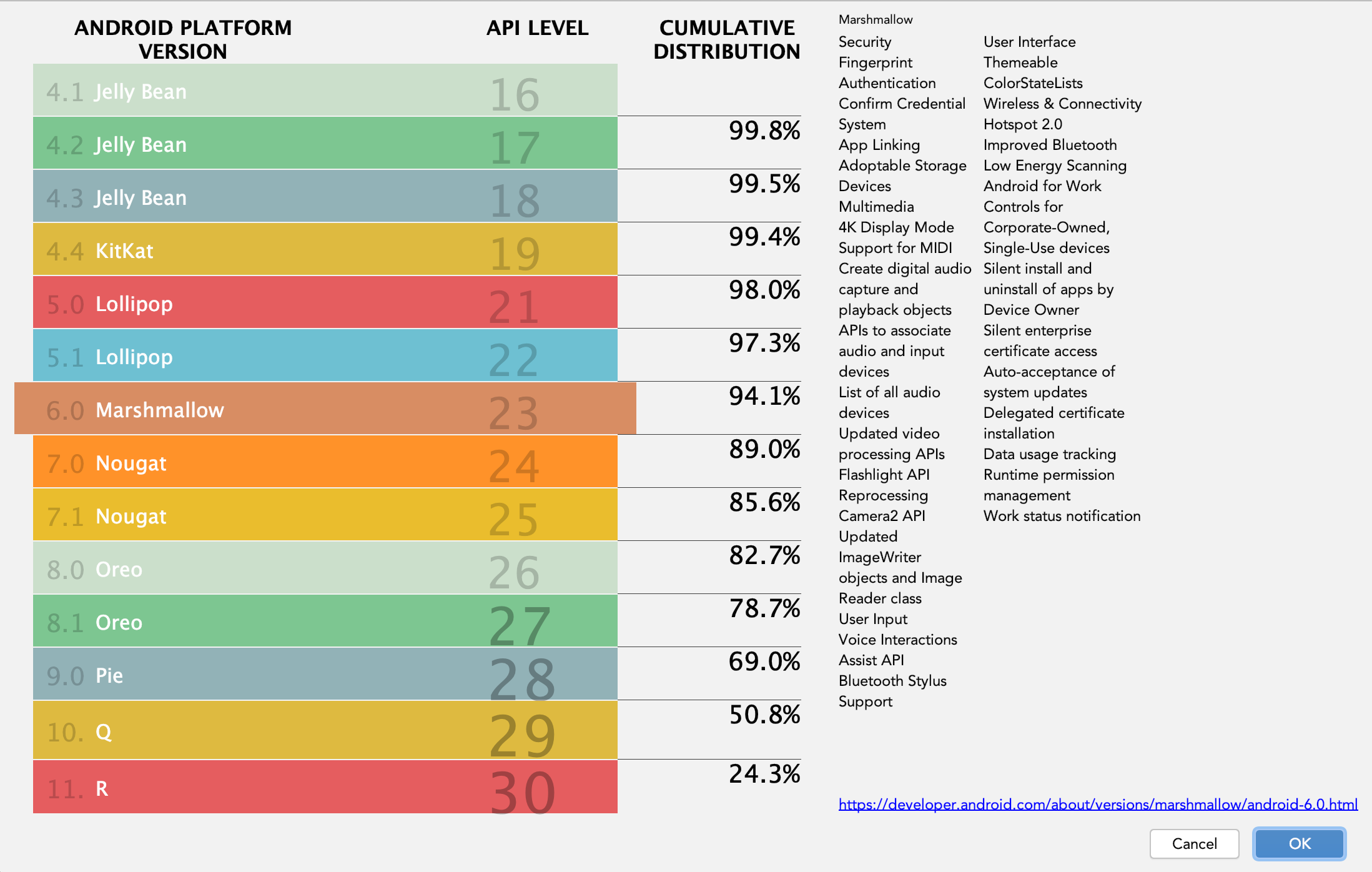
Now, only 0.7% < API level 21. So recommended is to have 21/22 as the minimum API level.


----
0.7% difference as of 30th December 2021
Based on your project’s timeline, you can decide if its worth it.

If you still have a requirement, you can do the following

  1. Enable Custom Main Gradle Template from player settings
  2. Hardcode the minSdkVersion
    or
  3. Export as Android studio project
  4. Set the minSdkVersion in build.gradle
2 Likes

To expand on Voxel-Buster reply,

  1. Enable Custom Main Gradle Template and Custom Launcher Gradle Template from player settings
  2. Hardcode the minSdkVersion in both
    or
  3. Export as Android studio project
  4. Set the minSdkVersion in build.gradle in the main project as well as in the launcher’s project build.gradle
3 Likes