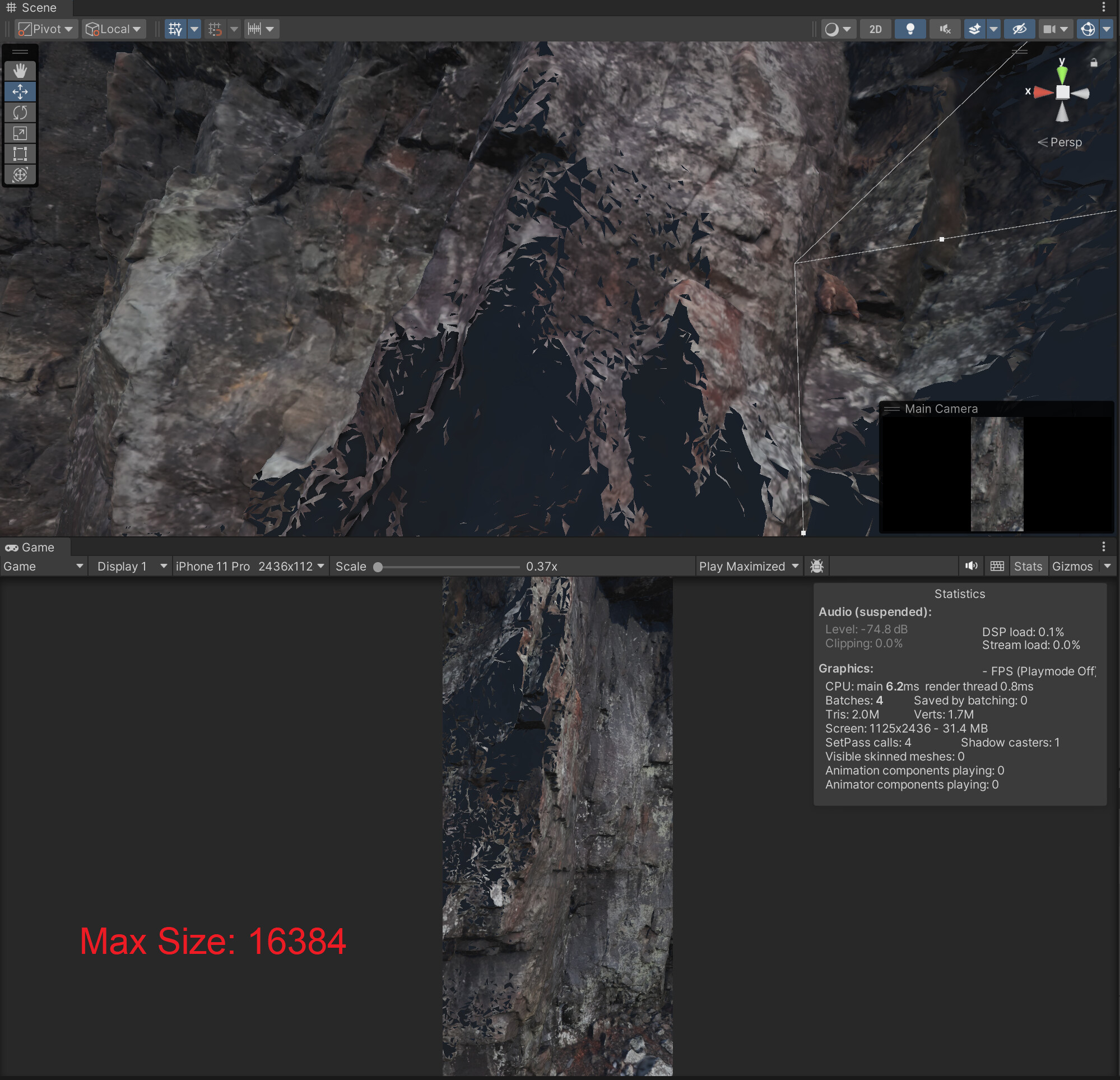
I’m trying to use a photogrammetry model of a cliff with a 16k texture in an iOS app. When I change the iOS Max Size to 16384 on both the diffuse and normal texture, I get this triangular culling effect (See fig 1), similar to the near clipping plane, but per triangle. If I set the Max Size to 8192, I get a similar effect but not as much. What is this caused by and how can I fix it? I’ve also included a screenshot of the texture settings.
Edit: I’m using 2022.3.4, Universal Render Pipeline.
Edit 2: Changed title from “how to properly import …” to “how to properly implement …” to reflect the issue I’m experiencing.
Based on the pictures, I don’t think this has anything to do with the texture import. It’s just the higher resolution the textures, the more obvious it becomes.
My guess is that the normals in the normal map are not smoothed out. Maybe also the ones in the mesh but normal map would be my first guess since it depends on texture size.
Easy fix would be to use a high res albedo map with a low-res normal map.
I tried capping the normal map at various sizes below 2048 and it didn’t change much (slightly darkened the mesh). I should also include that this only happens when the scene/game camera gets close to the mesh. As the camera gets closer to the mesh, triangles start darkening/disappearing at a certain distance.
I’m using a URP Lit shader (I’ve attached the settings). Currently in the scene I have a directional light with intensity of 0.85. If I increase the intensity, the mesh brightens everywhere except the missing triangles. I’ve tried rotating the light, and the mesh updates and casts shadows accordingly, but nothing changes to the missing triangles. (Attached image with increased lighting)
I tried playing with the Near Clipping Plane, but it has a different effect. I’ve included an image where I increased the clipping to clip part of the model while leaving some of the mesh with missing triangles still in the frame.