Hello! I really need your help!!!
I’m new to unity shader graph
Here is an example of thing I want to do with unity shader graph

Are there any solution to shrink the edges of a texture by using unity URP shader graph
Thanks for all your comments!!!
Here’s an example of how this can be done:
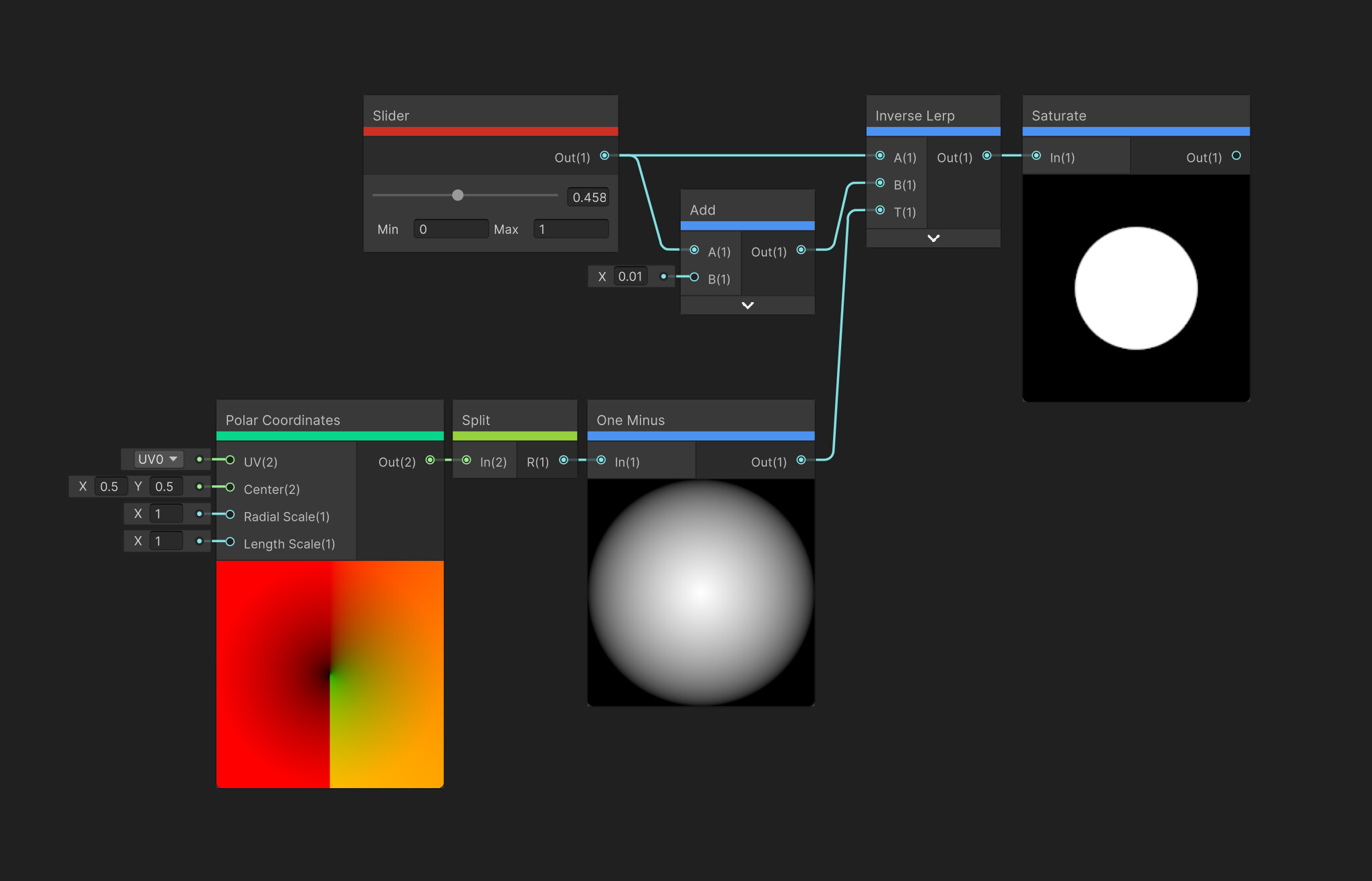
Step one is to create a gradient in the shape you want. I’m using the Polar Coordinates node to create a circle gradient from UV coordinates, but you could also use a texture map for this.
Step two is to plug the gradient into the T input port of an Inverse Lerp node. Then you can control the shape with the A and B inputs. If the B input is just a tiny bit higher value than the A input, you’ll get a nice sharp shape. In my example, if you slide the slider, the circle will get larger and smaller, just like in the example you posted.

I have a slightly different solution.

This produces a sharp but anti-aliased edge from any gradient.

Really all three of these suggestions are the same thing though. A Smoothstep is an inverse lerp with a slight S curve on the output value. My example uses screen space derivatives (DDXY) to know how much the value is changing between pixels to let you know how much to sharpen the result to still get a small amount of transition so it’s not an aliased hard edge like when using Step.
They also all require the input texture be blurred or otherwise some kind of gradient before hand. That is a requirement for any of this to work. You can technically blur the texture in the shader, but this is extremely expensive to do for any size and quality of blurs you might want to the point of not actually being an option.
(Also, yes, my name is Ben too.)