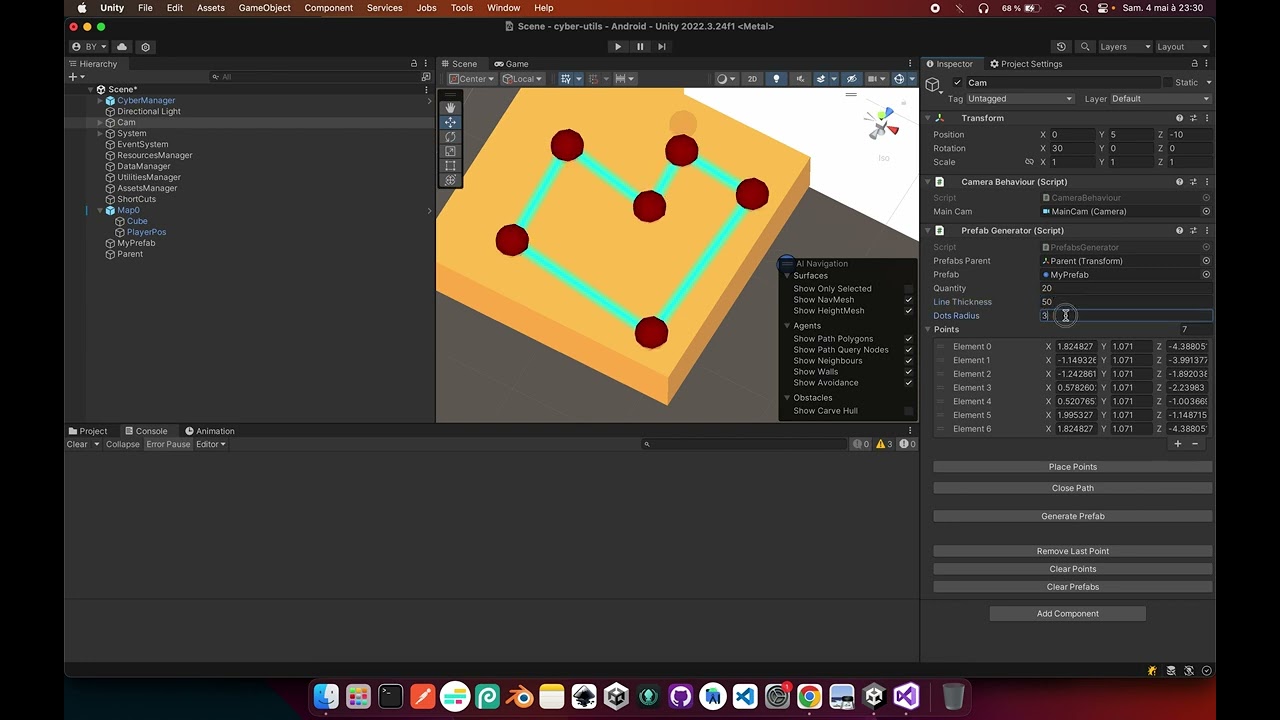
Hi there. Ive been able to find plenty of tutorials for spawning random objects in a pre-made shape, but in my game I need to have a an area a bit more complex than just 4 sides to spawn my objects in. I also want to be able to spawn a certain amount, no more no less than what I need.
https://youtu.be/H4_t-tJrEok?si=KmHUQmeGsFAXB6Gp This asset basically does exactly what I want to do, but sadly I couldn’t get it to work. Instead of being able to draw an area, it just makes giant points that don’t connect or function. Is there another way? Or alternitively, can anyone help me make this thing work?
To spawn objects within a complex shape, you can triangulate the area and spawn objects within these triangles, ensuring even distribution. Alternatively, define the shapes as a PolygonCOllider, generate points within its bounding box, and use OverlapPoint to check if they’re inside the colider.
Okay so I managed to do it but still stuck on the last point, here is the full code, it’s a bit long:
PointPlacementToolEditor -> this file is in your asset folder
using UnityEditor;
using UnityEngine;

[CustomEditor(typeof(PrefabGenerator))]
public class PointPlacementToolEditor : Editor {

    private bool placingPoints = false;

    public override void OnInspectorGUI() {
        base.OnInspectorGUI();

        PrefabGenerator prefabGenerator = (PrefabGenerator)target;

        GUILayout.Space(10);

        if (this.placingPoints == false) {
            if (GUILayout.Button("Place Points")) {
                this.placingPoints = true;
            }
        } else {
            if (GUILayout.Button("Stop")) {
                this.placingPoints = false;
            }
        }

        if (this.placingPoints == true) {
            GUILayout.Label("Click in the Scene view to place points.");
        }

        GUILayout.Space(10);

        if (GUILayout.Button("Close Path")) {
            prefabGenerator.ClosePath();
        }

        GUILayout.Space(20);

        if (GUILayout.Button("Generate Prefab")) {
            for (int i = 0; i < prefabGenerator.quantity; i++) {
                prefabGenerator.GeneratePrefab();
            }
        }

        GUILayout.Space(30);

        if (GUILayout.Button("Remove Last Point")) {
            prefabGenerator.RemovePoint();
        }

        GUILayout.Space(5);

        if (GUILayout.Button("Clear Points")) {
            prefabGenerator.ClearPoints();
        }

        GUILayout.Space(5);

        if (GUILayout.Button("Clear Prefabs")) {
            prefabGenerator.ClearPrefabs();
        }
    }

    private void OnSceneGUI() {
        if (this.placingPoints == true) {
            HandleUtility.AddDefaultControl(GUIUtility.GetControlID(FocusType.Passive));

            Event currentEvent = Event.current;
            Ray ray = HandleUtility.GUIPointToWorldRay(currentEvent.mousePosition);

            if (currentEvent.type == EventType.MouseDown && currentEvent.button == 0
                && currentEvent.alt == false // I added these cuz it was annoyingly adding points when I was trying to move around
                && currentEvent.control == false //
                && currentEvent.shift == false) { //

                RaycastHit hit;
                if (Physics.Raycast(ray, out hit)) {
                    PrefabGenerator prefabGenerator = (PrefabGenerator)target;
                    prefabGenerator.AddPoint(hit.point);
                }

                currentEvent.Use();
            }
        }
    }

}
PrefabGenerator -> this file is attached to an object on your scene
using System.Collections.Generic;
using UnityEditor;
using UnityEngine;

public class PrefabGenerator : MonoBehaviour {

    public Transform prefabsParent;
    public GameObject prefab;
    public int quantity = 5;
    public float lineThickness = 15;
    public float dotsRadius = 2;
    public List<Vector3> points = new List<Vector3>();

    public void AddPoint(Vector3 point) {
        this.points.Add(point);
    }

    public void ClearPoints() {
        this.points.Clear();
    }

    public void RemovePoint() {
        if (this.points.Count > 0) {
            this.points.RemoveAt(this.points.Count - 1);
        }
    }

    public void ClosePath() {
        if (this.points.Count > 0) {
            this.points.Add(this.points[0]);
        }
    }

    // Method to generate a prefab inside the area defined by the points
    public void GeneratePrefab() {
        if (this.points.Count == 0) {
            Debug.LogWarning("No points defined to calculate area bounds.");
            return;
        }

        Vector3 randomPosition = GetRandomPointInPolygon();

        Instantiate(this.prefab, randomPosition, Quaternion.identity, this.prefabsParent);
    }

    public void ClearPrefabs() {
        int count = this.prefabsParent.childCount;
        for (int i = 0; i < count; i++) {
            DestroyImmediate(this.prefabsParent.GetChild(0).gameObject);
        }
    }

    // Method to get a random point inside a polygon defined by points but doesn't work as expected
    private Vector3 GetRandomPointInPolygon() {
        if (points.Count < 3) {
            Debug.LogWarning("Not enough points to define a polygon.");
            return Vector3.zero;
        }

        // Pick a random point inside the polygon using barycentric coordinates
        Vector3 point = Vector3.zero;

        // Select random barycentric coordinates
        float r1 = Random.Range(0f, 1f);
        float r2 = Random.Range(0f, 1f);

        // Ensure the sum of barycentric coordinates is less than 1
        if (r1 + r2 >= 1) {
            r1 = 1 - r1;
            r2 = 1 - r2;
        }

        // Calculate the point using the barycentric coordinates but this doesn't work because it take a random triangle even outside of the bounds
        int index = Random.Range(0, this.points.Count - 2);
        point = points[index] + r1 * (points[index + 1] - points[index]) + r2 * (points[index + 2] - points[index]);

        return point;
    }

    private void OnDrawGizmos() {
        // Draw lines between each pair of points
        for (int i = 0; i < this.points.Count; i++) {
            Vector3 p1 = this.points[i];

            if (i < this.points.Count - 1) {
                Vector3 p2 = this.points[i + 1];
                float thickness = this.lineThickness;

                Handles.DrawBezier(p1, p2, p1, p2, Color.cyan, null, thickness);
            }

            float radius = this.dotsRadius / 10f;

            Gizmos.color = Color.red;
            Gizmos.DrawSphere(p1, radius);
        }

    }

}
You drag and drop a transform for the prefabs parent and a gameObject for the prefab
I added few comments, the part that doesn’t work is the function GetRandomPointInPolygon which is supposed to take a random triangle base on 3 consecutive points on the list and then generate prefabs inside the triangle, the problem is if the triangle is on the outside of the area it should be excluded also the points shouldn’t be consecutive otherwise some areas will be omitted…
Anyway so I hope it helps you a bit and if someone manage to replace the GetRandomPointInPolygon by something that works better then you should have everything working perfectly
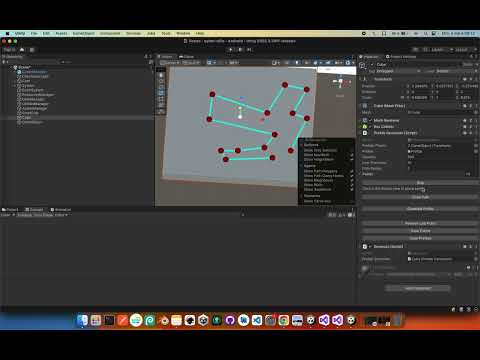
Here is a recording (don’t pay attention to anything else in the scene, I used one of my old project because I had a custom inspector in it and needed the code):
Hello @nociception,
What the asset does is placing points and linking them with line, then you can set a prefab to instantiate and generate instances in the defined area, all of this in the editor right?
It doesn’t look hard to code, here are the different steps:
- Create a script that has a “Record” button in the inspector
- When clicking on the button change it to “Stop”
- While the generation is active, the mouse click will send a raycast to the floor and save the Vector3 position of the hit.point
- The script generator will use the list of point generated to display gizmos and between each point a line
- After selecting a prefab and pressing “Generate” the script will define a circle with center the middle of the generated shape and radius the farthest point and will then generate a specified amount of positions, after each generation it will check if the position is inside or outside the area, if it’s inside then it will generate the prefab and keep going
I don’t know how to do the last point “it will check if the position is inside or outside the area” but I can do the rest, I’ll try to at least code the other points and send it soon
Once you have setup the area you press the Generate prefabs button to spawn prefabs, but if you want to make it work when the game is launched then all you have to do is call the function from another script:
public class otherScript : MonoBehaviour {

   public PrefabGenerator prefabGenerator;

   private void Start() {
      for (int i = 0; i < this.prefabGenerator.quantity; i++) {
         this.prefabGenerator.GeneratePrefab();
      }
   }

}
Here is my reply to respond to!
Okay here is a revision of the code, you can change these 2 functions:
GeneratePrefab
// Method to generate a prefab inside the area defined by the points
public void GeneratePrefab() {
  if (this.points.Count == 0) {
    Debug.LogWarning("No points defined to calculate area bounds.");
    return;
  }

  Vector3 randomPosition;
  int tries = 0; // just in case

  do {
     randomPosition = GetRandomPointInPolygon();
     tries++;
  } while (this.IsPointInPolygon(randomPosition) == false && tries < 100);

  if (this.IsPointInPolygon(randomPosition) == true) {
     Instantiate(this.prefab, randomPosition, Quaternion.identity, this.prefabsParent);
  }
}
GetRandomPointInPolygon
private Vector3 GetRandomPointInPolygon() {
  if (points.Count < 3) {
    Debug.LogWarning("Not enough points to define a polygon.");
    return Vector3.zero;
  }

  // Pick a random point inside the polygon using barycentric coordinates
  Vector3 point = Vector3.zero; // Select random barycentric coordinates

  float r1 = Random.Range(0f, 1f);
  float r2 = Random.Range(0f, 1f);

  // Ensure the sum of barycentric coordinates is less than 1
  if (r1 + r2 >= 1) {
    r1 = 1 - r1; r2 = 1 - r2;
  }

  // Generate 3 index randomly to select triangles inside the polygon
  List<int> shuffledIndices = new List<int>(Enumerable.Range(0, this.points.Count));
  this.ShuffleList(ref shuffledIndices);

  int index1 = shuffledIndices[0];
  int index2 = shuffledIndices[1];
  int index3 = shuffledIndices[2];

  // Calculate the point using the barycentric coordinates
  point = points[index1] + r1 * (points[index2] - points[index1]) + r2 * (points[index3] - points[index1]);

 return point;
}
And add these:
IsPointInPolygon
// Method to get a random point inside a polygon defined by points
private bool IsPointInPolygon(Vector3 point) {
  int crossingCount = 0;
  int count = this.points.Count;

  for (int i = 0; i < count; i++) {
    Vector3 vertex1 = this.points[i];
    Vector3 vertex2 = this.points[(i + 1) % count];

    if ((vertex1.z <= point.z && point.z < vertex2.z || vertex2.z <= point.z && point.z < vertex1.z) && point.x < (vertex2.x - vertex1.x) * (point.z - vertex1.z) / (vertex2.z - vertex1.z) + vertex1.x) {
      crossingCount++;
    }
  }

  return crossingCount % 2 != 0;
}
ShuffleList
private System.Random _rng = new System.Random();

private void ShuffleList(ref List<int> list) {
   int n = list.Count;

   while (n > 1) {
      n--;
      int k = this._rng.Next(n + 1);
      int value = list[k];
      list[k] = list[n];
      list[n] = value;
   }
}
Here is a record of the result: