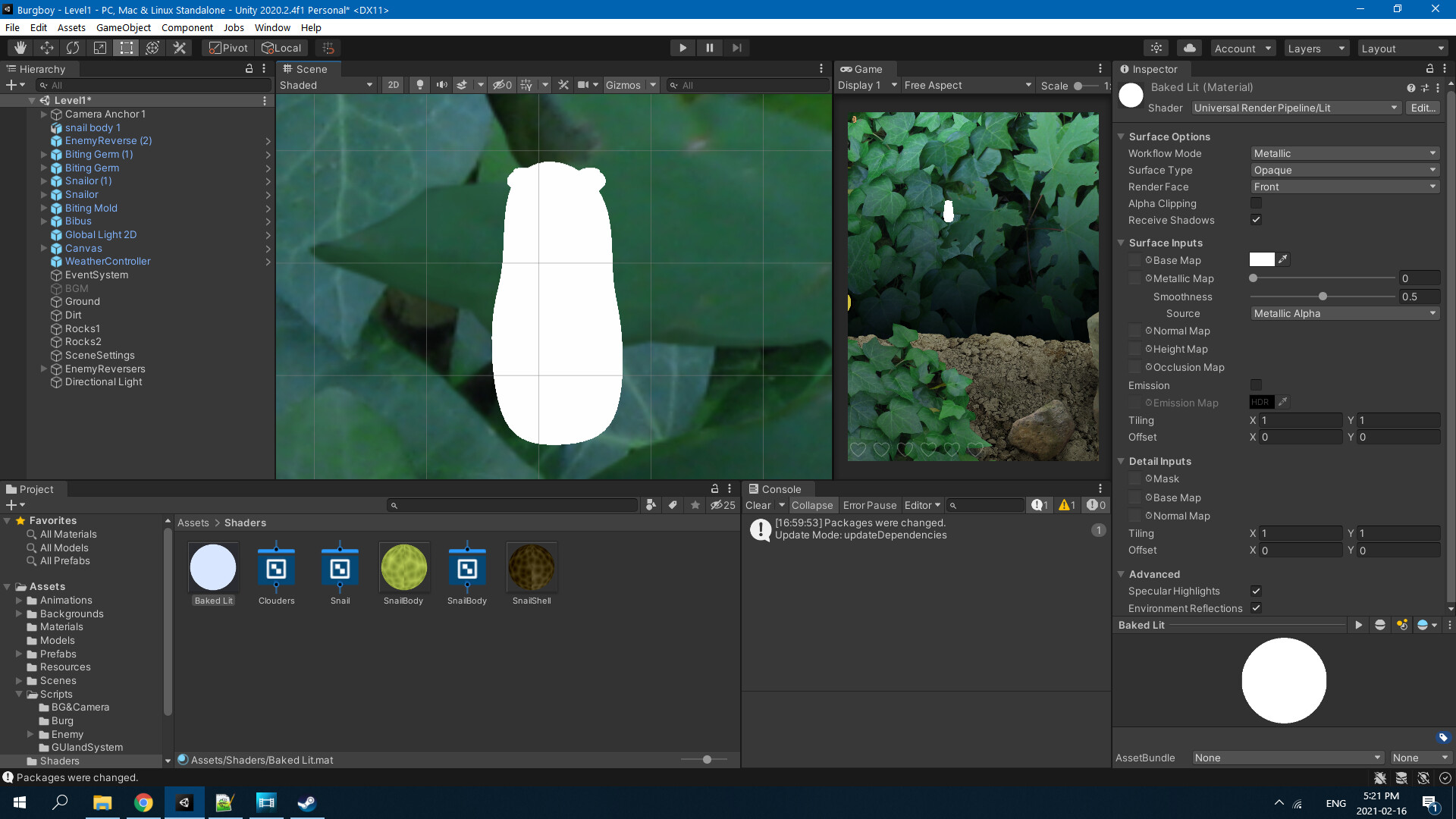
Is there a way to bring 3D objects into a 2D project that is using the 2D Universal pipeline for rendering? I have some 3D objects I want to bring in to the project I’m working on, but they just get imported as pure white.
Is there a way to import 3D models into a 3D game, and keep the 2D pipeline for lighting? I’l tried a few different shaders, but if they’re not pure white they’re pink. I would like them to have shading as a 3D object, and still interact with light and rotate on all axis if possible. If it’s impossible to use a 3D object, if there was a way to at least have a 2D sprite taken from a 3D object, but still react to light in a 3D way, that’d work too I suppose.
You just need to pick an appropriate shader for your materials. Currently you are using “Sprite-Lit” which obviously is not going to work on a non-sprite object. Try “Universal Render Pipeline/SimpleLit” or “Universal Render Pipeline/Lit”. Those are the basic lit ones. All of the standard shaders are going to show up pink in URP.
I have tried this, the sphere is still white with no shading. Like I said, I’ve tried multiple different materials. Here’s what it looks like on simple lit
I am encountering the same problem. I have created a new 2D project, I am using the 2D Renderer Data with UniversalRenderPipeline, but my 3D cube is white.
Yes, I’ve tried this and it doesn’t work. See previous comment lol
I just saw this, I tried some of the things in there, unfortunately my issue is kinda the opposite lol. They want a 2D sprite affected by 3D lights, I wanted a 3D mesh affected by light in a 2D renderer.
I still haven’t been able to solve this, I made a basic shader for a voronoi texture so it at least doesn’t look completely white, but it still doesn’t receive shadows.
This is what it looks like with a URP lit shader, directional light in scene.
Ay, my client put this game on hold for a few months so I’m still not in a rush to fix this, but maybe one day I’ll get it fixed XD
Hi, this is something I am curious about too! Would it perhaps be possible to light a 3D object as if it were 2D? E.g render the 3d objects as a sprite per say, so that it lights up as if it were a flat image. I hope that the solution isn’t to convert the lighting system to 3D. Because 3D lighting takes up lots of processing.