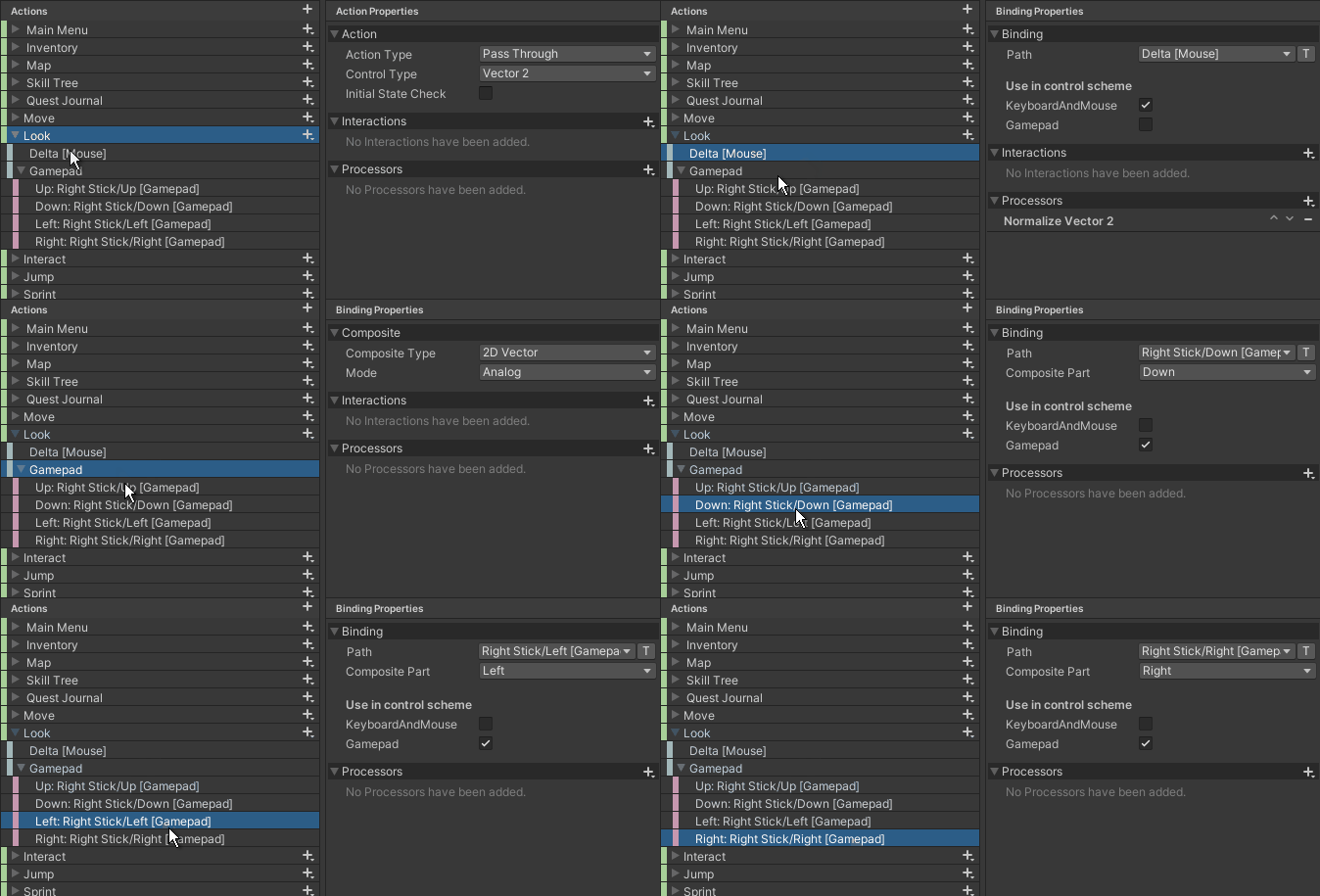
Whenever I switch devices, the input from the previous device stops.
This is expected when switching between the M&K scheme to the Gamepad scheme, but the issue here is that it also happens when I’m, for example, holding down the WASD keys for character movement and use the mouse to look around. The character stops moving, because the mouse input seems to override the use of the keyboard, and vice versa.
Originally, I had Mouse as a separate control scheme from Keyboard, but then I ran into this issue and thought that combining them into one control scheme might fix it… It didn’t. Does anyone else have this issue? Anyone know a fix or workaround? I can provide more details if anyone needs them.
Are you sure that you fixed it everywhere? In theory it shouldn’t happen. If you have one scheme for keyboard and mouse, they should work together on all bindings where the selected scheme is that very scheme.
As you can see, there are only two control schemes. For testing, I’m just running the Cinemachine “Free Look collider” sample scene, and have added a Cinemachine Input Provider to the CM FreeLook virtual camera, with “XY Axis” set to my “Look” action, like so:
For character movement, I’ve only modified the CharacterMovement.cs script (on the 3rdPersonController GameObject) to use the new input system instead of the old one, and that’s it
I just made a brand new, minimalistic project with only the Cinemachine (+samples) and Input System packages installed, updated the Cinemachine sample code to utilize the new Input System, and I can now confirm that this is working properly… Which means, sadly there’s something going on in my main project. I’ll have to investigate more.
Okay, just in case this helps anyone else…
I had the “Move” and “Look” actions in my project set to Pass Through.
Setting them to Value fixed the issue for me, but your mileage may vary.