Introducing Unity Project Auditor: a tool to help you optimize your Unity projects!

Hi everyone!

(Update - 18th March - version 1.0.1 is now available with some initial bug fixes!)

We’re excited to introduce you to version 1.0.0 of Unity Project Auditor, an analysis tool designed to help you catch issues, optimize performance, and streamline your game development process. Whether you’re just starting your project or putting the finishing touches on a game that’s about to ship, we believe Project Auditor can become an essential part of your toolkit.

What is Project Auditor?

Project Auditor is a static analysis tool that scans your Unity project’s files and codebase to identify potential problems, inefficiencies, and areas for improvement. Think of it as a health check for your project—it gives you actionable insights to ensure your game runs smoothly and efficiently.

How can Project Auditor help you?

  1. Improve Performance: Project Auditor will highlight places in your code where you could change your code to improve performance. For example, if you are calling a Unity API that allocates managed memory, Project Auditor will let you know so you can switch and avoid the allocation and cleanup cost.
  2. Check your Project Settings: Proactively address inefficient project and asset import settings - it’s like having an extra set of expert eyes on your project.
  3. Optimize Project Builds: Analyze your build process and output files to identify what steps are taking most time and find components that may be taking up unnecessary space, potentially reducing your game’s download and install size.
  4. Gain Insights and Metrics: Get detailed reports and metrics on your project’s code, package, shader, and asset usage. This visibility can help you make informed decisions about optimization and design.
  5. Analyze Domain Reload: Find places that need fixing so you can turn off Domain Reload when entering Play Mode. That can speed up your Play Mode iteration time in Editor by 50-90%, so it’s well worth investing some time in.

Why Should You Use It?

Building and shipping a game is never easy, and everyone wants their game to perform its best. Project Auditor helps you achieve this by giving you a clear view of places that require attention. The earlier you integrate Project Auditor into your workflow, the more time and effort you can save in debugging, optimizing, and iterating.

Get Started Today

You can learn more about Unity’s Project Auditor package and find easy installation steps on the official documentation page here. The package should be available in Unity 6.1 right away, and (hopefully) coming to earlier versions over the next week or so.

Have you used Project Auditor? Do you have tips, feedback, or use cases to share? Drop your thoughts below - let’s collaborate and make game development smoother for everyone!

Happy development, and we can’t wait to hear how Project Auditor helps your projects!

Cheers,
Profiler and Optimization Team

Edit: Check out our getting started tutorial below.
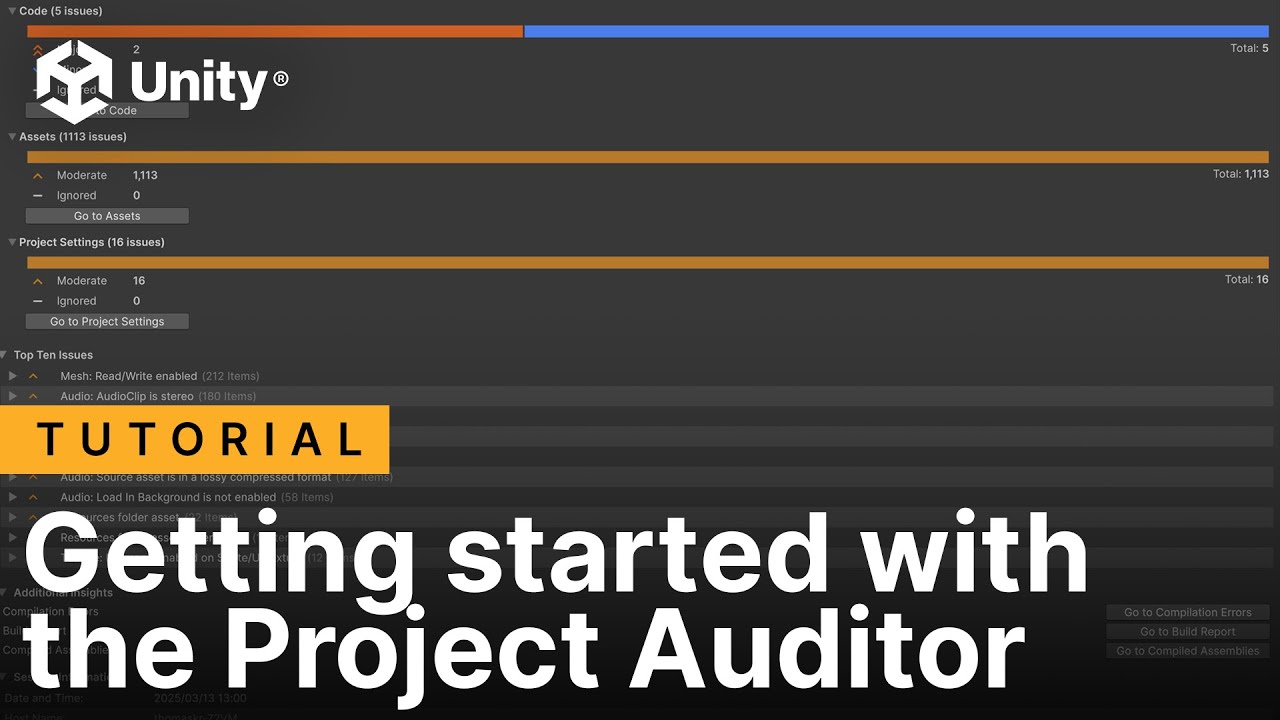
61 Likes

I’ll be sure to try it out today. :slight_smile:

If this is as instructive as it sounds to be, it ought to be installed by default if not made a built-in package.

3 Likes

First issue I noticed:

#if UNITY_EDITOR
		[RuntimeInitializeOnLoadMethod(RuntimeInitializeLoadType.SubsystemRegistration)]
		private static void ResetStaticFields() => s_StaticField = null;
#endif

It seems having the reset method enclosed in UNITY_EDITOR marks this particular class as “No method with RuntimeInitializeOnLoadMethod” under Domain Reload.

Also are there attributes to force hide issues? There are cases where the reset is not necessary ie when the script resets its static fields in OnDestroy.

Asset Issues:

  • should “Hidden” / built-in Shaders be excluded from getting flagged? (not compatible with SRP batcher)

Project Settings:

  • Will there be an item “Unity editor could be updated from xxxxx to xxxxx” just like is the case for package updates?
  • Package 'com.unity.collections' could be updated from version '2.5.1' to '2.5.2' => but Package Manager doesn’t list any updates under “Updates”. Shouldn’t this correlate?
  • Graphics: Rendering Path is set to Forward Rendering => I’m in a 2D project. Open Issue opened ProjectSettings/Graphics but I couldn’t find the Rendering Path setting there nor in the RP asset where it usually is. That makes me think in 2D projects rendering path isn’t actually a choice.
  • Physics: Layer Collision Matrix has all boxes ticked => Open Issue opens ProjectSettings/Physics but it should open ProjectSettings/Physics/Settings. Also, why is this an issue? This may very well be intentional or not relevant, plus the issue will always appear with the defaults.
  • Quality: Texture Quality is not set to Full Res => but the setting is “0: Full Resolution”. Since the project is URP can this be ignored?
  • Quality: Texture streaming on Quality Level 'Ultra' is turned off => There is no setting “Texture Streaming”. I suppose this refers to “Mipmap Streaming”?
  • Quality: Using default Quality Levels => Since that is flagged as an issue, and given the explanation that it makes quality “difficult to understand” and causes “unnecessarily larger number of shader variants”, wouldn’t it make more sense to finally get rid of the six (!) default quality settings in favor of two, or three at most? :wink:

Overall very insightful.

As usual, the code analysis (Roslyn enabled) is just too noisy. I mean like private byte[] bytes = new byte[1024]; this is surely allocating but that also clearly is on purpose. Whereas it should flag less obvious things like TheMethod(params bool[] flags) ideally with a higher priority. It would also be nice to disable, or hide all notifications related to boxing in string interpolation, particularly when the string is a parameter of Debug.Log("").

7 Likes

Love how on a basically empty project it hates a lot of the default project settings :smiley:

will play around with it, it will be good when its in the earlier versions though

PS i seriously would apprecate a save options issue, for all the things you say ignore on, so you can have a bank of settings you know its going to say but you wish to ignore.

21 Likes

I like that! Though for code it will be hard to do because … line numbers change, lines change. NDepend and others have pretty much the same issue of spamming the user.

I didn’t check but if possible, I’d appreciate having a saveable filter setting ie “don’t show me all the boxing allocations” and so forth. Plus the fine-grained help I get from NDepend being able to flag parts of the code with [YesThatIsPerfectlyOkayJustDontWarnMeAboutThisAgainOkay] attributes. Although I hate how littered the code became just to suppress various non-issues.

Another request: filter by category, at least the code issues. Perhaps I want to see everything that’s detrimental to performance. Perhaps I want to focus on the things that could throw exceptions. Perhaps it’s memory usage, allocation, garbage that I’m most interested in. Being able to focus on specific categories would be welcome.

3 Likes

Very interesting development, I think it would make sense to also integrate PSO in the tool, or at least recommend steps to use it

1 Like

It would be hard, but rather than specific numbers surely we can say “I dont care for” a specific text message, such as referencing gameobject.name should be cached, rather than specific instances of it, if we could say i dont care for that message as a whole… it would be a start

2 Likes

What’s the package name to install it. Your docs don’t mention it on the installation page.

3 Likes

com.unity.project-auditor

It’s always in the URL as well

4 Likes

TBH, while thats true, it says it provides clear instructions for many people this is not an obvious thing.

1 Like

Yeah it should definitely be added

1 Like

Is it possible to do analysis on a specific directory? Now it does on all external packs i have too

2 Likes

Hi everyone i would really like to use the tool but who can make sure that you won’t be fired like the team that was working on the behaviors, after the package had just been released?

9 Likes

All assets in the Asset Store must be analyzed and fixed using this package before they can be sold.
Alternatively, if the analysis is successful with this package, the asset should be marked with a marker such as “analyzed” or “safe” to encourage analysis.

The release of these analysis packages will be a very important milestone in improving the quality of all Unity deliverables.

12 Likes

Crashes when clicking on Window > Analysis > Project Auditor . Guess the auditor is too scared of my project and runs away.

Recursion Stack overflow - at Unity.ProjectAuditor.Editor.Core.DescriptorJsonConverter.ReadJson (Newtonsoft.Json.JsonReader reader, System.Type objectType, System.Object existingValue, Newtonsoft.Json.JsonSerializer serializer) [0x00001] in C:\Code\myproject\Library\PackageCache\com.unity.project-auditor@1.0.0\Editor\Core\DescriptorJsonConverter.cs:55

5 Likes

Hi everyone!

Thank all of you for taking the time to give it a go and share your thoughts and feedback on Project Auditor. All your ideas here are great to see.

We’re sad to see people laid off at Unity this week - we know many people affected and will miss them. I can see that this is a concern if you’re trying out a new feature - we are still focused on continuing to support and evolve Project Auditor.

Regarding some of the specific points you’ve mentioned above:

  • @codesmile - “ought to be installed by default if not made a built-in package” - we love this idea, but we also know that adding more packages in by default can make the Editor slower. We’re thinking about ways we could bring some of our warnings/suggestions to everyone by default but that’s probably a way off yet.
  • @codesmile - “Will there be an item ‘Unity editor could be updated from xxxxx to xxxxx’ just like is the case for package updates?” - we don’t have plans to do this at the moment, but we’ll think about it. How would you want this to work? Is it just something that tells you a new version of Unity available, or would we also need to check compatibility? (The second option seems more useful but is a larger task.)
  • @cloudwalker - oh no! Are you able to file a bug with your project attached so we can recreate this and get it fixed?

The other issues and suggestions described in this thread are being reviewed:

  • Some are being logged as bug reports for further investigation and to fix in upcoming point releases.
  • Others are being filed as feature requests, which we’ll consider alongside our ongoing development priorities.

Your feedback is important to us and the future of Project Auditor, and we want to ensure we’re building something that helps you. Please don’t hesitate to continue the conversation or share more insights - we’re here and listening!

Thanks again for the feedback,

Pete.

11 Likes

I think it would suffice to have just a mention of a newer patch release of the version the user is currently on. So many devs version-lock themselves into a given patch level so I thought this might encourage some to keep updating to newer patch levels:

  • newer patch release available: 55f1 (current: 33f1)

I think even just having a menu item under Window => Analysis => Project Auditor would be welcome. If not installed, it would ask whether to install the package. Though not sure how to add this menu item without having at least a minimal “Auditor-Preinstall” package already in the project.

2 Likes

Nice! I’ve been wanting something like this for ages!

1 Like

Looking forward a lot to trying this! There are multiple big assets on the store that do similar things and I hope you took good inspiration so this tool can act as an umbrella for catching most of the typical issues. Unity should be the ones to know best where obvious bottlenecks are and I hope there is a lot of expertise feeding back from your consulting teams that work with big customers and their projects and issues.