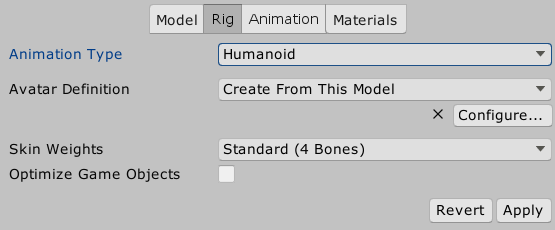
I have yet to find any information on how the bones in a hand should be set up for use in Unity. I’m using Blender to create the rig and everything else is fine, but I get an error in the Animation panel when importing my model:
MuscleClip ‘myModel’ conversion failed: Transform ‘ringFinger1_L’ is not an ancestor of ‘middleFinger1_l’
The first bone of each finger is parented to the Hand model for each arm and every other bone is parented to the bone before it. I don’t know if this is correct because I can’t find any documentation on it.
Here’s a screenshot where you can see how I’ve got the bones parented. Is Unity talking about something different with ancestry? Am I misunderstanding how the finger bones should be parented? I can’t even get to the Humanoid rig configuration screen, where I’d think I could just tell Mechanim where my bones are. I’m assuming it’s because of this but I don’t know for sure.
Anyone know what I’ve done wrong? I’m learning as I go with animation and rigging and such. Any help is appreciated.
It looks like you just need to click Configure… on the Rig tab and remap the hand bones correctly. Mecanim’s auto-configuration thinks ringFinger1_L and middleFinger1_l are bones in the same finger.
Hmm, it should ask if you want to save your current scene. If you accept, it’ll change to a special scene where you can play with the mapping. Do other models have the same problem? Does it help to click Apply again?
OK… well, I’m no longer getting these errors for some reason (i changed nothing) but now my model is all mangled for some reason. It looks like there’s some bad vertices in the hand, but I’ve re-assigned all those vertices to the proper vertex groups, but it still gets mangled.
Is the model mangled, or is it the animation that’s trying to play on it? If you add the model without an Animator component to a scene, is it still mangled? If it’s no longer mangled, then check the animation; maybe you need to fix it up, too. If the model is mangled, I’m out of ideas. Maybe a more experienced animator like @theANMATOR2b would have some suggestions.
Somehow, I’ve gotten the previous mangling fixed but now the animations I’m using want to swap the left and right arm for some reason. It works fine in the avatar configuration and those animations have worked fine with other models. Man, I’m getting a trial by fire in learning animation with this The thumb is still messed up, though. That is likely just an issue with vertex groups, correct? In any case, I think I’m at a point now where I can at least try to proceed, even if I have to make all new animations. Sucks, but I think I need the experience anyway.
I bet it’s just another auto-mapping issue. I have models where the auto-mapper incorrectly swaps the arms. After I manually reassign the arms and legs, they’re usually fine.
I just remapped everything as you suggested, just to try it, and it’s… better? They should have been mapped correctly in the first place. Everything was named properly, bones were mapped correctly, but the arms crossed behind the character’s back. Instead of his arms crossing behind his back, now they’re stretched back and up. At least they aren’t crossed now? But I don’t understand why swapping the L and R in the mapping worked(ish), since they’re named correctly and were seemingly mapped properly in the first place.
The animations I’m currently using should be fine. They’ve worked with my placeholder character and I got them off the asset store. My issue is in my rig somewhere. I just don’t know where. I’ll bang my head till I get it, though. Thanks for the help.
Hey Guys - didn’t get the notification until just now. @carnivoris When you say vertex groups are you talking about per bone vertex influences? The Unity limitation where only 4 bones can effect one vertex.
This was my first thought when I saw your second post.
I think there is no warning when a vertex is influenced by more than 4 bones, the animations/mesh just explodes and wigs out.
I’ve been working on mechanical rigging lately and kind of schooled myself in the past to set the bone influence limit to 4 when beginning to skin on organic characters after experiencing similar issues.
Double check in blender? to make sure all vertices are only influenced by 4 or less bones.
Working on mech’s at the moment is pretty fun, not having to worry about organic collapsing joints and proper joint creasing.
If this isn’t the answer let us know. We can trouble shoot it and solve this.
From my experience - as long as you have the correct number of bones for the humanoid rig, everything should work as expected, without having to mask anything.
I’ve got the rig sorted at this point. It was just where Blender had set automatic weights incorrectly. Now I just have to get mechanim to cooperate with the new animations I’ve created and I’m good to go. I can’t seem to get mechanim triggers to actually trigger the new animations, which are on a different layer…
Old post…, I had issues with the fingers only:
In case someone else comes across this…
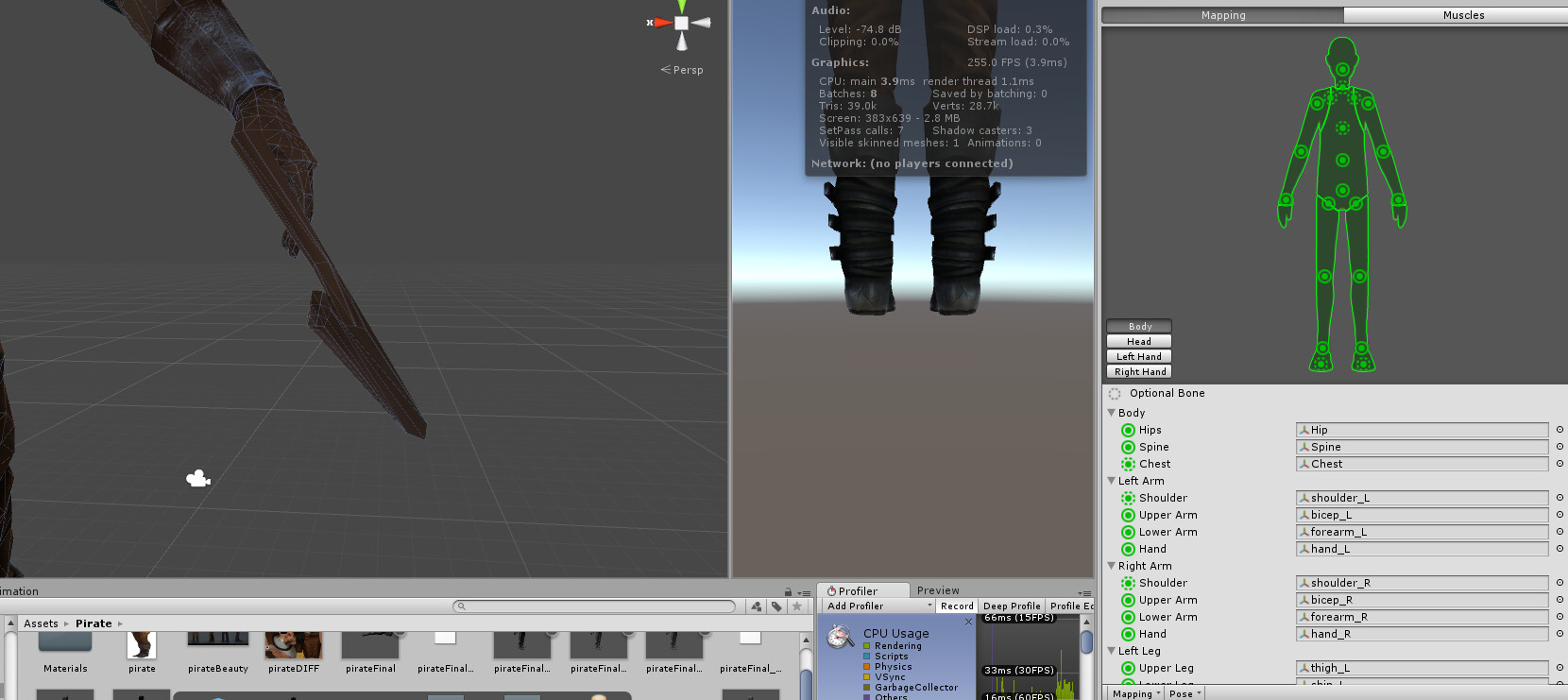
I had a similar issue, importing from blender (newest Version) to Unity 2019.4. Thumbs are not recognized and middle and index fingers are crossed. The “Proximal” Values are assigned to “metacarpal…” which is anatomically incorrect, too. I had issues with hands open and closing very strangely and the fingertips not moving at all.
Solution: as written above: Assing the fingers manually, see below in the screenshot.
I found that if you map one of your character correctly, you can Save the mappings and load it into all other characters with the same structure. (have over a dozen characters and more to come, like this it goes very fast now.)
Started with Humanoid.
On the same page, on the left button there is the “Mapping” drop down where you can reset, save and load the mapping. (Just something usefull, too: You can force the pose to T, if needed with dropdown “Pose”.)

 The thumb is still messed up, though. That is likely just an issue with vertex groups, correct? In any case, I think I’m at a point now where I can at least try to proceed, even if I have to make all new animations. Sucks, but I think I need the experience anyway.