I will provide screenshots. but I must add that after building the game the problem is not existing the problem exist only when running the game in the editor.
This is my hierarchy with the main menu before running the game.
In the Hierarchy there is a Spot Light as child of the character and another Directional Light.
Look at the character and the light that spot on him:

Now I’m running the game and the light on the character remain the same:
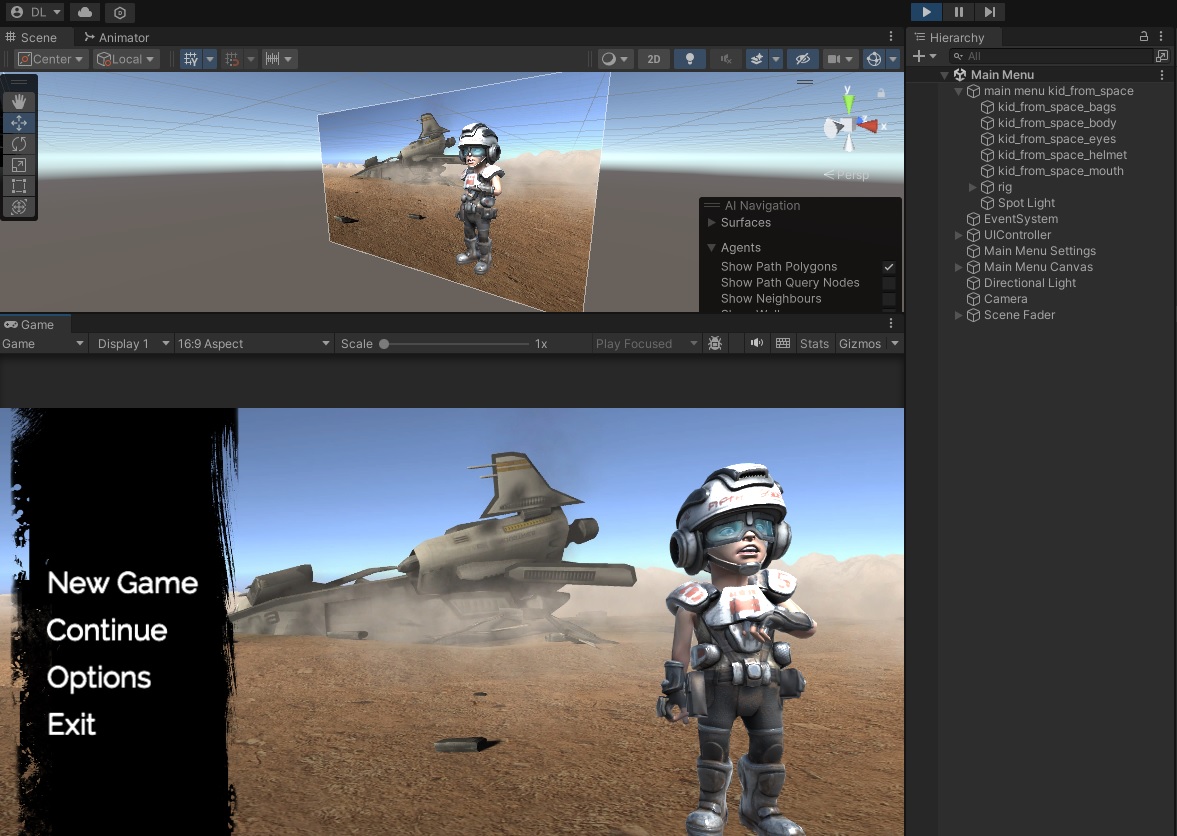
Now I click the button New Game and the game is starting:
a new scene has loaded with different lights.
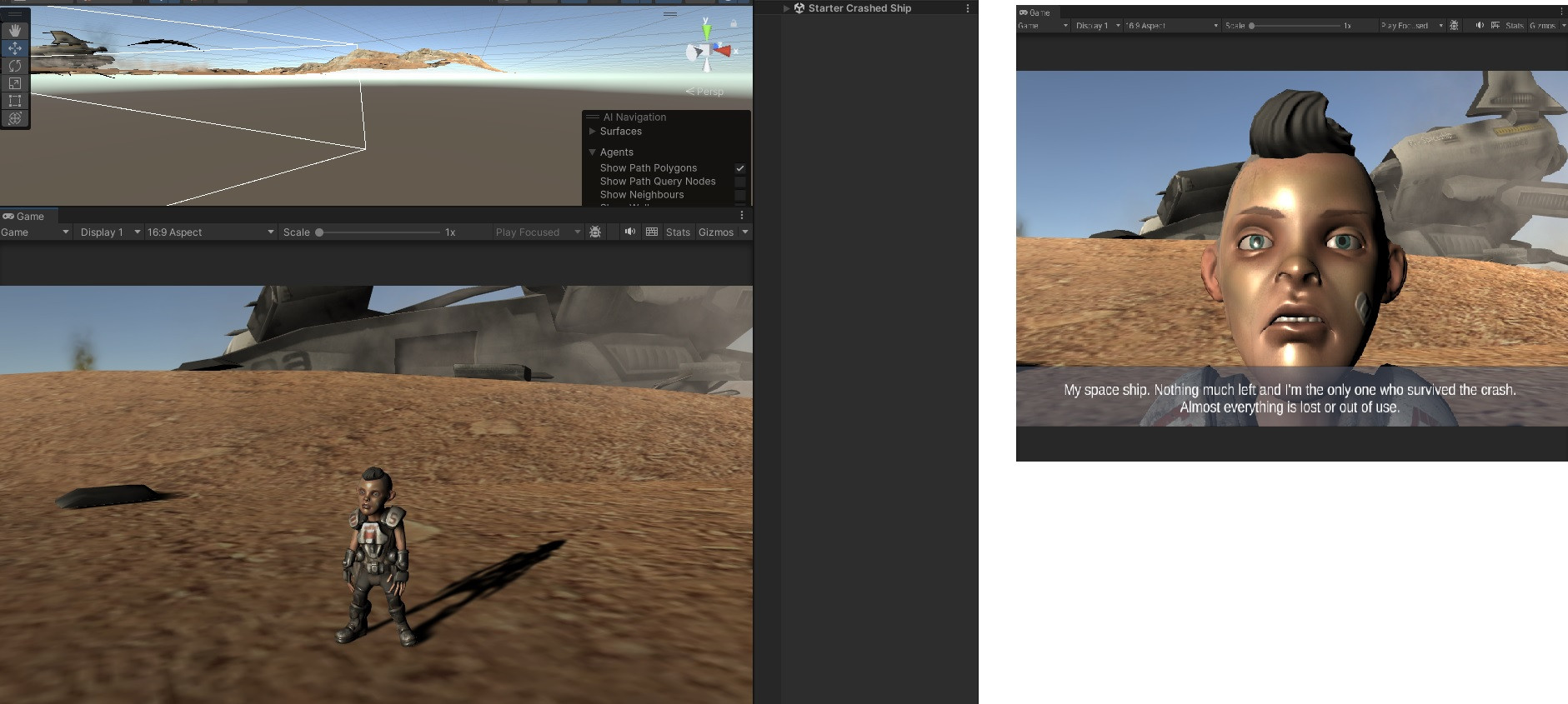
Now I click the escape key as I created in a script to get back to the main menu. This time both scenes loaded the current scene and the main menu. this time the character in the main menu have a different light:
you can see the character now is much darker then in the first screenshot I added here.
I tried to disable all the lights in the other scene the Starter Crashed Ship scene I also checked many times and see that the Spot Light and the Directional Light in the Main Menu scene has no changed. not the positions not the Intensity and not the Range. everything is the same as before.
and still the character in the main menu very dark.
it looks like when I hit back with the escape key back to the main menu for some reason it’s getting the light from the Starter Crashed Ship scene and stay with it in the Main Menu scene.
I can’t figure out what cause it and how to solve it.
and in the built version when I’m running the game it’s not happening. in the built version it’s working fine.
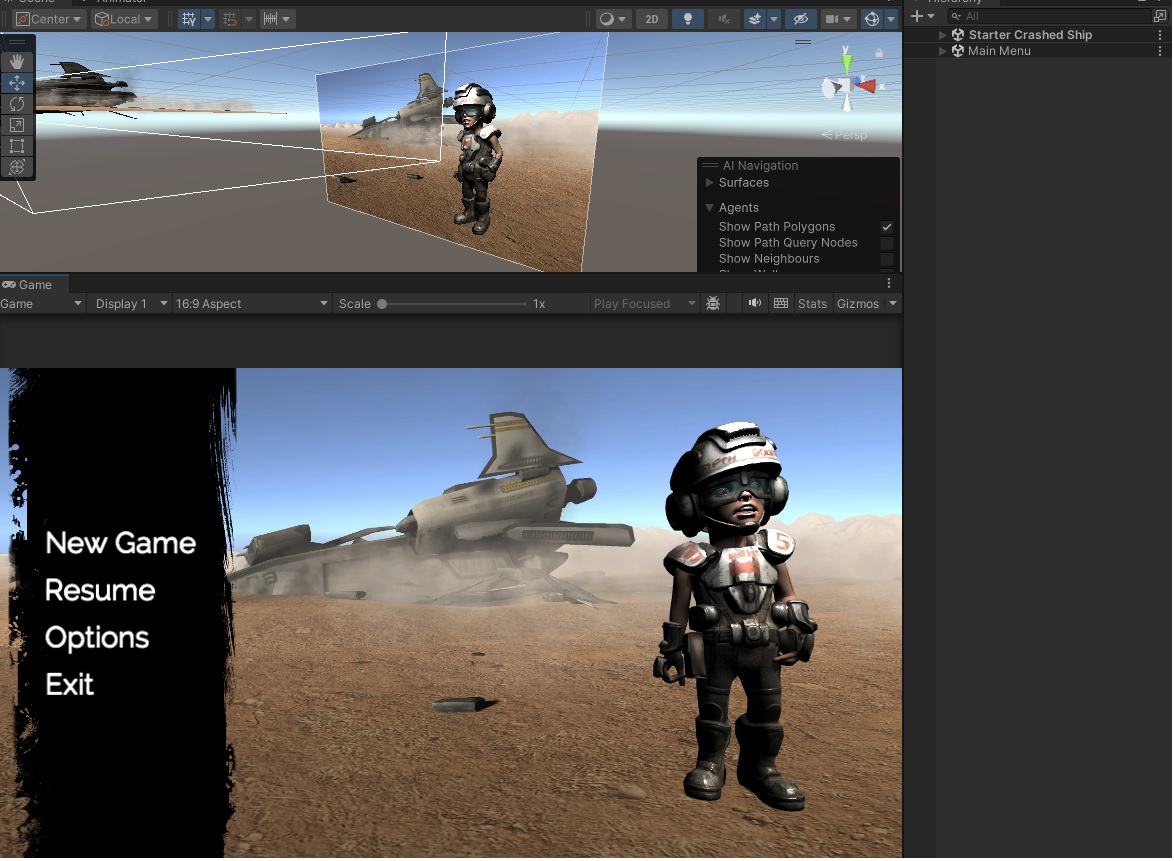
what else should I check or what else can cause this strange behavior when returning back to the Main Menu ?