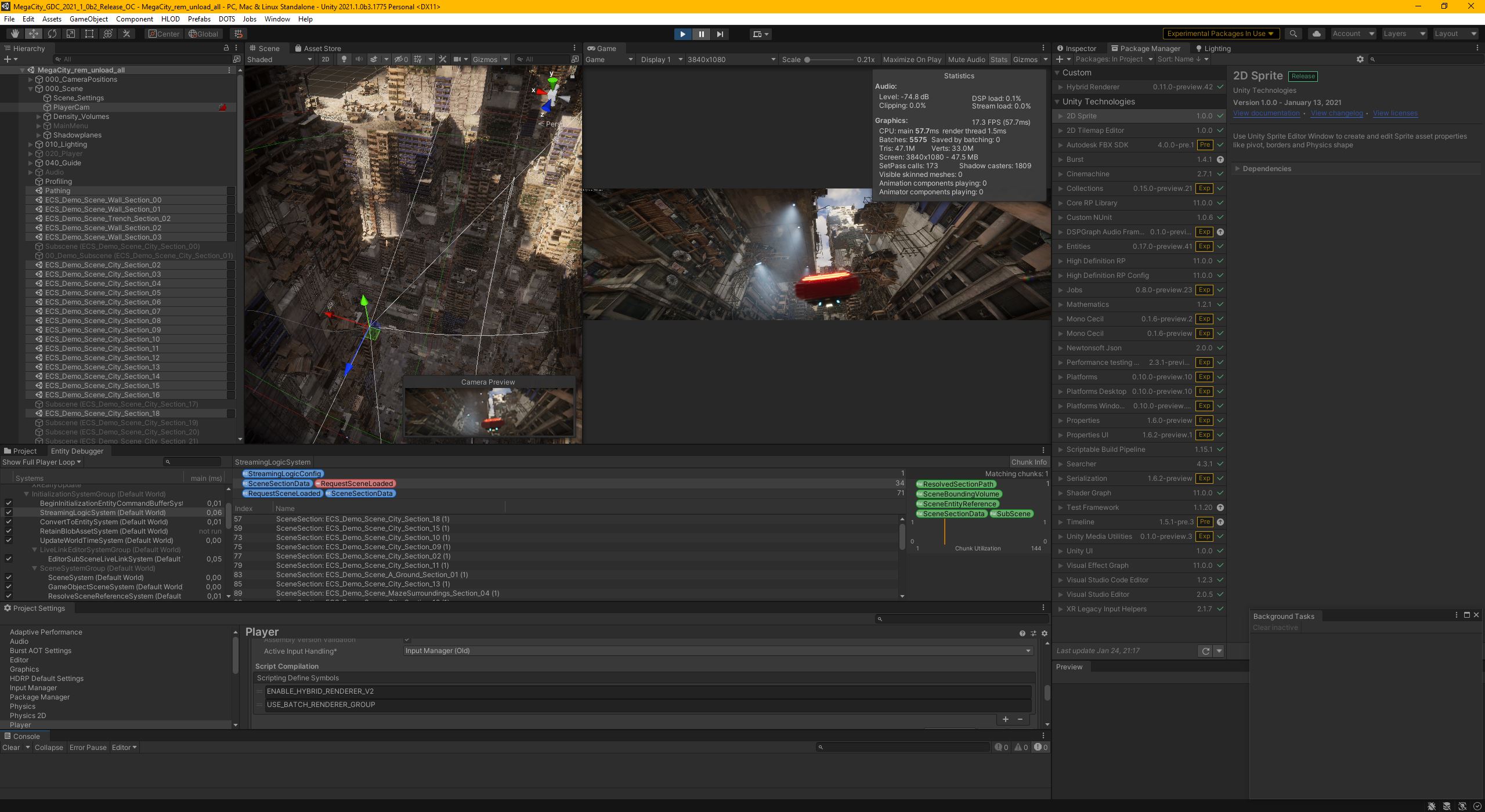
While trying to make originally released MegaCity GDC2019 demo work on 2019 LTS I took some notes which are posted here
In general I always tried to bump any dependency only to next immediate/required version where possible and fixing all errors at that stage, including all warnings
So all packages are more or less left at the version where things worked, this means that e.g. Entities are left at pretty ancient version compared to latest as of now (June 2020)
It should be possible to upgrade this (Entities & their dependencies) further, but until Megacity Audio Package is updated (which might be never .) this requires modifying it manually since its approach is little bit different from the rest of the system/s.
HDRP is fairly recent though and should upgrade to latest without problems (haven’t tried yet)
Disclaimer: this is what worked for me, it might, or might not work for you - in which case this thread might help.
I’m not responsible for any damage occurring during the process. You have been warned )
Upgrade process:
-
Upon opening the original project I let Unity update to asset database V2
-
afterwards since resolving of the packages fails Unity asks to Retry (which would bring it to this point again), Quit, or Continue. Let it Continue - you’ll end up with broken pretty much everything.
-
don’t let it fix HDRP yet
-
it’s a good idea to (create and) open an empty scene at this point
-
manually resolve (install) Jobs dependency based on PM errors:
Jobs → 0.0.7-preview.9
Next error: Library\PackageCache\com.unity.entities@0.0.12-preview.29\Unity.Entities\DefaultWorld.cs(2,32): error CS0234: The type or namespace name 'PlayerLoop' does not exist in the namespace 'UnityEngine.Experimental' (are you missing an assembly reference?)
- update Entities to preview.33 - 0.0.12
- so update Jobs → 0.0.7 preview 13
At this point there should be only errors from Hybrid Renderer 0.0.1-preview.9
I updated Megacity Audio System → preview 13 0.0.1
Entities → 0.1.1
Hybrid Renderer → 0.1.1
HybridRenderer → 0.2.0
and switched to .netstandard 2.0 (should be done earlier)
fix namespace errors: using UnityEngine.Experimental.Rendering.HDPipeline; -> using UnityEngine.Rendering.HighDefinition;
It’s necessary to update project ECS code to reflect API changes next:
- read and follow this guide Upcoming API changes in 0.27
- it’s enough to directly replace:
IJobProcessComponentData -> IJobForEach
ComponentGroup -> EntityQuery
EntityArchetypeQuery -> EntityQueryDesc
ScheduleGroupSingle -> ScheduleSingle
ScheduleGroup -> Schedule
- to fix World references I manually replaced
World.GetOrCreateManager -> this.World.GetOrCreateManager
so e.g.World.Active.GetOrCreateManager<SamplePlaybackSystem>(); -> this.World.GetOrCreateSystem<SamplePlaybackSystem>();
when referenced from inside of a system - or -
World.Active.GetOrCreateManager -> World.DefaultGameObjectInjectionWorld.GetOrCreateSystem
when used outside of system (i.e. MonoBehaviours, which was Audio system and Traffic simulation case)
I’m not entirely sure this is 100% correct but I couldn’t find better way and it seems to be working. Maybe someone more knowledgeable can clarify.
Don’t forget to replaceOnCreateManager -> OnCreate``````OnDestroyManager -> OnDestroy
- BoundingVolume.DistanceSq errors:
sceneData.BoundingVolume.DistanceSq(CameraPosition); -> math.distancesq(sceneData.BoundingVolume.Max, CameraPosition);
I’m not sure about BoundingVolume.Max used for comparison. Tried to use .Min instead but couldn’t see/hear noticeable difference. Don’t know which is (more) correct, if any/.
Replaceusing UnityEngine.Experimental.PlayerLoop; -> using UnityEngine.PlayerLoop; to get rid of the last compile error.
At this point all compile errors should be fixed and Unity should be finished with updating assemblies. In other words should imported the whole project correctly into 2019 LTS.
It’s a good idea to fix any and all warnings at this point, especially if you intend upgrading ECS since those eventually became errors over time.
At this point I restarted Unity and afterwards fixed HDRP errors using presented wizard
There are still runtime/reload errors from ECS type checker on SharedLight user code component:
ArgumentException: type Unity.Workflow.Hybrid.SharedLight is a ISharedComponentData and has managed references, you must implement IEquatable<T>
It’s enough to implement IEquatable on SharedLight which I did based on
How to implement IEquatable on ISharedComponentData?
To fix actual game I tagged
020_Player game object with “Player” tag
and
VehicleControl game object under it with “VehicleControl” tag (which needed to be created - I’m not sure why tag settings weren’t carried over from initial project…)
Since camera game object ECS conversion didn’t work at all (meaning there was no camera active when entering play mode)
I removed Convert To Entity and disabled Game Object Entity components on the PlayerCam game object
- I’m not sure if this is the correct way, but it seemed to help
That should be all !
Disclaimer: this is what worked for me, it might, or might not work for you - in which case this thread might help. I’m not responsible for any damage occurring during the process. You have been warned )