Hello,
I’m using this shader from here https://www.patreon.com/posts/55990741 and add materials to my URP pipeline.
Adding experimental effect on URP :

Here result with bug. Outline end way higher that the ground. When there is no ground (a mesh generated from script but same result with 3D object plane) the outline is correctly visible around every character shade.
But if I had again a 3D plane with semi-transparent shader, the outline end before.

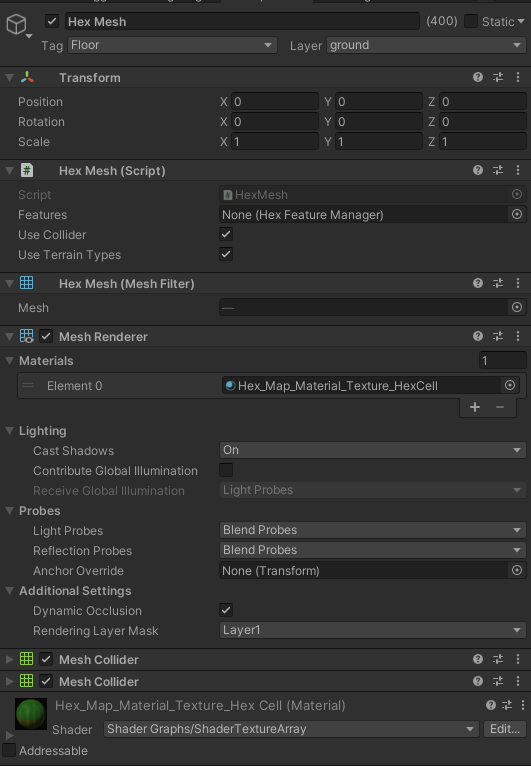
The only thing that seems to have the outline correctly everywhere is to remove MESH RENDERER from the ground. Event when I change Layer or materials, delete Mesh Collider, change camera angle nothing happens.
Any ideas ?
Shader code here :
Shader "Toon/SmoothInky Outline" {
    Properties{
        _OutlineColor("Outline Color", Color) = (0,0,0,1)
        _Outline("Outline width", Range(.002, 2)) = .005
        _OutlineZ("Outline Z", Range(-.016, 0)) = -.001// outline z offset
        _Offset("Outline Noise Offset", Range(0.5, 10)) = .005// noise offset
        _NoiseTex("Noise (RGB)", 2D) = "white" { }// noise texture
        _Lerp("Lerp between normals and vertex based", Range(0, 1)) = 0// outline z offset
        [Toggle(NOISE)] _NOISE("Enable Noise?", Float) = 0
    }

    HLSLINCLUDE
    #include "Packages/com.unity.render-pipelines.universal/ShaderLibrary/Core.hlsl"
    #include "Packages/com.unity.render-pipelines.universal/ShaderLibrary/Lighting.hlsl"
    #include "Packages/com.unity.render-pipelines.universal/ShaderLibrary/Shadows.hlsl"
    #pragma shader_feature NOISE
    struct appdata {
        float4 vertex : POSITION;
        float3 normal : NORMAL;
        float4 texcoord : TEXCOORD0;// texture coordinates
    };

    struct v2f {
        float4 pos : SV_POSITION;
        float4 color : COLOR;
    };

    uniform float _Outline;
    uniform float _OutlineZ;// outline z offset
    uniform float4 _OutlineColor;
    sampler2D _NoiseTex;// noise texture
    float _Offset,_Lerp; // noise offset

    v2f vert(appdata v) {
        v2f o;

        // clipspace
        o.pos = TransformObjectToHClip(v.vertex.xyz);

        // scale of object
        float3 scale = float3(
        length(unity_ObjectToWorld._m00_m10_m20),
        length(unity_ObjectToWorld._m01_m11_m21),
        length(unity_ObjectToWorld._m02_m12_m22)
        );

        // rotate normals to eye space
        float3 norm = normalize(mul((float3x3)UNITY_MATRIX_IT_MV, v.normal)) * scale;
        // attempt to do this to vertex for hard normals
        float3 vert = normalize(mul((float4x4)UNITY_MATRIX_IT_MV, v.vertex)) * scale;
        //
        float2 offset = mul((float2x2)UNITY_MATRIX_P, float2(lerp(norm.x, vert.x, _Lerp), lerp(norm.y, vert.y, _Lerp)));
        // texture for noise
        float4 tex = tex2Dlod(_NoiseTex, float4(v.texcoord.xy, 0, 0) * _Offset);// noise texture based on texture coordinates and offset

        #if NOISE // switch for noise
            o.pos.xy += offset * _Outline * tex.r;// add noise
        #else
            o.pos.xy += offset * _Outline;// or not
        #endif
        o.pos.z += _OutlineZ;// push away from camera

        o.color = _OutlineColor;
        return o;
    }
    ENDHLSL

    SubShader{

        Pass{
            Name "OUTLINE"
            Tags { "LightMode"="UniversalForward" }
            Cull Off// we dont want to cull

            HLSLPROGRAM
            #pragma vertex vert
            #pragma fragment frag
            float4 frag(v2f i) : SV_Target
            {
                return i.color;
            }
            ENDHLSL
        }


    }

}
