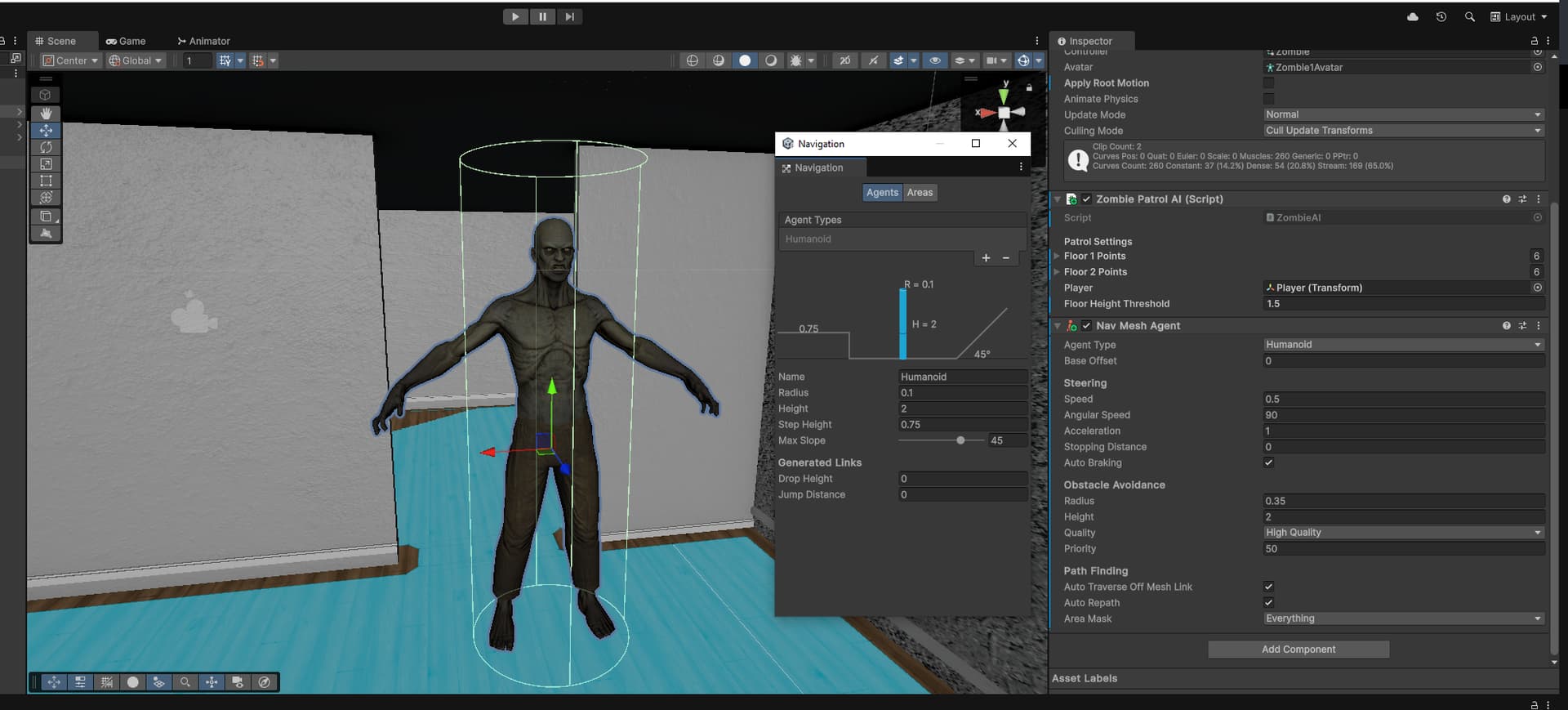
I went with .1 as the Radius because it looked as if it had the most accurate boundaries.
In that screenshot you can also see how I setup my NavMeshAgent. Apologies for the cluttered picture, but the forums appear to only let me upload one image on a post because I am new.
So from my very limited understanding, I assumed that if I set the Obstacle Avoidance → Radius to the general shape of the AI, then it would keep that cyclindrical avoidance shape within the boundaries of the NavMesh.
But what’s happening is it appears to be allowing that avoidance radius to go outside the mesh surface which causes parts of the zombie to clip through walls.
I am guessing that I am misusing/misunderstanding how the radius on the Navigation window and the radius on the NavMesh agent work.
Seems like I could just raise the radius in the Navigation window which causes the path to be more center through doorways and prevent clipping. But was curious why what I am doing does not work?
In the old days there was One Navmesh To Nav Them All but now you can have more than one so I suppose if you had agents with wildly-different radii, you’d bake more than one navmesh for each class of agent.
Computationally I am sure it is cheesy-easy to see if a point is within polygons, whereas it would be harder to check a circle.
Of course right after I create this, I find this other post
Think this might be what I am looking for? It looks like I misunderstood what the NavMeshAgent radius setting does and what the Navigation radius setting does.
I assumed that the NavMeshAgent radius would respect the boundaries of the mesh surface but looks like that might only be the case for other objects using NavMeshAgent?
I think in order to get rid of the clipping I am seeing, seems like I would just need to tinker with the radius in the Navigation window