(Currently waiting for approval)
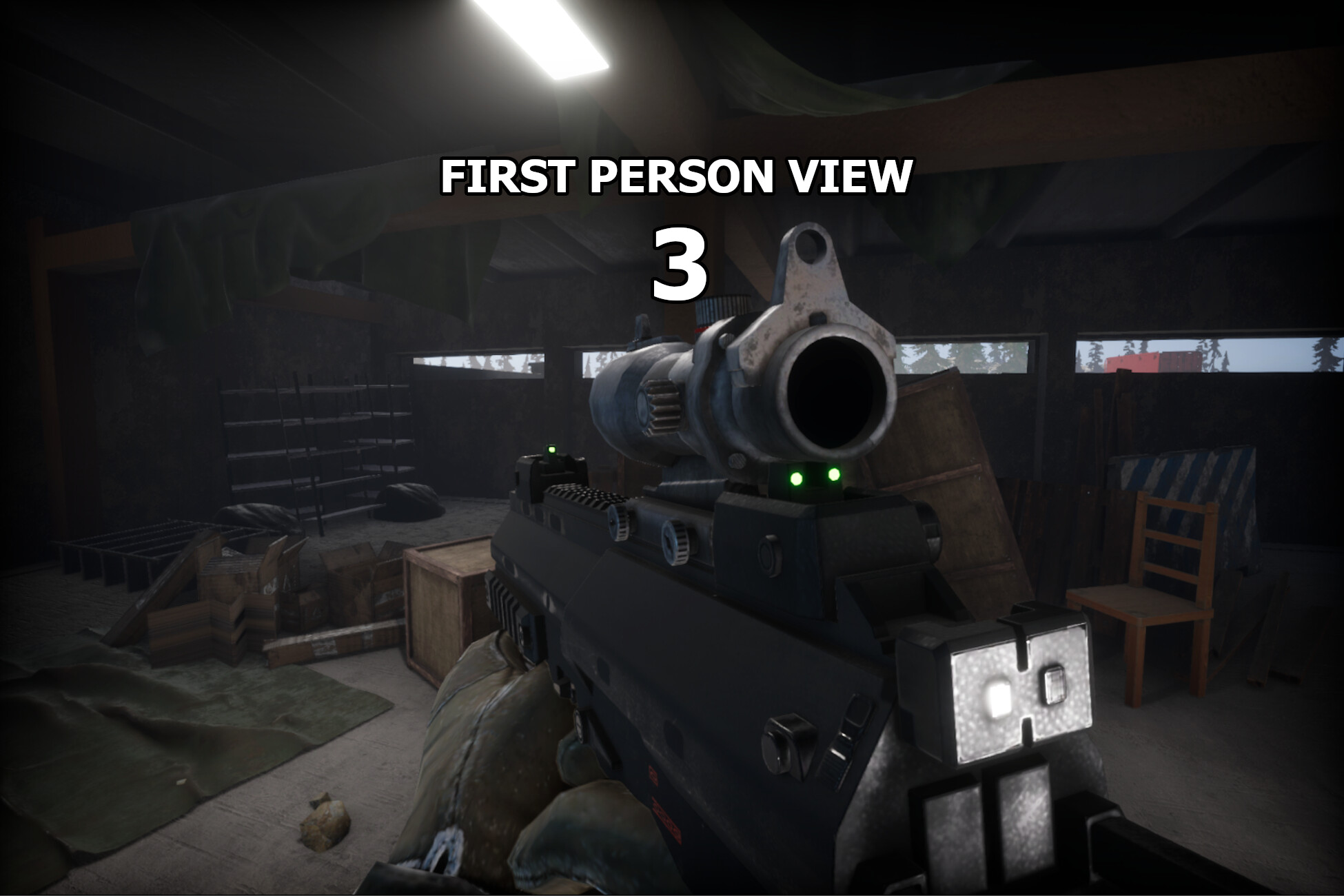
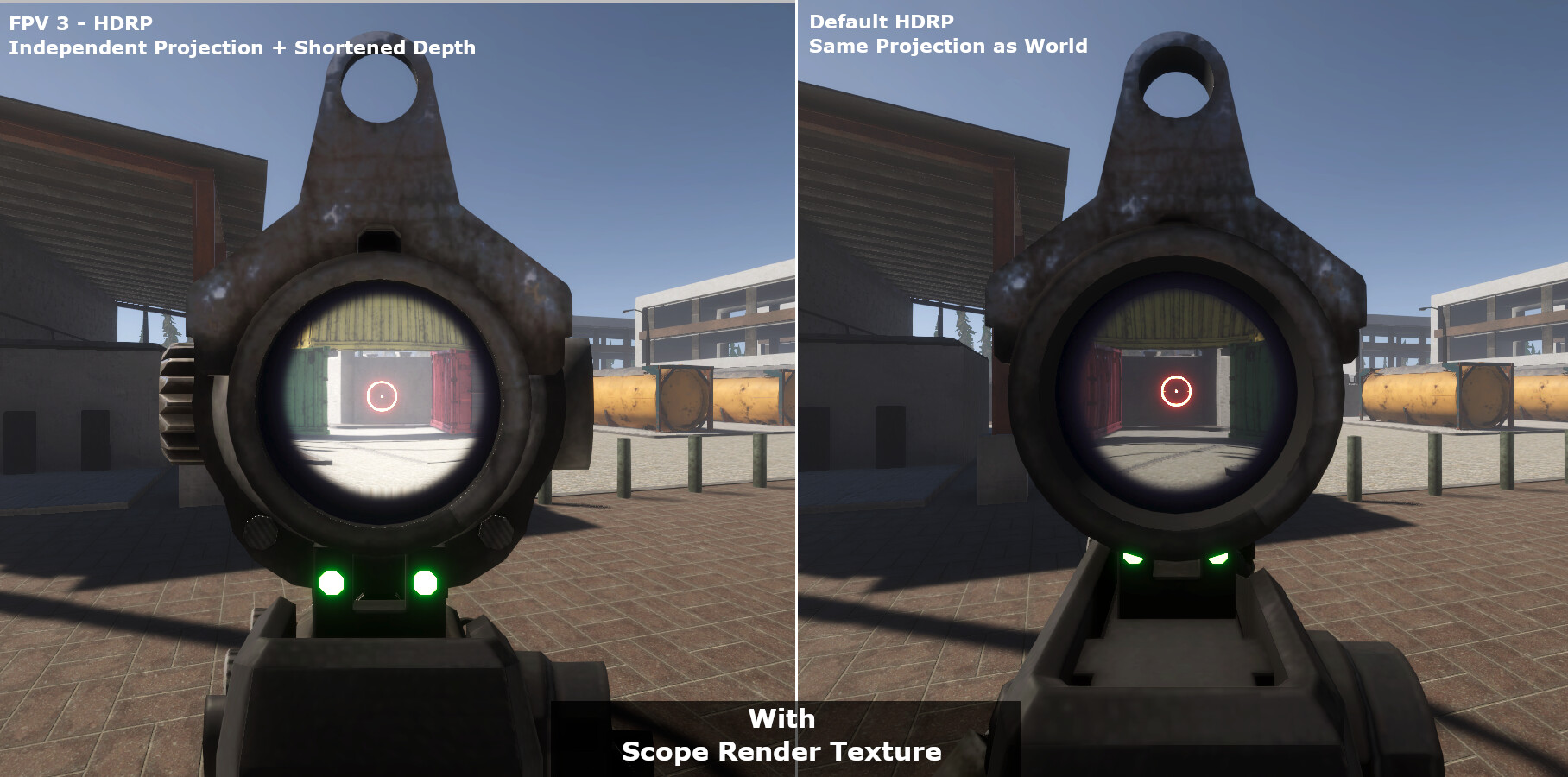
First Person View 3 offers a solution for first person render in Unity, where first person objects won’t clip through the environment, have a separate field of view and receive shadows from the environment.
FPV3 now supports the Default Renderer for Unity versions 2018.4 and up, and also supports HDRP and URP for Unity versions 2019.3 and up.
New in First Person View 3!
Support for HDRP and URP for Unity 2019.3+ using ShaderGraph,
Much simpler and easier setup for the Default Renderer,
Ability to easily fade in/out of First Person View, useful when interacting with the environment,
Finer control over changing shadow casting mode in and out of FPV.
HDRP/URP Advantages:
Super easy setup using ShaderGraph
Doesn’t require any code/GCInc changes
Doesn’t require re-setup for newer Unity versions
Less limitations on Post Processing effects
– Notes –
Please note that this is not a first person controller.
Content from screenshots and videos are from my game, No Heroes, and are not included with First Person View 3.
Default Renderer Limitations:
Partially supports temporal effects. In FPV3, Motion Vectors are essentially “disabled” but still active. TAA for example will still partially work, but temporal motion blur will not.
Light and Shadows calculations are stretched for first person objects.
Not a limitation, but when updating to a newer Unity version, you’ll need to setup FPV again for that version of Unity. All steps are provided in the manual. HDRP/URP don’t require this re-setup for newer versions.
HDRP/URP Limitations:
Light and Shadows calculations are stretched for first person objects.
Due to an Unity issue, Skinned Mesh Motion Vectors don’t play well with vertex scaling, so FPV3 needs to disable the Motion Vectors for skinned meshes. Most temporal effects will still work, with the exception of temporal motion blur.
The manual includes all the necessary steps to setup FPV for all renderers and future Unity versions.
Every script is well documented to make it easier to learn and understand how these solutions were made.
Thanks
regarding the GitHub, i’m going to wait until the asset is live on the Asset Store. It’s been 7 days since i submitted it, so i hope it won’t take much more time.
Regarding the current state of the asset, i’ve already worked on a few things for the first patch:
The 3 cameras now have static variables on the FPV Class for easy access.
All cameras set their static components on Awake. A manual public function is provided to update the static variables if needed.
Removed the two camera variables on the FPV_ImageEffects class. It now gets the camera components from the static FPV class.
Changed the name of the FPV_ImageEffects to FPV_FinalCamera
Removed a few unecessary variables
Added FPV.FPVPointToWorldPoint(Vector3 point). It will transform a point from world to FPV screen to World
Added FPV.FPVToWorld(Vector3 point, Vector3 direction, out Vector3 resPoint, out Vector3 resDirection). It will transform a point and a direction from World to FPV screen to World.
Added FPV.FPVToWorld(Transform trans, out Vector3 resPoint, out Vector3 resDirection). It will transform a point and the forward direction from a Transform from world to FPV screen to World.
After this, i’ll be adding the possibility for:
FPV objects to cast or not shadows on World objects,
FPV objects to cast or not shadows on FPV objects.
I’ll also try to make it possible to have the terrain in the same layer as the world objects, but right now it’s not supported.
Maybe someone else can figure out some improvements for this
Here’s one more demonstration of the advantages of using the First Person View asset:
One thing to note about using independent field of views for world objects and FPV objects, is that the direction and position of things in the FPV perspective are different from the world objects.
This leads to lasers pointing in a different direction, FPV cameras pointing in a wrong direction, etc. This is why i included a few functions that automatically calculate the correct world position and direction of FPV objects/points.
Here are a few examples:
PS: These are all images from my game, as you might already know
The link to it is in my signature if you are interested.
Well a big update, so no problem waiting for that, In the first picture with independent FoV looks like free aiming of ArmA 2. That when your aiming you can still look the sides.
Yep i know i waiting for your first launch. i am a follower from 2 years ago.
this is really really helpful, I’ve been a silent follower of your game and I’m really impressed, i was always wondering how people got the ‘FPS look’ in unity while i had multi-camera setup problems in deferred, I’m so excited to try this! thank you for contributing to the community.
As far as i know, i’ve only seen these solutions in Unity:
One is to simply have two cameras and the second camera only renders the first person objects. As result, no shadows on the first person objects.
Another is to use the solution above, but with duplicated objects for the environment and set to shadow caster only. Having to duplicate everything is a pain and not optimal. Also doesn’t work well with dynamic objects, trees, etc. Very difficult or too impractical/performance costly to keep everything in sync.
Another is to use replacement shaders on the second camera. This means every single shader must have a keyword/tag to it, and the replacement shader can get really big. Performance was also a problem when i made it, and didn’t work very well with deferred as far as i remember.
There are a few other solutions, but i’ve never been able to replicate (like custom matrix for objects and shader modifications for the objects to not clip)
The solution i’ve come up with, in simple terms, is to enable shadow caster only on objects that are not in First Person View when the second camera is going to render.
Of course this has its own issues, for example doesn’t work on terrains, or at least i still have to come up with a solution, and trees planted on the terrain also doesn’t work. It does however work with trees outside of terrain.
I like my solution, since it’s fairly easy to setup, requires no shader modification and is easily interactive. Also from performance tests i did, it also performed very well.
Another ‘issue’ is that every parent object of each object needs to have a component attached to it, and if it doesn’t and is near the player, it will be rendered twice.
Of course you can put it in a separate layer that the camera doesn’t render.
There are basically 3 rules for this:
If you know that an object will never be close to the player, then no need to do anything to it as it will never be rendered by the second camera.
If you can afford to have objects in a separate layer, that you don’t want to cast shadows to the first person view, then you won’t need to attach any components to it and just make the second camera not render that layer.
If you can’t afford it and if you know that those objects will be near the player, then you need to attach a component to it.
Anyway, i still have a few things i will be adding to the asset that will improve the functionality and add a few more features. For example, in the future it’s not going to be needed to have a First Person View Layer for the first person objects.
The asset was submitted 11 days ago and still hasn’t been accepted it’s understandable though, since it’s a new asset. Hopefully next week
Apparently, i was able to make an “overhaul” to this system and improved it alot!
Here are some of the improvements:
2x performance increase,
No more subscription and unsubscription of objects from a collection of objects, everything is automatic, so no need to manage objects and there is no main collection of all objects,
As result, the code is much more simplified.
(i’m sure i’m missing a few more things)
When i finish this, i’ll introduce enable/disable shadows from player/environment on environment/player
EDIT: and i’ll also make it so you don’t need that FirstPersonView layer to use this system.
EDIT2:
hum…
correction, performance is now 7x better than before. I’ll try to make heavier stress tests to really test the system.
Well thats is very good think, i make a lite testing, In my machine, was getting good fps but was dificult to me see how was working your script system. When i have more time new test and with better and exacts results to show you.
Just updated the repository on GitHub with this new major update to the First Person View asset.
Here’s the change log:
With this, you no longer need to keep ANY object updated in a collection of objects. No need to worry about anything.
Performance also increased 4-7 time, depending on the scene. There are still some improvements i can make.
On my PC with the stress test scene, i was getting around 0.55ms average performance cost of this system. The new update, on average, costs 0.08ms
Let me know what you think
EDIT:
Made a couple more updates.
One fixed some summary of methods.
The other one fixed a problem when setting a FPV_Object as a First Person Object.
this is really really cool, though the last version downgraded my fps a bit (this was when enabling Unity SSR), I will try to get the new version and try it out, thank you very much for the contribution…
Are you sure the downgraded fps was due this system and not the SSR being enabled? I don’t see how that image effect would affect the performance of the system.
When i use Candela SSRR, the cost of this system stays the same.
EDIT:
In the second last post i said this:
When i finish this, i’ll introduce enable/disable shadows from player/environment on environment/player.
What i meant was this:
The next goal is to have a way to:
Enable/Disable shadows from player on player
Enable/Disable shadows from player on environment.
Thank you for your enthusiasm, but can you please remove the comment from this thread? This thread is not about my game and your comment is way too long for this.
You can remove the comment by asking a moderator, or simply edit your comment and remove its content.
Also please don’t post that on the thread of my game too, since it is way too long of a comment and will only make it difficult to read the thread.
Submitted the First Person View asset again to the Unity’s Asset Store.
It failed last time because i didn’t have the publisher info set up. Unity shouldn’t have let me publish it and make me wait a couple of weeks just to say that i need to complete my info but it’s all done and taken care of now.
If everything goes well, the asset will be available probably at the end of next week or the week after.
I also updated the package to the latest version on GitHub
I’m confused. I know what it should be doing, but I’m sure I did something wrong.
I started a fresh new project, but the layers weren’t actually available (empty)aqsz
Implementing the ExampleWeapon-prefab… It will fall through the ground.
I’m sorry to say this, but an asset such as this is easy to remake by ourselves. Or that’s just because I know how the system actually works. It would’ve been more interesting if you would make the No Heroes-like FPS controller available to the public. Ofcourse, again without the additional 3D Assets.
@Justice0Juic3
1- In the manual, it says that you need to add that specific layer to the layers list. without it, it won’t work
2- that’s just a test example, it’s not meant to be a real fps controller. it’s just to show how to set everything up for the system to work, and translate world objects to first person view.
3- Well, after knowing how its done, it’s quite simple to do. It’s just, from all the time i’ve been here, i’ve never seen a solution to this problem, so i thought i would offer one. It’s not perfect but works for the most of it.
This asset is not meant to be a FPS controller, it’s just a mechanism to have a first person view. What you are asking for is not the purpose of this asset.
Also, this system only works with Deferred Rendering, so make sure you have that checked.




 it’s understandable though, since it’s a new asset. Hopefully next week
  but it’s all done and taken care of now.
 Good luck on your project!