I am getting weird normal mapping effects with new Shader Graph using Lightweight SRP.
Without normal map everything is alright. These r the screenshots and screenshots from the game. I hope someone can help 
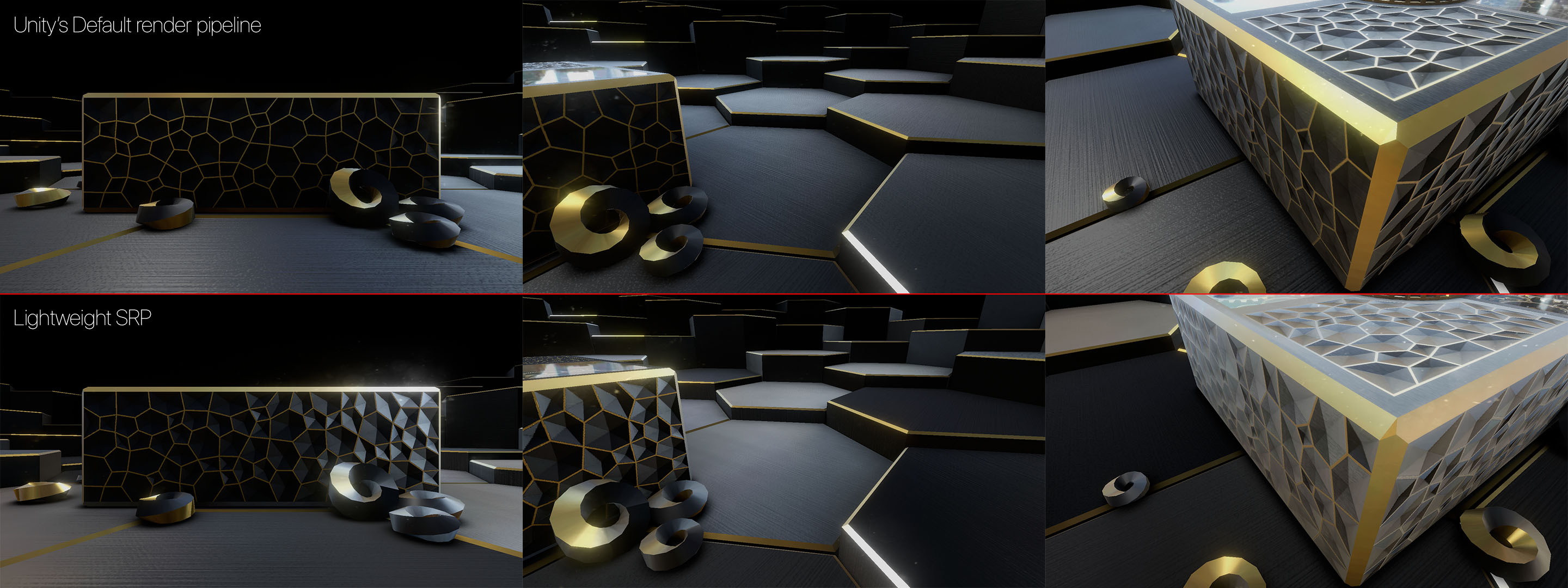

1 Like
It’s just a wild guess, since I’m not that familiar with the render pipelines yet, but you normal map preview looks like it’s color managed. If the default pipeline doesn’t color manage textures and the lightweight does - you should check if your normal map have some color space conversion - this breaks normal map stuff and shout be removed and the map should be set to be raw data, rather than converted to sRGB. I believe there is a button in the texture Inspector for that.
@ntjahero Tried that Dunno what’s happening here. I tried to use Sampler with default texture type and set the normal map as Default too with enabled and disabled Convert to sRGB and it just became more weird. Something is not right here or i dont knwo how to use normal maps through Shader Graph. When u set normal map type as Normal Map u dotn have the Convert to sRGB checkbox so i suppose its not converting it, as for the preview i always had previews like that for the normal maps even within the editor. Like i told u everything is working fine with the same normal map using in Lightweight Standard (actually forgot to mention this) shader and every other shader except this 1 which is made in Shader Graph  I can’t be the only one with this problem, i hope so
Installed Unity HUB and made a fresh LWRP Project still the same issue. Unity 2018.1.5f
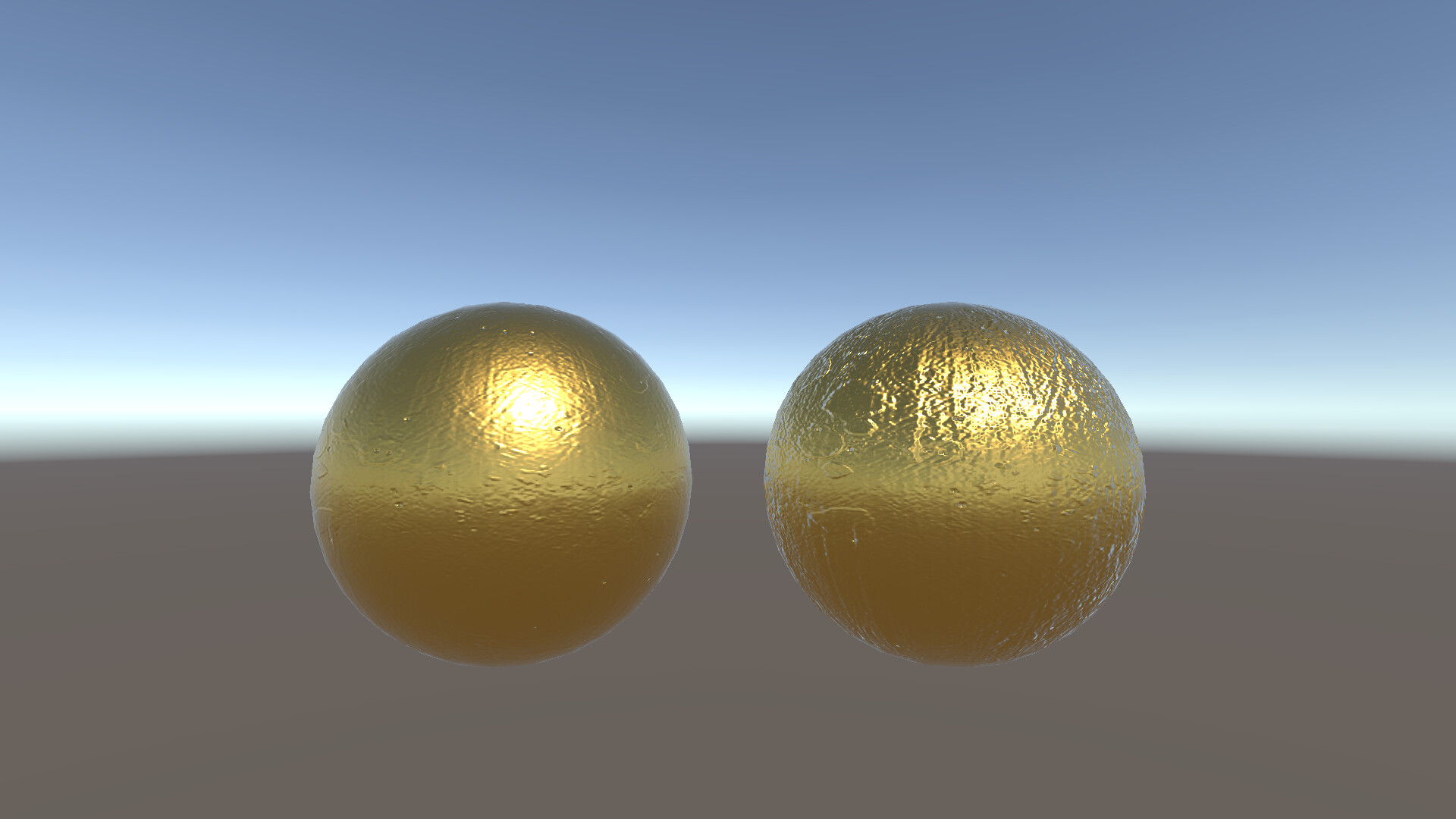
2 Spheres with same Metalic/Smoothenss values and same normal map. LightweightPipeline Standard PBR shader on the left and custom lwrp shader made with shader graph on the right. Even used normal map preset settings from the example project. Still can’t see where is the problem here?

Also there is some weird offset like u can see sphere on the right has some little x offset on the normal map (Offset in the settings is x: 0 y: 0).
U can clearly see it here i added normal strength to the custom shader and both have 1.5 strength, and for some reason specular highlight goes in different direction from the one in LW PBR Shader when increasing strength of the normal map…

Im not able to get my normal map to work, here is a terrain with the normal map on albedo (to visualize) and then also going into the normal channel.


I also attempted a simple sphere, at first it didn’t seem to work but when I scaled my sphere down to a unit sphere it looked more correct but something is not working with the normal maps on shadergraph or more likely I don’t know how to use it.
Below is a unit sphere and then a scaled up sphere.


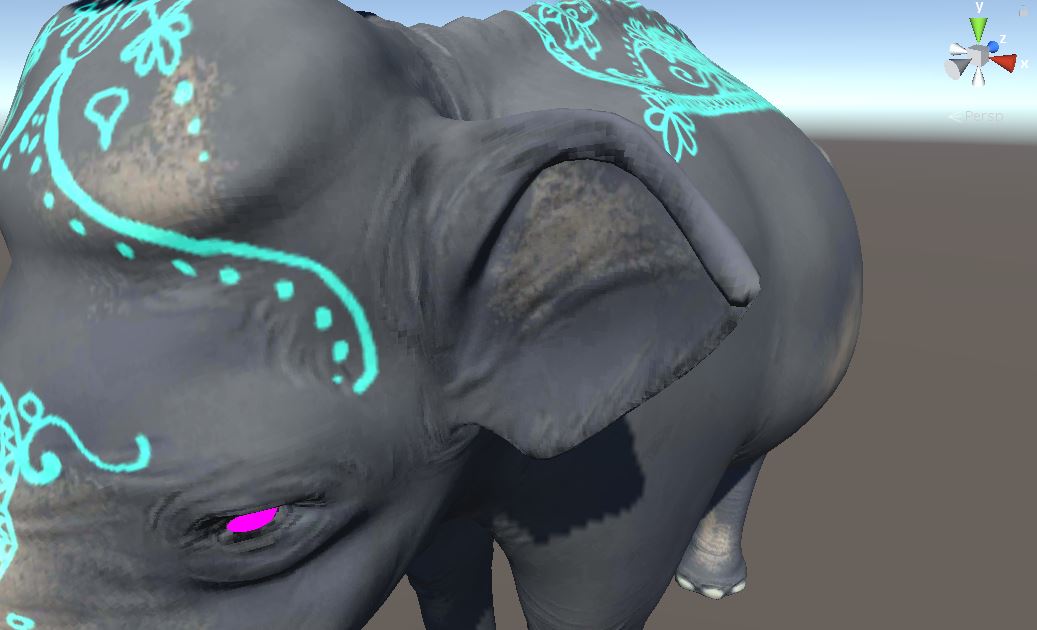
Having similar issues. I found that if I set the texture type of my imported texture to “Default” and then in my SampleTexture2D node in the shader graph to “Normal”, I get correct normals (bottom image). But if I set both to “Normal”, then I get the top image. I get something similar to the top image again if I set the texture type to “Normal” and the SampleTexture2D node to “Default”. Kinda annoying since Unity bitches when you don’t have your normal maps set to “normal” when you import them.
I was able to hack a fix though that produces the result of the second image when the input texture is set to “Normal” and you add some dumb swizzle math stuff in the Shader Graph. Basically a custom “Unpack Normals” operation that converts Unity’s DXT5nm format for normal textures. Technically there is some more math you can do for the B/Z channel, but I found just setting it to 1 in the Vector3 produces very similar results.
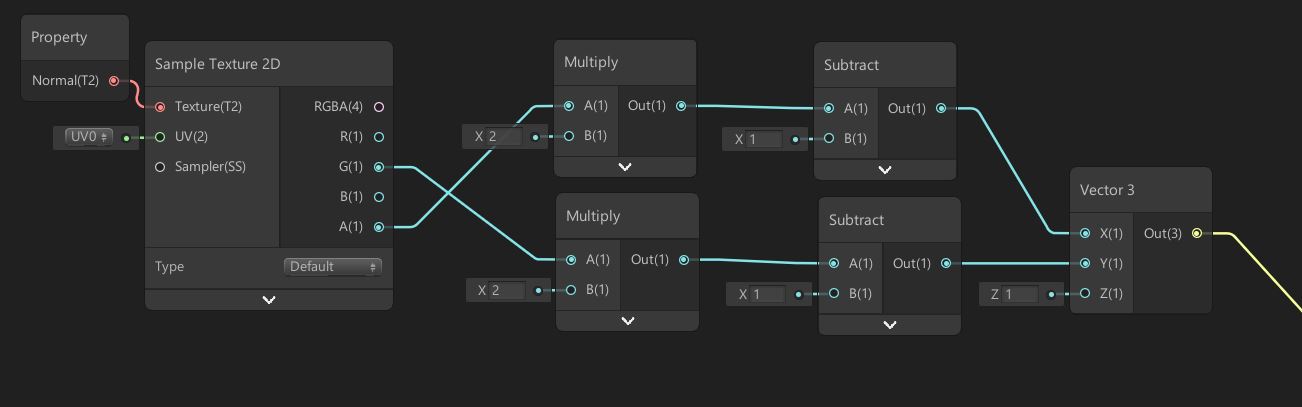
2 Likes
I’ve opened up an issue with Unity , they asked me for a small demo scene that I provided. I can let people know what they say.
@francois85 Sure, I am still having the same problem with new 2018.2
Yea I tried it as well, no luck. Still waiting on a reply from QA.
Issue is out, please vote this up if ir affect your project.
Mmm Unity closed my ticket saying fixed in 2018.2 … but it’s not , is there a new patch out for 2018.2 ?
Reproduced with:
2018.1.0f1, 2018.1.8f1, 2018.2.0f2, 2018.3.0a5
I have not tested the fix yet but my ticket for this has been update to “fixed in Package “
Ran a test this is still broken
still have the issue
QA got back to me saying
It should be fixed in the 2.0.8 and 3.3.0 package versions.
Latest package I can see in unity is 3.0.0
Yeah, this should be fixed in the LW 2.0.8 preview version that was released, but they released LW 3.0.0 a few days after 2.0.8 and it’s broken in that version. You can revert to LW 2.0.8 for now if it’s a problem for you. As I understand it, LW 3.0.0 was really intended for use with Unity 2018.3 anyway, though it works with 2018.2. Future LW 3.#.# versions may actually require new APIs in 2018.3 which may be why it hasn’t been released yet.
Ahh ok ill revert thanks for the info
Error still exist in hd rp
Also still a problem in Shadergraph 7.1.7 in URP