I am using a texture of type RGBAFloat, which I initialize with setPixels.
I expected floating point precision to be preserved as setPixels takes an array of Color, which has floating point components, but it looks like I only get 8 bit precision. This is a problem as the texture is used as an input to a displacement shader which requires full floating point precision, or I get visible banding effects.
Is this a known issue? Or could I be missing something in the shader pipeline?
The _displacementMap texture is generated equally simple like this:
Color[] pixels;
..
  Initialize pixels with displacement map with full floating point precision. Must be done on the CPU as it is too complex for a shader,
..

Texture2D t = new Texture2D(width, height, TextureFormat.RGBAFloat, false);
t.SetPixels(pixels);
t.Apply();
I used a RenderTexture of type RGBAFloat today, to get the full precision of the Depth Texture when blitting it to the RenderTexture, when I was getting worse precision in other formats, so I can tell you at least that RGBAFloat works. At least in Windows.
Do you only need one channel for your displacement? Also float sounds a bit over the top, 16bit is usually enough. Maybe you can work with TextureFormat.R16 and sample with sampler2D_half. Never did that but I guess it works.
RGBAFloat does work fine, but the issue is probably in SetPixels, which was made in a 8 bit per channel time. It actually says in the documentation:
“This function works only on RGBA32, ARGB32, RGB24 and Alpha8 texture formats. For other formats SetPixels is ignored.”
I don’t think that’s still true, but I would really not be surprised if SetPixels assumes a 8 bit per channel target.
(A quick look shows that the documentation hasn’t changed a word since at least version 4.2, so don’t expect it to be up to date.)
Maybe they haven’t updated the documentation, SetPixels32 is for 8 Bit Channels. You say you get your texture correctly but still in 8 Bit? Maybe you show us the code where you assign the color. I don’t get why we should not be able to set pixels only for these 4 formats.
Hi!
SetPixels should work fine for R32F, RG32F and RGBA32F formats (and -16 variants as well).
You need to specify the texture as sampler2D_float, as @jbooth_1 said.
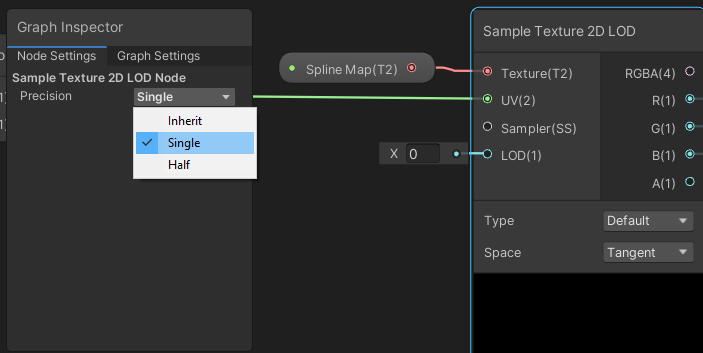
I have this question but for Shader Graph. It seems like the equivalent would be to edit the node settings of the Texture2D node and the Sample Texture 2D LOD node: