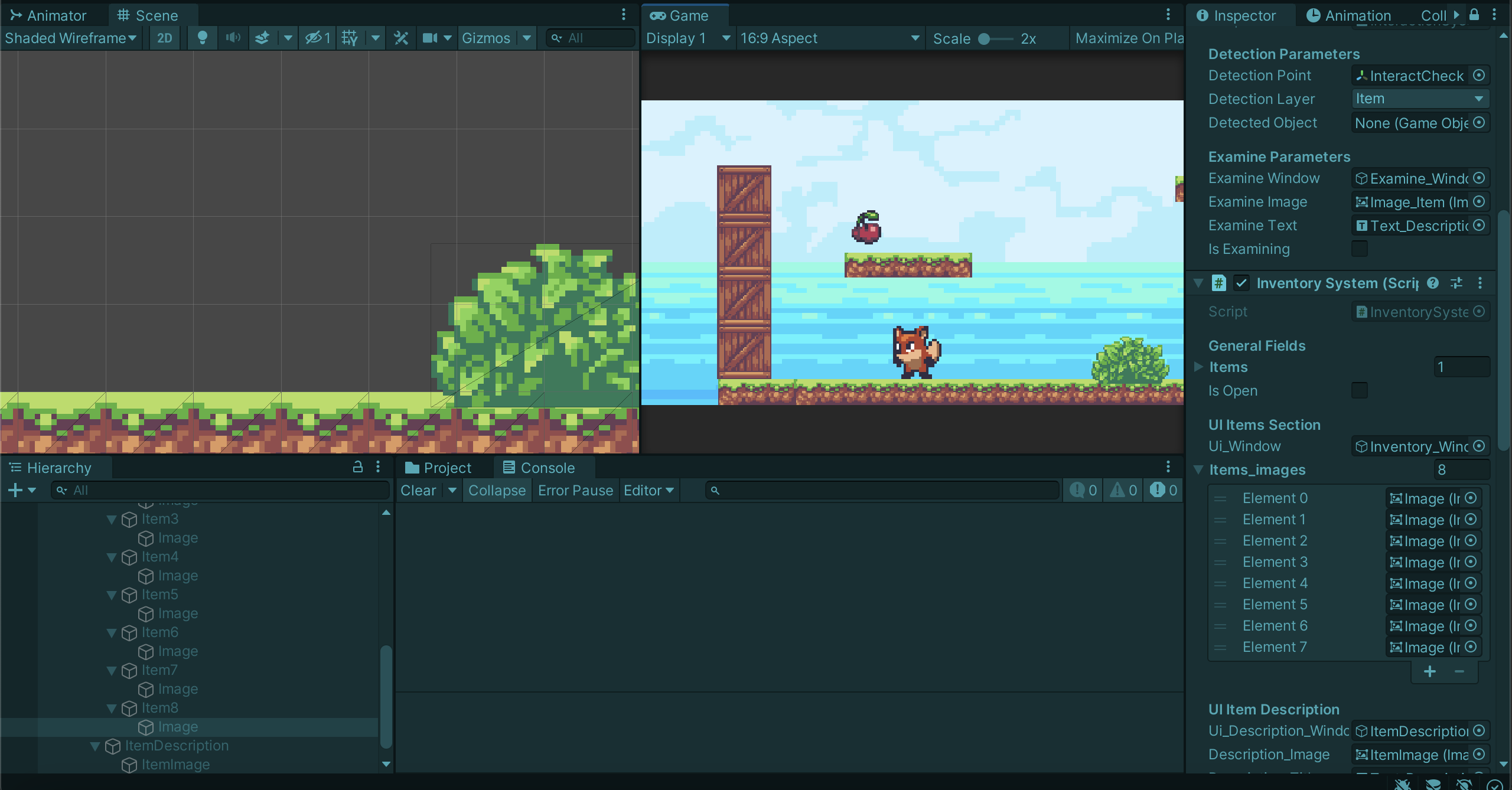
Hello all,
I’m having issues with having my character pick up items due to the Null Reference Exception: Object Reference Not Set to an Instance of an Object Error.
I’m following the tutorial at the following link below:

At point 25:14 in the video, when we create the HideAll() method, then we test run the game, that is when I get the Null Reference Exception Error. Can someone explain why I’m getting this error?
Here is the code for my Inventory Script, where the HideAll() Function is located. Unity is saying that the Null Reference exception is in this Function, however, my function’s format is exactly the same as the Tutorial video. So why am I getting this error?
public class InventorySystem : MonoBehaviour
{
    [Header("General Fields")]
    // List of items picked up
    public List<GameObject> items = new List<GameObject>();
    //flag indicates if the inventory is open/not
    public bool isOpen;
    [Header("UI Items Section")]
    // UI Reference element - Inventory sys. window
    public GameObject ui_Window;
    public Image[] items_images; // PLEASE DO NOT FORGET THAT THIS IS AN ARRAY!!!!

    [Header("UI Item Description")]
    public GameObject ui_Description_Window;
    public Image description_Image;
    public Text description_Title;
    public Text description_Text;

    private void Update()
    {
        if(Input.GetKeyDown(KeyCode.I))
        {
            ToggleInventory();
        }
    }

    void ToggleInventory()
    {
        isOpen = !isOpen;
        ui_Window.SetActive(isOpen);

    }

    public void PickUp(GameObject item)
    {
        items.Add(item);
        Update_UI(); // update ui as we get items
    }

    void Update_UI()
    {

        HideAll();
        // for each item in the items list
        // Show it in the respective slot in the 'items_images'


        for (int i=0; i < items.Count; i++)
        {
            items_images[i].sprite = items[i].GetComponent<SpriteRenderer>().sprite;
            items_images[i].gameObject.SetActive(true);
        }

    }

    void HideAll() { foreach (var i in items_images) { i.gameObject.SetActive(false); } }
}
Here is the video of the issue I’m experiencing. Basically, when I try to pick up an item, it throws that Null Exception Error as seen.
Any help is appreciated! I cannot move forward into the tutorial until this null exception error has been resolved!
Thank you!