Objects disappearing from object pool

I’ve been fooling around with Unity for hours now and very frustrated.

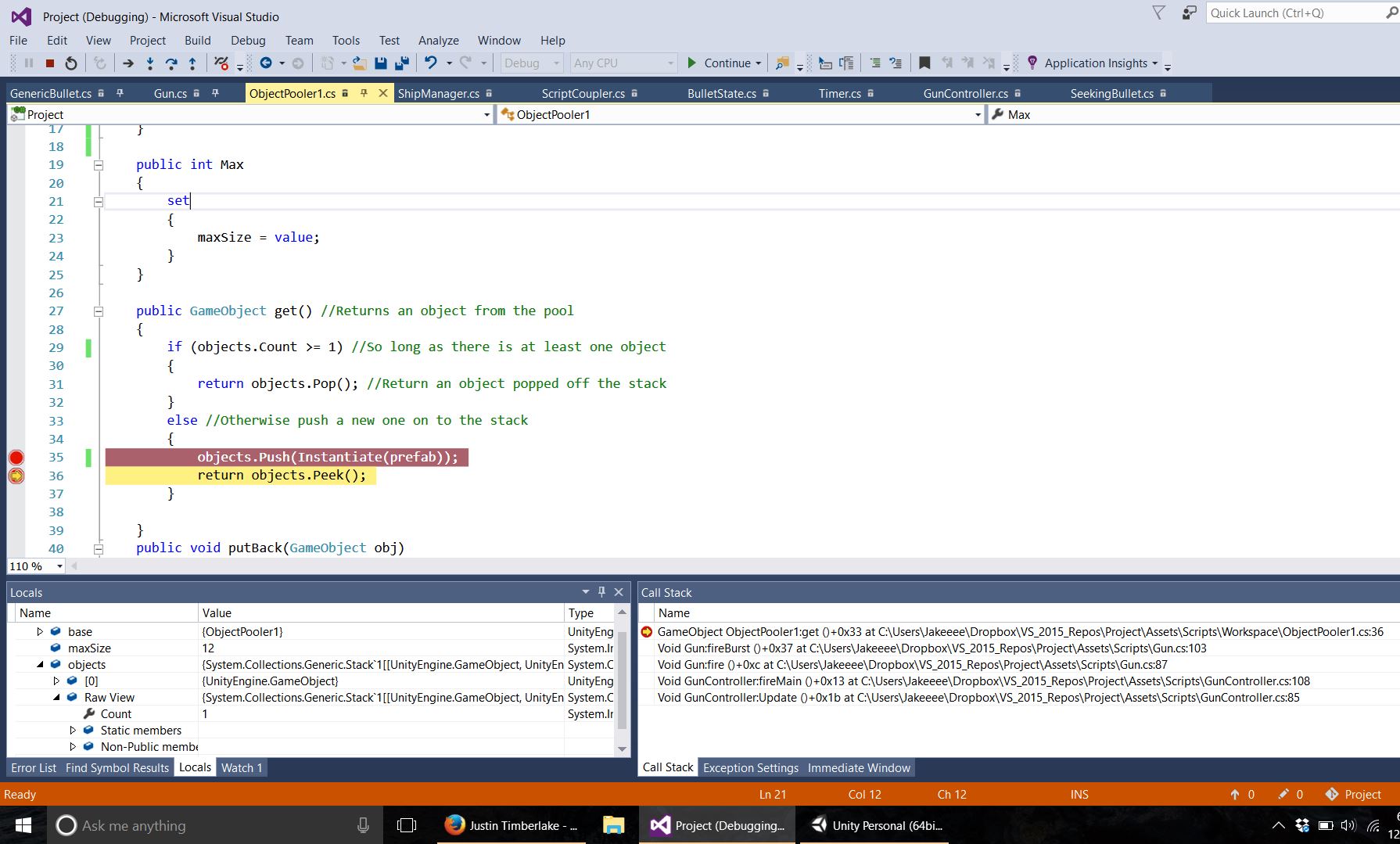
For some reason whenever my bullets get instantiated they disappear. I have two screenshots, one after an object has been Instantiated and it has been pushed on to my Stack object. After that function call the Stack resets to having no bullets!! Like wth?!

I have checked that they aren’t getting destroyed by another function call but that isn’t the case. Its like there’s a memory leak or something (is that even possible in C#??). My script print out whenever a bullet is retrieved from the pool, and it says there are twelve bullets in the scene. I manually counted eight after this!! The destroy function was not called so where are they?!

UGH.

Screenshots:
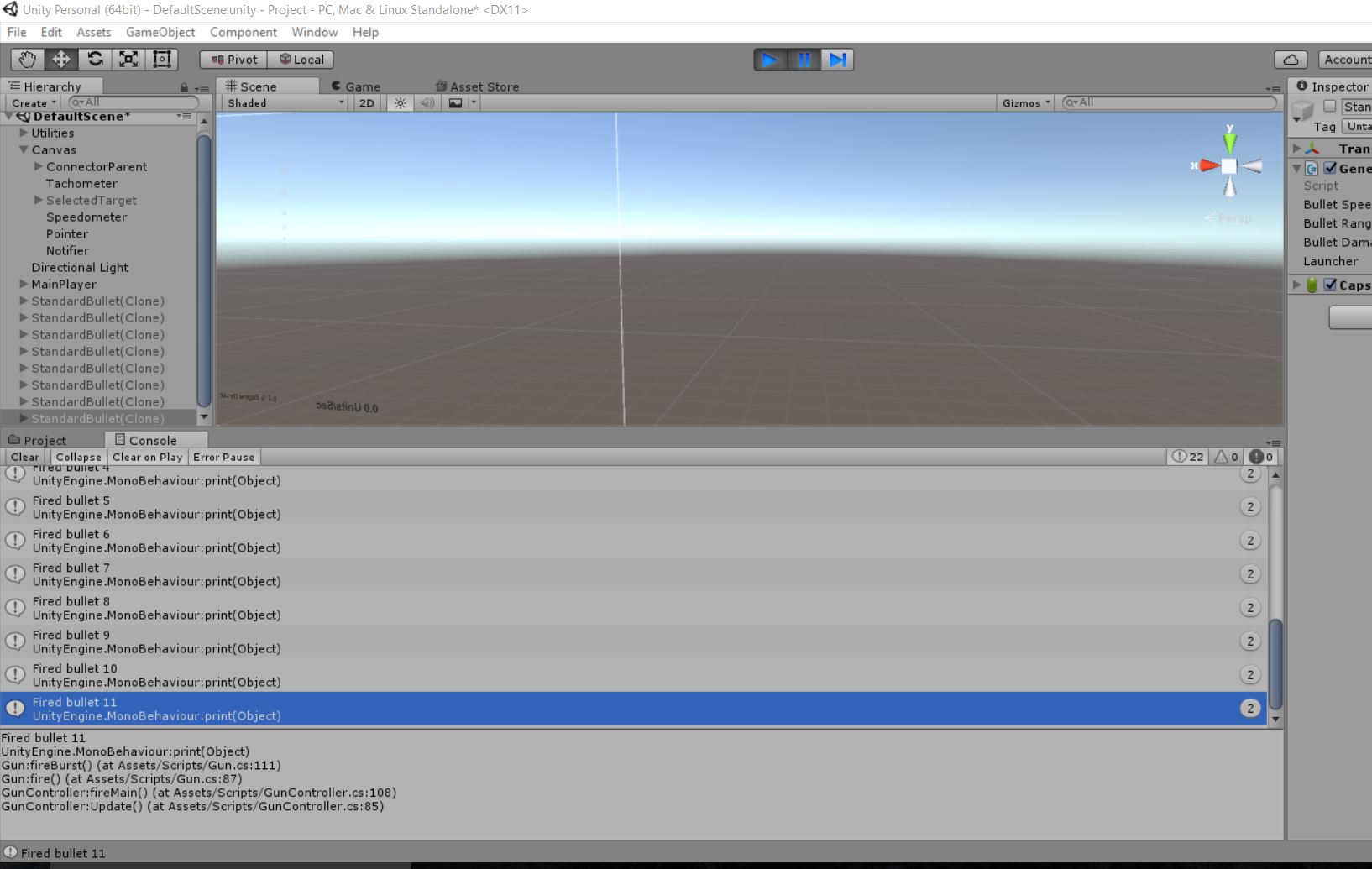
If you need more information just ask. I know I haven’t provided my code but it would probably be too confusing for anyone to attempt to sort through. I would file a bug report but IDK if this is my fault or that of Unity.

Please post code, not a screenshot of your code. Is the bullet completely disappearing from the hierarchy?

I see one critical issue with this code:

public GameObject get()
{
    if(objects.Count >= 1)
    {
        return objects.Pop();
    }
    else
    {
        objects.Push(Instantiate(prefab));
        return objects.Peek();
    }
}

If there are objects on the stack, you pop them.

But if not, you put one in the stack then ‘Peek’ it… meaning it stays in the stack.

This means that if you call ‘get’ twice in a row, you’ll get the same GameObject twice in a row. The first is the newly instantiated, the second will be the one previously instantiated… even though the first call to ‘get’ assumes it has exclusivity of that object.

1 Like

Why are you popping and peeking? Both lines should be identical?

Edit: Sniped

I’d like to mention that you should read developer network rules, especially “the do’s”

Hmm… You are correct I believe. I couldn’t do something like

return objects.Push(Instantiate(prefab));

Because Stack.Push() returns void, so I did:

 GameObject temp = Instantiate(prefab);
            objects.Push(temp);
            return temp;

It seems to be working…

@gorbit99 you’re right. I will change a few things.

why are you pushing it onto the stack at all when you’re ‘getting’?

From the looks of your screenshot (because we don’t have all your code) there is a ‘putBack’ method. I assume this is when a GameObject is returned to the stack for reuse later.

So let me make sure I got this right… here’s a hypothetical.

This is a pooling system.

You’re using it to pool something like say ‘Bullet GameObjects’.

Every time you fire a ‘bullet’, you get a ‘bullet’ from the pool… animate it across the screen for X seconds, then ‘puBack’ the bullet into the pool where it’s marked disabled and invisible. Later if another ‘bullet’ is fired, it tries to get one from the pool, and if that previously fired bullet has been ‘putBack’, it gets another.

Am I right???

If so… you should Push the new GameObject onto the stack in ‘get’. Because it’s currently in use! You push it back on the stack when you call ‘putBack’.

Otherwise, by placing it on the stack in ‘get’, you’re saying this object is available to be returned again from the pool… with out it ever being ‘putBack’.

So if you fire 2 bullets in a row, you’re only going to see 1 bullet on screen! Because you’ve used the same bullet twice in a row.

If I’m wrong about your use case…

Well, I still scratch my head as to why you Pop if there is >= 1, but you Push if it is 0.

These operations contradict one another.

What is it you’re attempting to accomplish?

Because as far as I can tell… you’d rather want something like:

public GameObject get()
{
    if(objects.Count >= 1)
    {
        var obj = objects.Pop();
        obj.SetActive(true);
        return obj;
    }
    else
    {
        return Instantiate(prefab);
    }
}

public void putBack(GameObject obj)
{
    if(objects.Count < maxSize)
    {
        obj.SetActive(false);
        objects.Push(obj);
    }
    else
    {
        UnityEngine.Object.Destroy(obj);
    }
}
1 Like

@lordofduct That’s pretty much what my script does. But again you’re right, I’m not sure why its being pushed back to the stack before being returned. Someone provided the object pooling code and I’ve since changed it a few times, the original is somewhere in the GitHub repo, and I haven’t checked it. I should have put more thought in to it but it has worked fine up until this point. Aside from the setActive() calls and the return Instantiate(prefab) (the setactive is handled in the calling functions) , what you have provided is exactly what I have. I will change it to remove the push().