Hello,
I have been following a tutorial for Unity to learn how to better use the particle systems and become familiar with what they can be used for. While creating a sun with particles aligned to the direction to which they are emitted, everything appears to be fine while the rotation of the origin is 0,0,0 for the object which is a parent to the system emitting the particles which are aligned to the direction to which they are being emitted. However, once this parent object or system is rotated on any of its three axises the particles which are aligned to the direction to which they are being emitted are also given a rotation for whatever reason, and now some extra, unassigned, rotation.
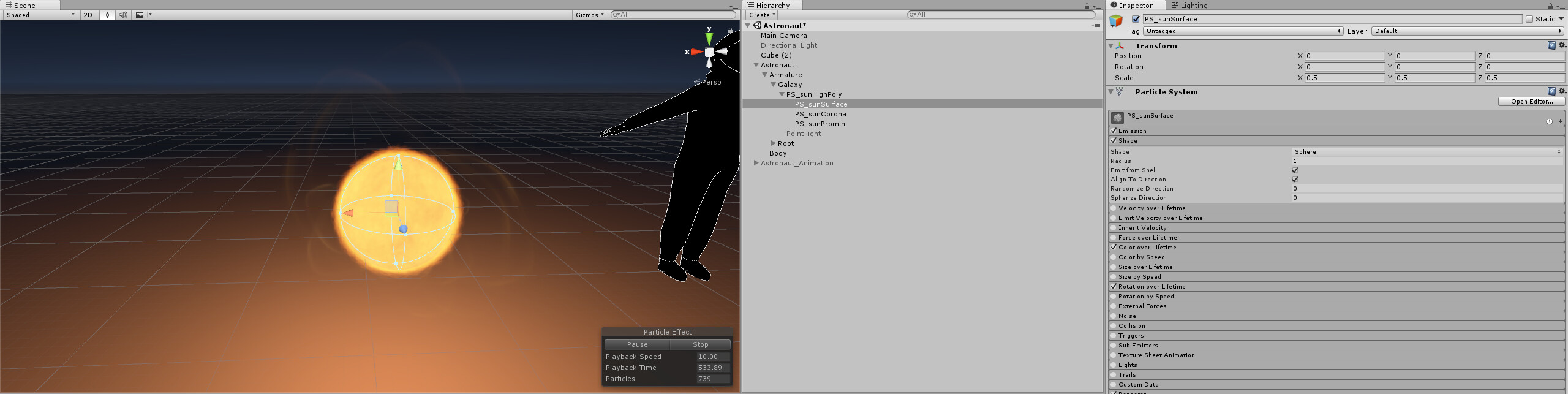
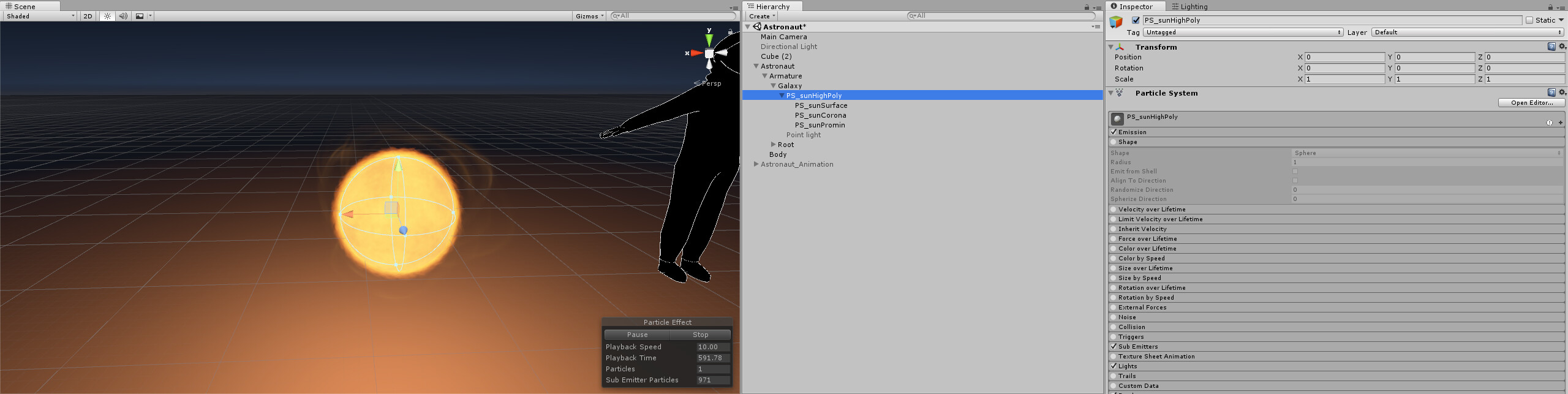
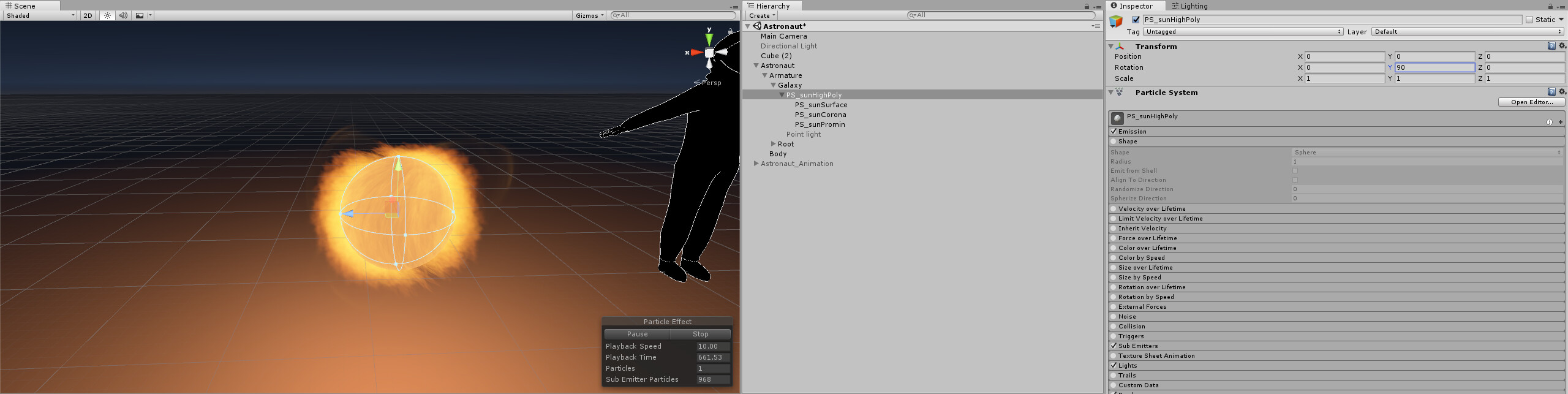
I’m on Unity 5.6.3p1 and here’s my setup, and you can see that PS_sunSurface is the child particle system which has particles aligned to the direction to which they are being emitted. The rotation of this system does not matter at all, and it doesn’t break the system regardless of whatever the rotation may be. In the section photo, you can see that the parent, in this case, PS_sunHighPoly which is a particle system has a rotation of 0,0,0, and this is the only rotation at which the child system works properly. In the third picture, you can see that PS_sunHighPoly is given a rotation of 90 degrees on its y-axis, you can also see that the other particles now have some strange rotation to them.
First picture showing child system PS_sunSurface with a rotation of 0,0,0:
Section picture showing parent system PS_sunHighPoly with a rotation of 0,0,0:
Third picture showing parent system PS_sunHighPoly with a rotation of 0,90,0:
I would be happy if there was a way to make it so the system PS_sunSurface simply never followed the rotation of its parent, whatever that may be. Or if there was a setting somewhere to prevent it from taking this rotation into account, and I feel like this second option would be better.
Thank you,
YaBoyBlue