Is there anyway to get fog to affect the skybox in pp v2? V1 had a fog option but looks it was removed,
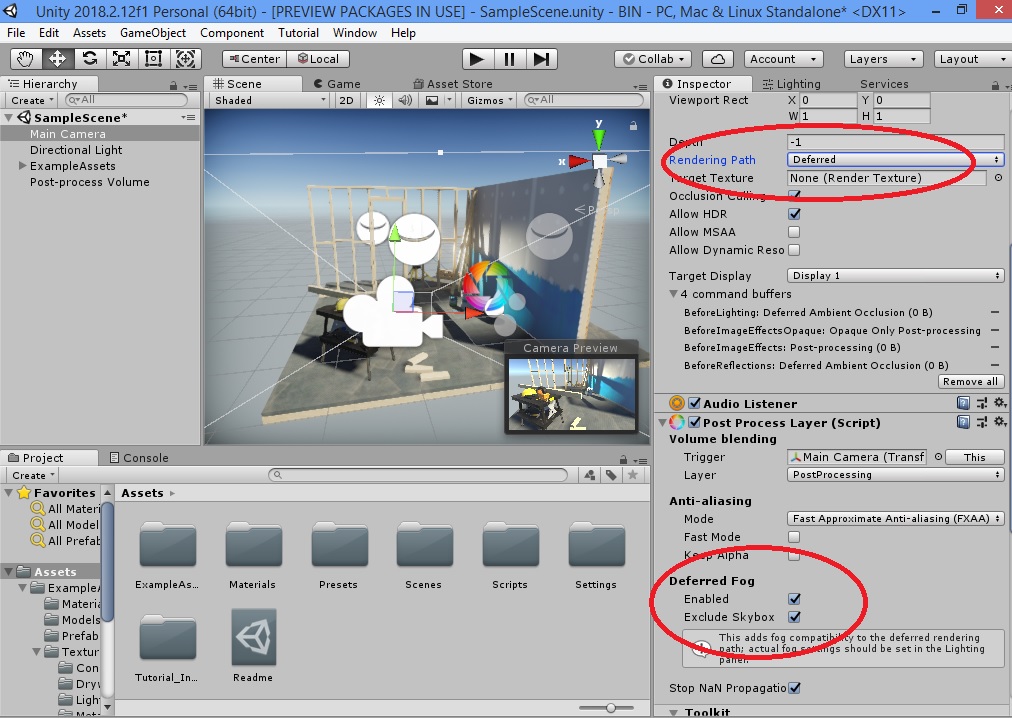
Thanks! I’m using forward rendering .
Sky fog works well on forward
Not with ppv2. When I switch it back to forward its disabled.
You don’t need that option on forward. Sky fog will works by default on forward rendering path
What version of unity are you using? I’m using 2018.2.8 and it doesn’t.
I tested on 5.6 and 2017
That’s odd. I wonder if it’s a bug.
I just dl 2017 lts and the option is not there for forward rendering.
Sky fog (from Lighting settings window) works by default in forward rendering. You don’t need that option in camera layer component
Do you have a screen shot?
Turn on fog from light settings window
it’s simple
I know that already. I want skybox fog in forward rendering.
Tha
That option on Post Process Layer (Camera) is just to apply Lighting Settings fog into the scene in Deferred rendering path (it’s not compatible by default to see lighting settings fog in deferred )
I think you want to blend fog color with skybox color
- You can manually do this
- You can use custom fog solution from store
- you can use custom skybox shader with blend with fog color feature