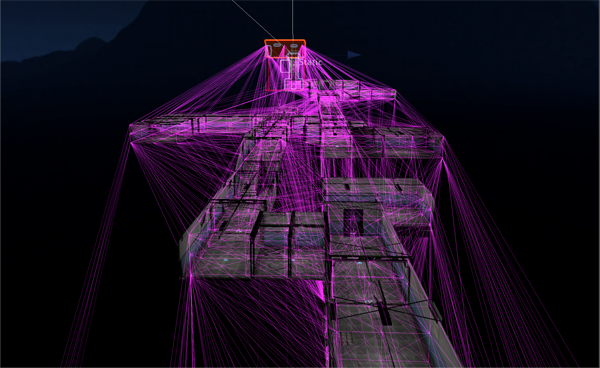
I’m using DunGen to generate a german bunker for mobile, so I have all the prefabs light mapped and each has a light probe, see first picture.
Then I generate a level with DuGen using the pre baked prefabs, the level lighting looks good and each prefabs light prob group connects, so far all good, see other pictures.
Now my problem is baking the light probes data, I’ve been searching for this answer for a while but it looks as though this is not possible, then if so whats the point of being able to bake prefab light maps and not being able to use their light probe data ?
AFAIK, the prefabs themselves only retain the light probe positions, and not their lighting data. That’s stored separately in the scene’s lighting asset. So while you can bake the light probe data on prefabs, pressing “Apply” afterwards doesn’t do anything since the lightingdata was never stored in the components to begin with.
Further, the tetrahedral tessellation data (how the lightprobes are linked together spacially, aka the purple lines) are also stored in that per scene file.
Same goes for lightmaps and baked reflection probes too btw, though those do exist as texture files, the data for where they go is in that lighting asset.
The only “solution” that I know of is to reverse engineer the lighting data asset and modify it at runtime, outside of the editor!
Just workaround unity.
Generate an scene for each prefab, bake light, assign light probes light data when prefab is loaded.
Lightprobes information is stored, as many things in unity, in global coordinates, so if you instance your prefab in a different place light will not work correctly.
To liven things up a little, GPU Bakery has tools to save both lightmaps and something which works almost like light-probes into prefabs. Its a voxel volume filled with a baked 3D texture which is applied to objects passing through it. However it requires you to modify your shaders slightly but its well documented. Has even HDRP and URP graphs available. Worth a shot.