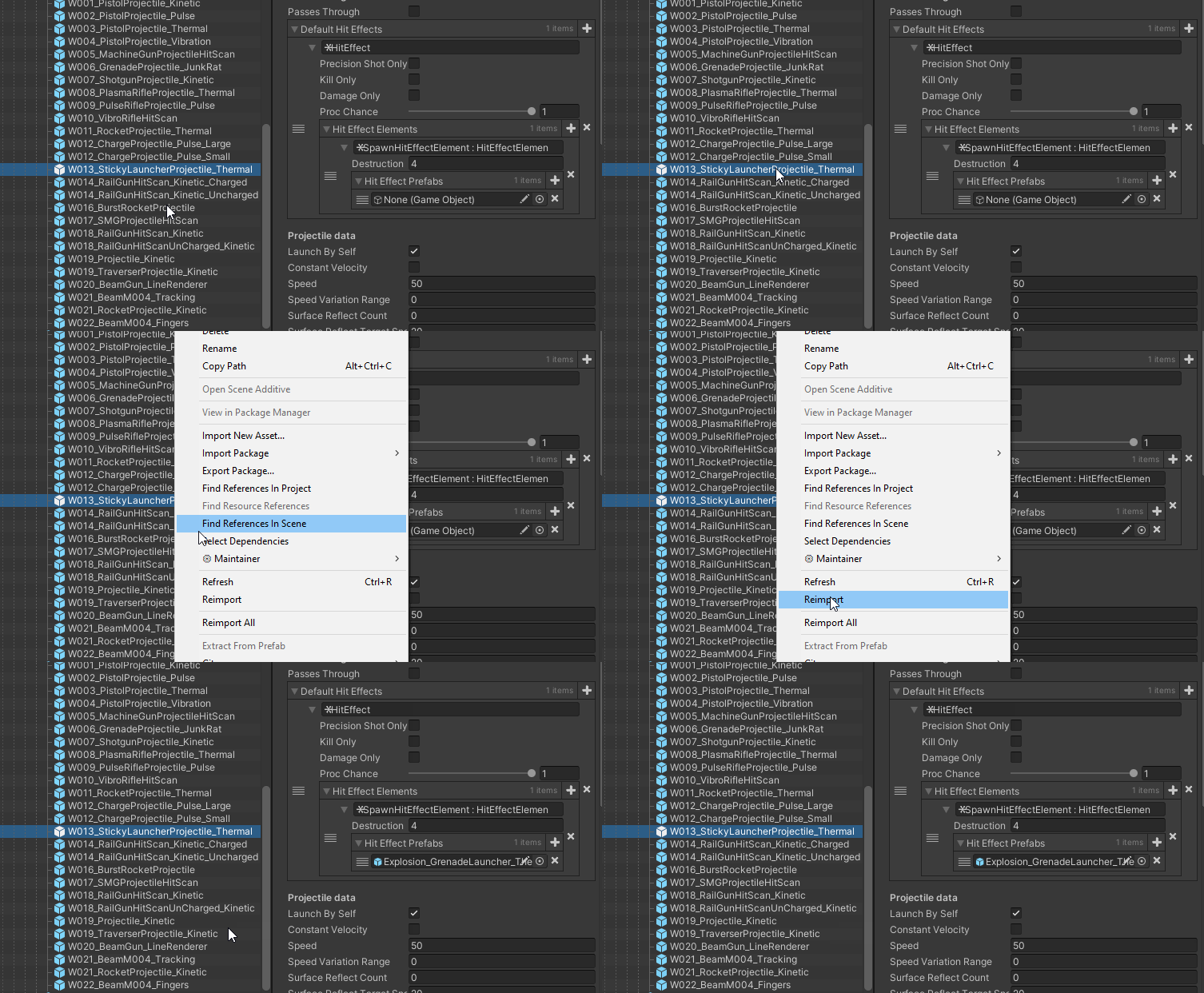
Over the past few months, my team has been experiencing an annoying problem with prefabs: Suddenly our game is broken and developers need to investigate until they find object fields in the inspector of some prefab that are not assigned correctly. Then we start the typical “hey designer x, why didn’t you assign this correctly?” only to find out, that it was indeed set up correctly and is still correct on other computers. We then manually reimport a chain of prefabs (variant + base) or delete the entire library and suddenly the issue is fixed.
To me, this can only mean that there’s an issue in the prefab systems or with the AssetDatabase v2.
Has anyone seen this and knows more?
We’re close to a deadline and I’m afraid I don’t have the time to provide a reproduction project, but I can only say that the issue has been happening every couple of days over the past months. Unity 2019.3.3 - 2019.3.13.
Yes we have seen many of these cases and we have fixed many of these issue. In fact I am pretty confident the latest version of Unity have solved most if not all of them.
Hey, we’ve been having this problem for a very very long time. We’re now on 2019.4.11f1, and it happens almost daily with some of our prefabs. It happens on prefabs which have been present in the project for a very long time, and which have had no script modifications for months. Needless to say, this is extremely frustrating.
We’ve been trying all sorts of workarounds but nothing helped. Please don’t ask me to send a repro project, because there are no stable repro steps. Our repro steps are:
Do whatever work on the project
Use version control
Wait for plenty of references in apparently random, recently untouched prefabs to inevitably disappear
Not very helpful, I know, but it’s the best I’ve got.
The next workaround we’re going to try is to make a bunch of Addressables instead of directly referencing the prefab files.
@runevision@SteenLund Sorry for the poke, but I would really appreciate an answer on this. The issue is getting out of hand on our project and we feel completely powerless about it. Wherever we look for help, we have to provide exact repro steps for our issue to even be considered by the Unity team, but we can’t provide that with this seemingly random issue. We need help but can’t find any.
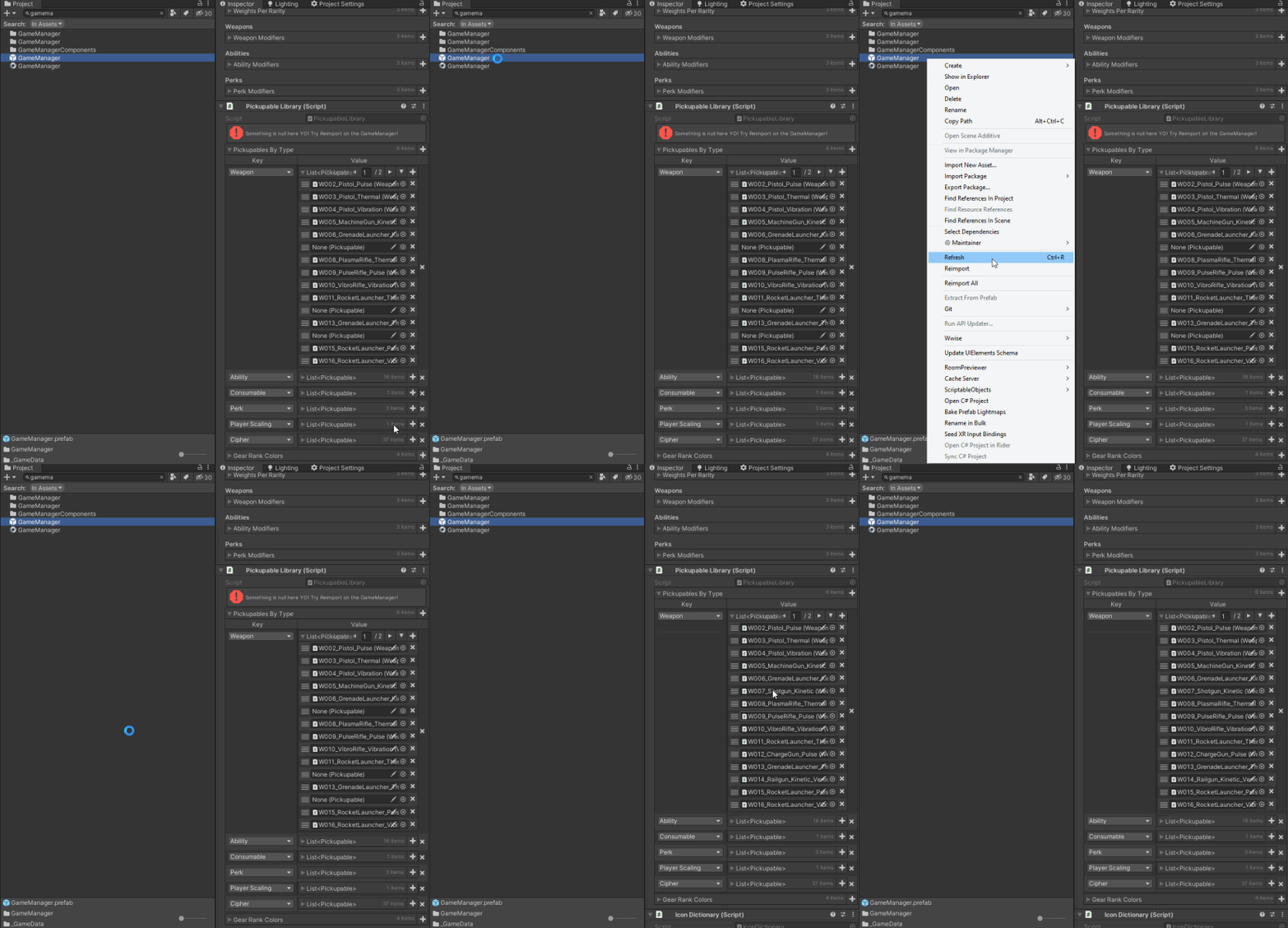
I’ve attached another example of this happening today, still in Unity 2019.4.11f1. The only clue we can think of that seems to apply to most if not all instances of this problem, is that it looks like the missing references are always in lists of an abstract type. In this case I’m attaching right now, Pickupable is an abstract type, and the exposed List contains prefabs with the Weapon component, which inherits Pickupable.
Over the months, this is starting to cost us a LOT in work time. Please help.
It’s very hard to tell if that’s related to the issue, since we’re a team of 16 people. If you think that might be a potential cause, we can try enforcing the rule of always closing the editor before pulling, and then I can report back here if the problem persists.
Thanks for the example! If you have any other ideas of whatever might help isolate the issue, please feel free to let me know.
Well in fact, I can pretty much confirm that that’s not causing the issue. We have an automated build machine which pulls the latest version, and then produces a build using Unity in -batchmode -norender, and these builds frequently have the issue as well.
We need to be able to reproduce an issue to be able to investigate it. In rare cases we might be able to make educated guesses about a cause and implement a blind fix even though we can’t test if it even works, but this is rarely viable or possible, especially with complex issues. So without a repro project and repro steps, we’re pretty much as stuck as you are. I don’t know if you could work with Enterprise Support to somehow investigate the issue right on your machine when it happens, but this is not something our team is involved with, so not something I know much about. We fix bugs based on bugs reports that QA has been able to reproduce.
But apart from that, I was only speaking on my own behalf. I don’t have any ideas. I can’t say if Steen does.
I understand all that. But would it be possible to maybe try to work together to find ideas of ways to isolate the cause of the issue? I know full well that a problem can’t be fixed without a solid repro, but that’s the core of our team’s real problem: we have no idea how to isolate that solid repro. Nothing we’ve tried to either “de-randomize” the bug’s occurrence or to make it disappear so far has worked at all.
We could very much use the insight of someone who worked on the system for clues as to what to try and investigate in order to be able to find that.
Hi @Emery-Monzerol . As stated before, it would be really be helpful for us getting a project copy (including library folder) when you have a missing reference. Having this we could investigate the issue and likely find the root cause. My understanding is that the missing reference you get doesn’t get fixed by unity restart and therefore a project+library copy will be useful for us to investigate.
Hi @volblob73 , thanks for the response. I don’t believe that option was stated before, thanks for putting it on the table. I don’t have the authority to decide whether I can send over my team’s project and we have an urgent deadline this week, so I will discuss this option next week with the rest of my team and I’ll let you know as soon as I know if I can do that.
Ok sounds good. If you decide to report a bug and upload project+library, I would suggest that you first verify that you can still see the missing reference when using the project+library copy.
Just went through the painful process of tracking down and fixing a bunch of prefabs. Here’s one example of before & after that will hopefully help. In this case, the base prefab defines two Array elements that are empty, set there as placeholders for variants. This is the root prefab:
Root object:
- {fileID: 0}
ShowWhenDetached:
- {fileID: 0}```

This is the broken prefab variant:
``` propertyPath: ShowWhenAttached.Array.data[0]
value:
objectReference: {fileID: 9033093010934296128}
- target: {fileID: 4961026042056194972, guid: f3561776cc99646408c461883c551c97,
type: 3}
propertyPath: ShowWhenDetached.Array.data[0]
value:
objectReference: {fileID: 498759996121807741}
- target: {fileID: 4961026042056194972, guid: f3561776cc99646408c461883c551c97,
type: 3}```

This one is after. Note that the objectReferences are all the same, but the Array.size property is now set:
``` propertyPath: ShowWhenAttached.Array.size
value: 1
objectReference: {fileID: 0}
- target: {fileID: 4961026042056194972, guid: f3561776cc99646408c461883c551c97,
type: 3}
propertyPath: ShowWhenDetached.Array.size
value: 1
objectReference: {fileID: 0}
- target: {fileID: 4961026042056194972, guid: f3561776cc99646408c461883c551c97,
type: 3}
propertyPath: ShowWhenAttached.Array.data[0]
value:
objectReference: {fileID: 9033093010934296128}
- target: {fileID: 4961026042056194972, guid: f3561776cc99646408c461883c551c97,
type: 3}
propertyPath: ShowWhenDetached.Array.data[0]
value:
objectReference: {fileID: 498759996121807741}
- target: {fileID: 4961026042056194972, guid: f3561776cc99646408c461883c551c97,
type: 3}```

I realize this is kind of a degenerate case in that setting up an empty array could cause issues, but the very frustrating part of this is that it seemingly randomly stripped all of the variants and broke a bunch of builds. It's not clear what caused this. In this case it seems like it imported the variant before the base and lost track of the size of the array?

I'm looking through Git to look for other patterns. Hopefully this will help track down at least one more cause of this. We're on 2019.4.15f1 for this project.
Further to above, the variants without the Array.size property were working fine until very recently on my machine (and still all working fine on other devs’ machines).