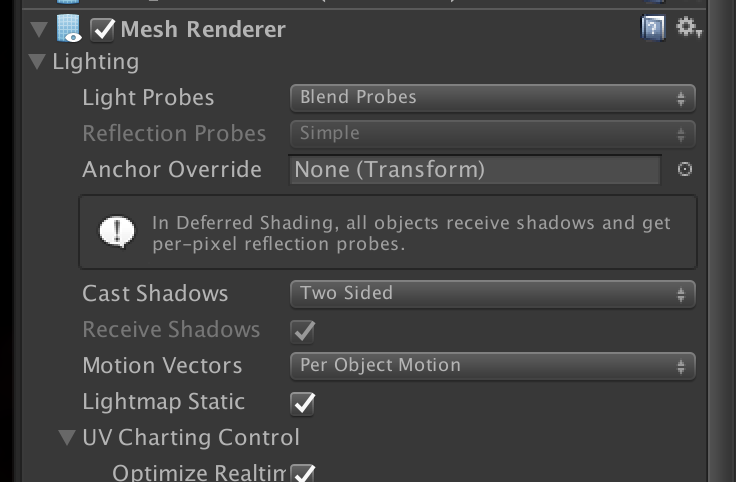
I’m trying to create indoor reflection probes in 2017.3.1p4 for a scene which has both indoor and outdoor aspects. The rendering mode is Deferred. To do this, I need to be able to select “Blend Probes” as this excludes the outdoor skybox, which I don’t want to see in indoor reflections.
However, the popup menu in the Mesh Renderer component is disabled. It has the value “Simple”, which definitely isn’t what I need.
How do I enable this menu so I can select “Blend Probes”?
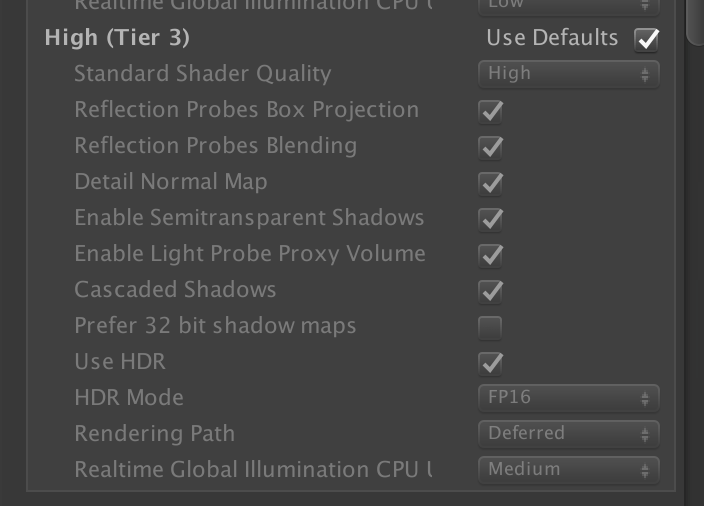
I should add that Edit/Project Settings/Graphics has blending enabled:
 I have the same question