Hi
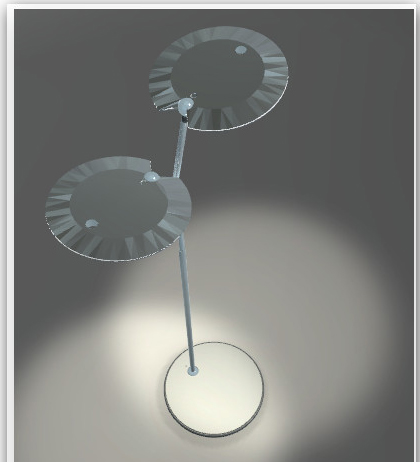
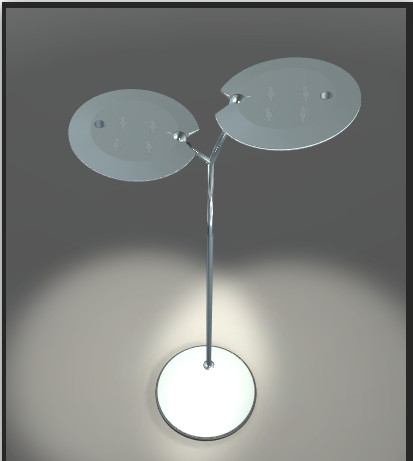
Have you an idea why parts of this objects of that lamp has that distortions?
This only within WebGL playing and with the new Unity 5 standard material mapped on.
But even by compiling with Unity 5.2.2.
Within the editor it looks ok .
Thanks for any little helps
Visualizer
PS: By the way the Unity 5.1.4 Installer MacOS seems to be corrupt..
The Unity Standard shader uses a simplified version in OpenGLES 2.0 (Which includes WebGL 1.0), which does not handle reflections the same way as the more complex version. This is done to keep performance bearable on OpenGLES 2.0 mobile GPUs. Now, for WebGL running on desktops, this should not really apply, but we need to remove some hardcoded decisions here to fix it.
We have those fixes now, I cannot tell yet which release they will be in.
Hi and thanks for the answer
There is another issue with WebGL with the Safari browser. Please look at the screen.
With FireFox and Chrome it looks ok (left side). But not on Safari (right side). Do you know this issue?
Here the direct Link to test for you self:
http://visualizer.ch/WebGL_Demos/Baltensweiler/OYO/OYO_Demo_neu.html
I don’t know the issue. I have a suspicion what might be causing it but would have to verify. Could you file a bug report with that scene, and post the case number here?
Did you have the same issue with that demo with Safari? The same demo looks ok with Chrome an Firefox.
Where do I find that bug report? It is no reporting any errors at all by playing this demo.
Regards
Roman
Yes, I see the same issue on Safari. But I’d need a project folder to investigate, which is why I asked you to file a bug report with the project folder attached (Help → Report a Bug in Unity). Once you receive an email confirming the bug report, post the case number here.
Hi
Here we go the: Case 741465
Thanks to have a look
Roman