I saw a thread very similar to the problem I describe here, but it’s nearly 5 years old, and I’ve been advised to begin a new thread to explain my problem in some detail. I agree with that advice, so here it is:
I have an array of cubes arranged in a larger square which I call a “cube”. I need to allow prospective users to rotate the cube, such that it will always rest in a flat, square presentation.
My problem is that I can perform Quaternion Rotations around the Y-Axis just fine, but when I attempt to use the same style of manipulation on the Z-Axis, I have trouble with gimbal lock.
I have my Camera attached to a GameObject in the very center of my cube. When rotate the cube, I’m rotating the GameObject so the Camera swings around my cube–all the while looking directly at my cube:

I’ve posted a video on YouTube, which must be the easiest way to demonstrate the problem I’m having:
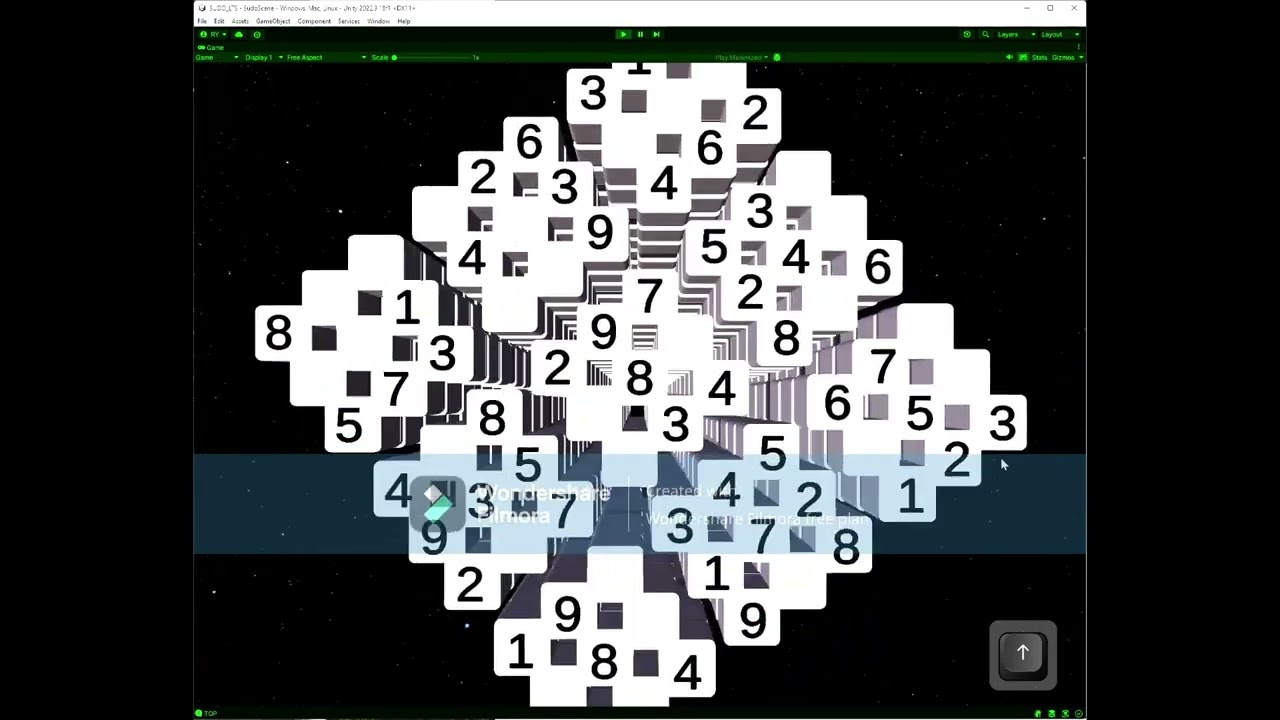
In the video, I try to demonstrate that I can rotate the cube to the RIGHT or the LEFT with no difficulties, but when I try to rotate it UP or DOWN, the cube gets disoriented and twisted up. I’ve been trying different approaches to rotating my cube, since before Jan 4, 2023, as revealed by a GitHub commit I made with that date. (a bit over a year ago.) I’m eager to put this problem to bed, as they say.
First off, I’m using the MonoBehavior.Update() method to realize the user’s intent to rotate the cube:
  private void Update()
  {
      // test to see if user wishes to hide any layers in the cube
      if (!GetLayerKeyCode())
      {
          // rotate the cube, if the user wants....
          if (!rotateKube())
          {
              // adjust camera distance to cube, if needed.
              if (Mathf.Abs(_moveDistance) > 0F)
              {
                  _newPosition = transform.position;
                  AdjustPositionTakingAxisintoAccount(ref _newPosition, _moveDistance);
              }
          }

      }
  }
my rotateKube() function checks for user arrow-key presses, and initiates the rotation code:
 private bool rotateKube()
{
     bool rotate = false;
     if (Input.GetKeyUp(KeyCode.LeftArrow))
     {
         rotate = true;
         _center.Rotate(eRotate.LEFT);
     }
     else
     {
         if (Input.GetKeyUp(KeyCode.RightArrow))
         {
             rotate = true;
             _center.Rotate(eRotate.RIGHT);
         }
         else
         {
             if (Input.GetKeyUp(KeyCode.UpArrow))
             {
                 rotate = true;
                 _center.Rotate(eRotate.UP);
             }
             else
             {
                 if (Input.GetKeyUp(KeyCode.DownArrow))
                 {
                     rotate = true;
                     _center.Rotate(eRotate.DOWN);
                 }
             }
         }
     }
     return rotate;
}
Then, my Rotate() method calculates the rotation required to move the cube to the desired rotation:
   public void Rotate(eRotate dir)
   {
       // no need to waste time calculating Quaternion.Lerp() rotations if we are done rotating.
       _doneRotating = true;
       switch (dir) // eRotate enum
       {
           case LEFT:                            // const float ROTATE_ANGLE = 99F;
               _newRotation = Quaternion.AngleAxis(-ROTATE_ANGLE, Vector3.down) * transform.localRotation;
               _doneRotating = false;
               break;
           case RIGHT:
               _newRotation = Quaternion.AngleAxis(ROTATE_ANGLE, Vector3.down) * transform.localRotation;
               _doneRotating = false;
               break;
           case UP:
               _newRotation = Quaternion.AngleAxis(ROTATE_ANGLE, Vector3.forward) * transform.localRotation;
               _doneRotating = false;
               break;
           case DOWN:
               _newRotation = Quaternion.AngleAxis(-ROTATE_ANGLE, Vector3.forward) * transform.localRotation;
               _doneRotating = false;
               break;
       }
   }
finally, in my FixedUpdate(), I use Quaterion.Lerp() to gradually rotate my cube:
    private void FixedUpdate()
    {
        if (!_doneRotating)
        {
            _doneRotating = doneRotating();
            if (!_doneRotating)
            {
                transform.rotation = Quaternion.Lerp(transform.rotation, _newRotation, Time.deltaTime * ROTATESPEED);
            }

        }
    }
Which seems to wrap up the code fragments significant to the problem I’m having. I’m hoping I’ve described my problem in enough detail that someone knowledgeable with Quaternions can point at the problem: Alright, I know that I’m the problem, but I’m hoping someone is kind enough to say “Quaternions are hard. Here’s what you need to do:"
Thanks in advance for your time and helpfulness!
Rosco-y
 Thank you so very much for your prompt reply!!
 no harm intended. But since you told that it just doesn’t work on up and down movements (and looking just the code), the most likely to be causing the error is your second parameter in AngleAxis