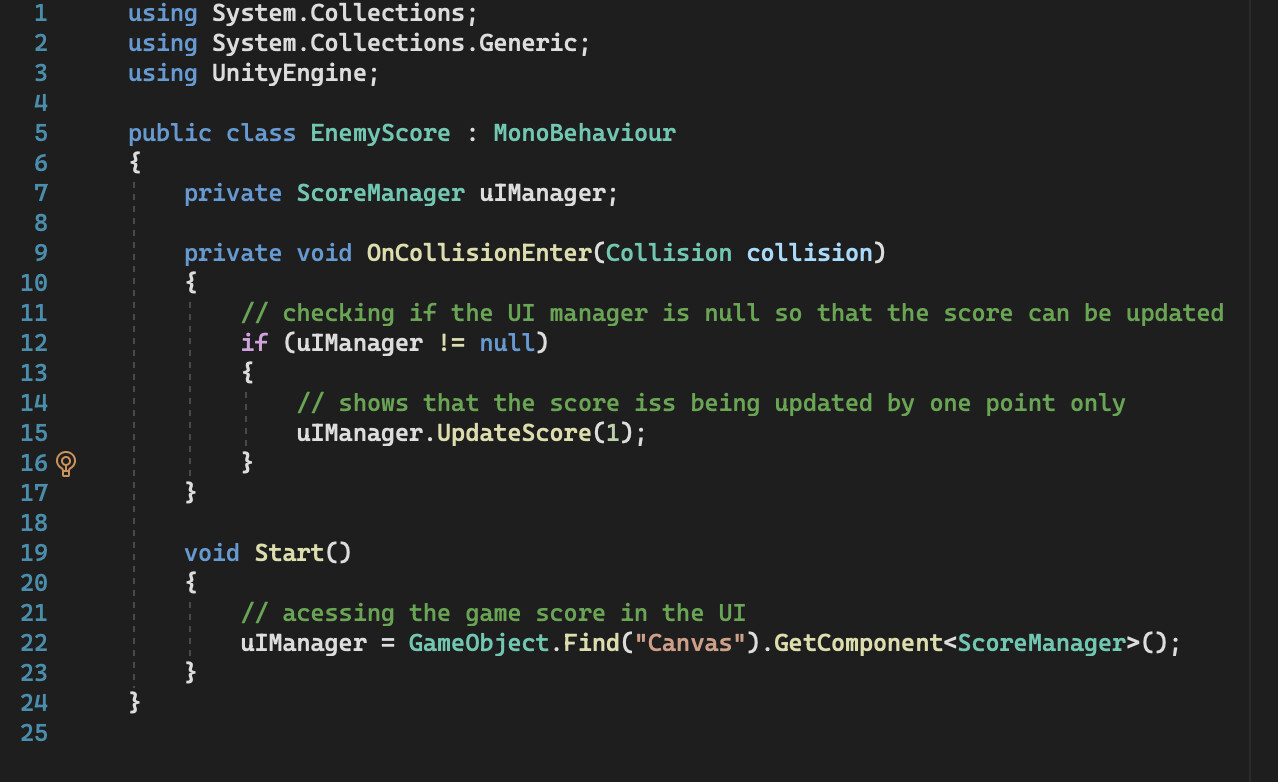
Except of course that it’s not. Is any of it even running? Find out!
Photographs of code are not a thing. If you post a code snippet, ALWAYS USE CODE TAGS:
How to use code tags: https://discussions.unity.com/t/481379
Remember the first rule of GameObject.Find():
Do not use GameObject.Find();
More information: https://starmanta.gitbooks.io/unitytipsredux/content/first-question.html
More information: https://discussions.unity.com/t/899843/12
Beyond that, here is how to get started debugging:
You must find a way to get the information you need in order to reason about what the problem is.
Once you understand what the problem is, you may begin to reason about a solution to the problem.
What is often happening in these cases is one of the following:
- the code you think is executing is not actually executing at all
- the code is executing far EARLIER or LATER than you think
- the code is executing far LESS OFTEN than you think
- the code is executing far MORE OFTEN than you think
- the code is executing on another GameObject than you think it is
- you’re getting an error or warning and you haven’t noticed it in the console window
To help gain more insight into your problem, I recommend liberally sprinkling Debug.Log() statements through your code to display information in realtime.
Doing this should help you answer these types of questions:
- is this code even running? which parts are running? how often does it run? what order does it run in?
- what are the values of the variables involved? Are they initialized? Are the values reasonable?
- are you meeting ALL the requirements to receive callbacks such as triggers / colliders (review the documentation)
Knowing this information will help you reason about the behavior you are seeing.
You can also supply a second argument to Debug.Log() and when you click the message, it will highlight the object in scene, such as Debug.Log("Problem!",this);
If your problem would benefit from in-scene or in-game visualization, Debug.DrawRay() or Debug.DrawLine() can help you visualize things like rays (used in raycasting) or distances.
You can also call Debug.Break() to pause the Editor when certain interesting pieces of code run, and then study the scene manually, looking for all the parts, where they are, what scripts are on them, etc.
You can also call GameObject.CreatePrimitive() to emplace debug-marker-ish objects in the scene at runtime.
You could also just display various important quantities in UI Text elements to watch them change as you play the game.
If you are running a mobile device you can also view the console output. Google for how on your particular mobile target, such as this answer or iOS: https://discussions.unity.com/t/700551 or this answer for Android: https://discussions.unity.com/t/699654
If you are working in VR, it might be useful to make your on onscreen log output, or integrate one from the asset store, so you can see what is happening as you operate your software.
Another useful approach is to temporarily strip out everything besides what is necessary to prove your issue. This can simplify and isolate compounding effects of other items in your scene or prefab.
Here’s an example of putting in a laser-focused Debug.Log() and how that can save you a TON of time wallowing around speculating what might be going wrong:
https://discussions.unity.com/t/839300/3
When in doubt, print it out!™
Note: the print() function is an alias for Debug.Log() provided by the MonoBehaviour class.
If you’re just getting a nullref, then go fix it.
How to fix a NullReferenceException error
https://forum.unity.com/threads/how-to-fix-a-nullreferenceexception-error.1230297/
Three steps to success:
- Identify what is null ← any other action taken before this step is WASTED TIME
- Identify why it is null
- Fix that