Hi everyone,
I’m currently working on a project using Unity’s Scroll View component and the New Input System, but I’ve run into an issue: my Scroll View’s panel does not seem to receive mouse wheel events (Mouse Scroll). I’ve tried debugging this using the Event Debugger, and while I can see Pointer Down and Pointer Up events being triggered, there’s no sign of any mouse wheel-related events.
Here’s a detailed breakdown of my setup and what I’ve tried so far:
My Setup:
- Unity Version:
6000.0.28f1c1. - Input System: Using the New Input System.
- Scroll View Configuration:
- I’m using a default Scroll View component created by C# code and add multiple items to it.
- Event System:
- The scene has an active
Event System, which is configured to use the Input System UI Input Module.
- The scene has an active
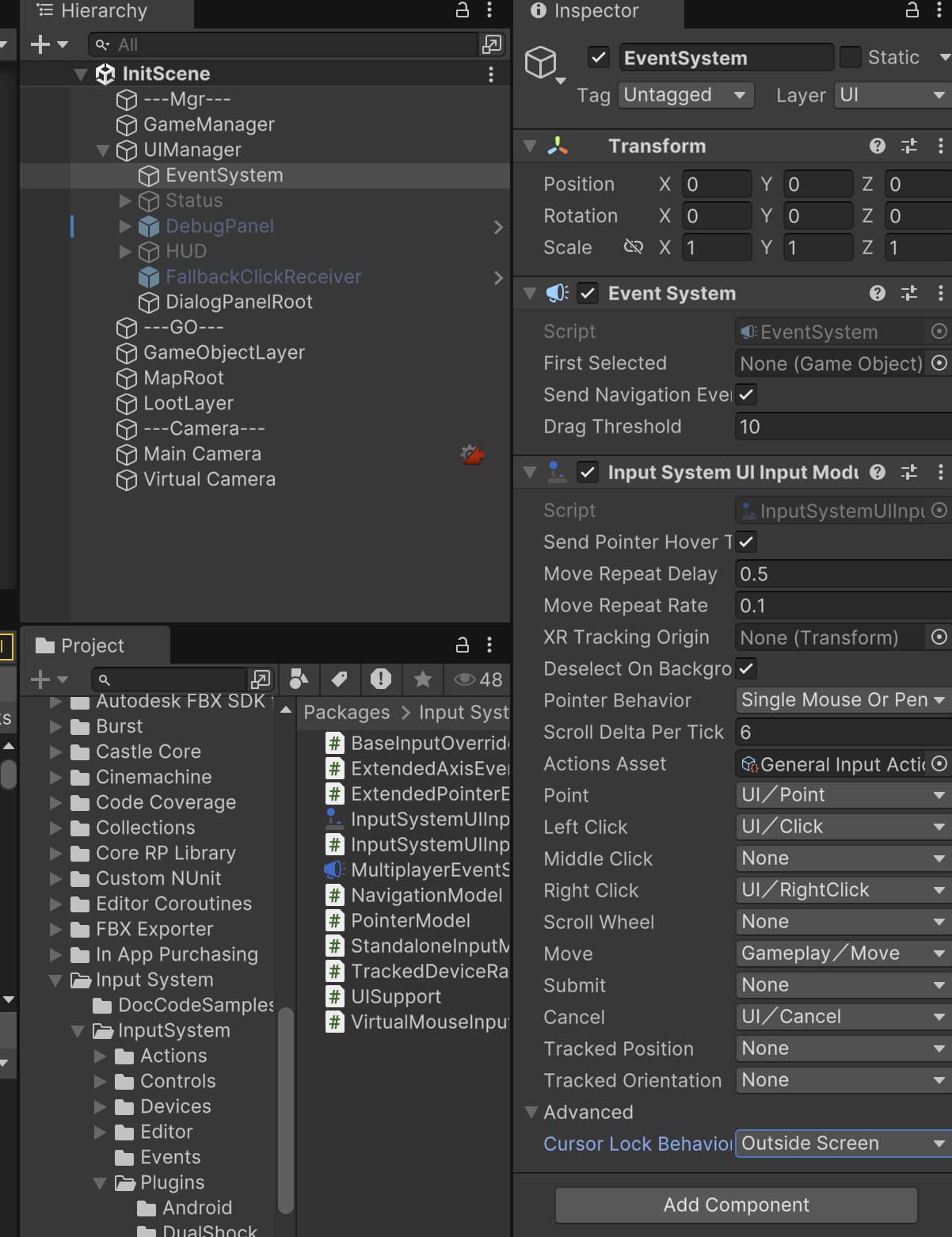
What I’ve Tried:
- Verified that my mouse hardware is working correctly and that the scroll wheel works in other applications.
- Used the Event Debugger to check the event flow:
- Pointer Down and Pointer Up events are being triggered as expected.
- However, I don’t see any mouse wheel-related events like
ScrollorMouse Wheel.
- Checked the Input System bindings to ensure that the
Mousedevice’sScrollaxis is mapped to the defaultUI/Scroll Wheelaction.
My Questions:
- Why is the Scroll View’s panel not receiving mouse wheel events?
- Is there any additional configuration required to make the Scroll View work with mouse wheel input when using the New Input System?
- Has anyone else encountered this issue, and if so, how did you resolve it?
I can provide more details about my setup or share code snippets if needed.
Thank you for your time and help! I really appreciate any suggestions or guidance.