Hi,
We’re having a problem where shaders that are loaded from AssetBundles cannot be found by the game.
In the Postprocessing Stack v2, shaders are used in one of two ways: either through Shader.Find, or through a direct reference in PostProcessResources.asset. When the shaders are loaded from an AssetBundle, neither method works. Shader.Find just returns null.
The attached project demonstrates this. The Loader scene loads the shared asset bundle (which contains the postprocessing resources in this project), then loads the scene bundle, then switches to that scene.
TL;DR: So we’re at a loss here. The postprocessing stack doesn’t work because the required shaders cannot be found.
We are using Unity 2017.4.10, and we cannot (easily) upgrade Unity versions because we’re doing console development. We’ve already been redirected from the console-specific forum to this general Unity forum, so I hope we can get some help here. 
Expected output:
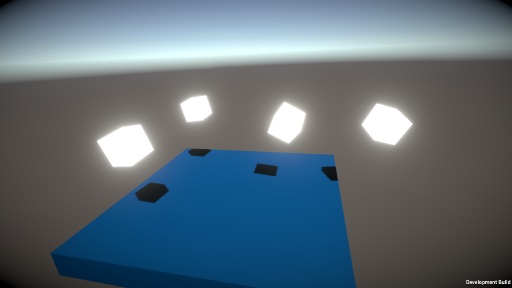
Observed output:

Repro steps: (produces ‘observed output’)
- Open the attached project, for target platform Standalone Windows 64.
- Make a development build by clicking Tools > Build Debug for Active Target. (This will build asset bundles too.)
- When finished, find the executable file at ‘Build/StandaloneWindows64/ShaderFindBug.exe’.
- Launch the player.
- Observe that in the main scene with the cubes, there is no postprocessing (bloom and vignette).
Alternate repro steps (without asset bundles, produces ‘expected output’):
- Delete the Assets/StreamingAssets/AssetBundles folder, if present.
- In File > Build Settings, disable the Loader scene, and enable the ExampleScene scene.
- Make a build, and launch the player.
- Observe that in the main scene with the cubes, bloom and vignetting works as expected.
Other things we’ve already tried:
- Verifying that the shaders are actually in the bundle, by calling AssetBundle.GetAllAssetPaths() and checking the output.
- Calling Shader.WarmupAllShaders() after loading the asset bundles.
- Forcefully calling assetBundle.LoadAllAssets() to ensure they are loaded in memory.
- Putting the shaders in a Resources folder.
- Adding the shaders to GraphicsSettings’ Always Included Shaders. This works mostly, however some references still break - a few shaders still can’t be found, and references to some lookup textures break.
This is looking to us like some oddity, or perhaps a bug, in Unity itself. If anyone has any ideas as to what’s going on and how we could fix this, or if we’ve maybe missed something, we’d really appreciate it.
3819148–321418–Repro PC.zip (2.28 MB)
