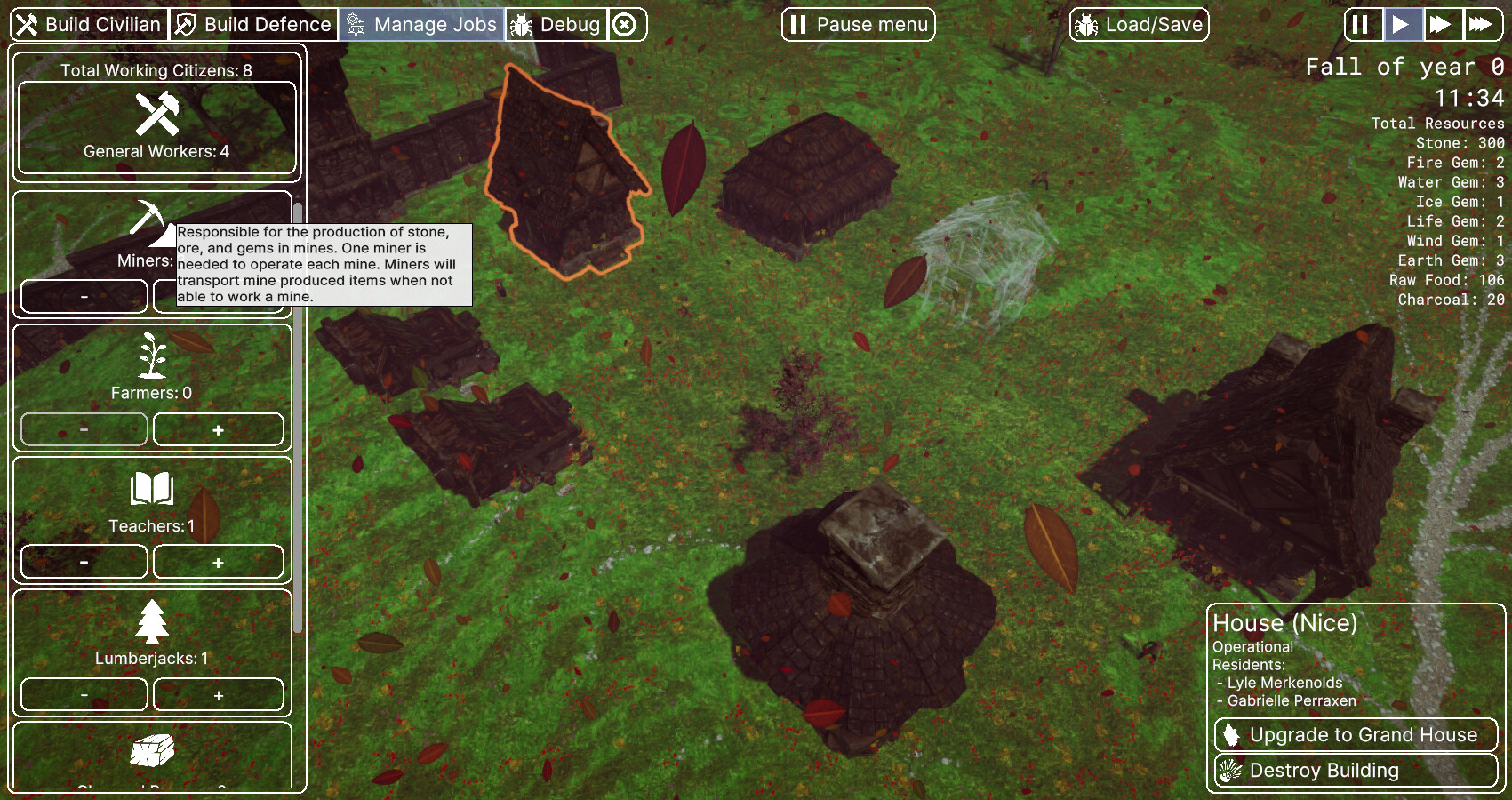
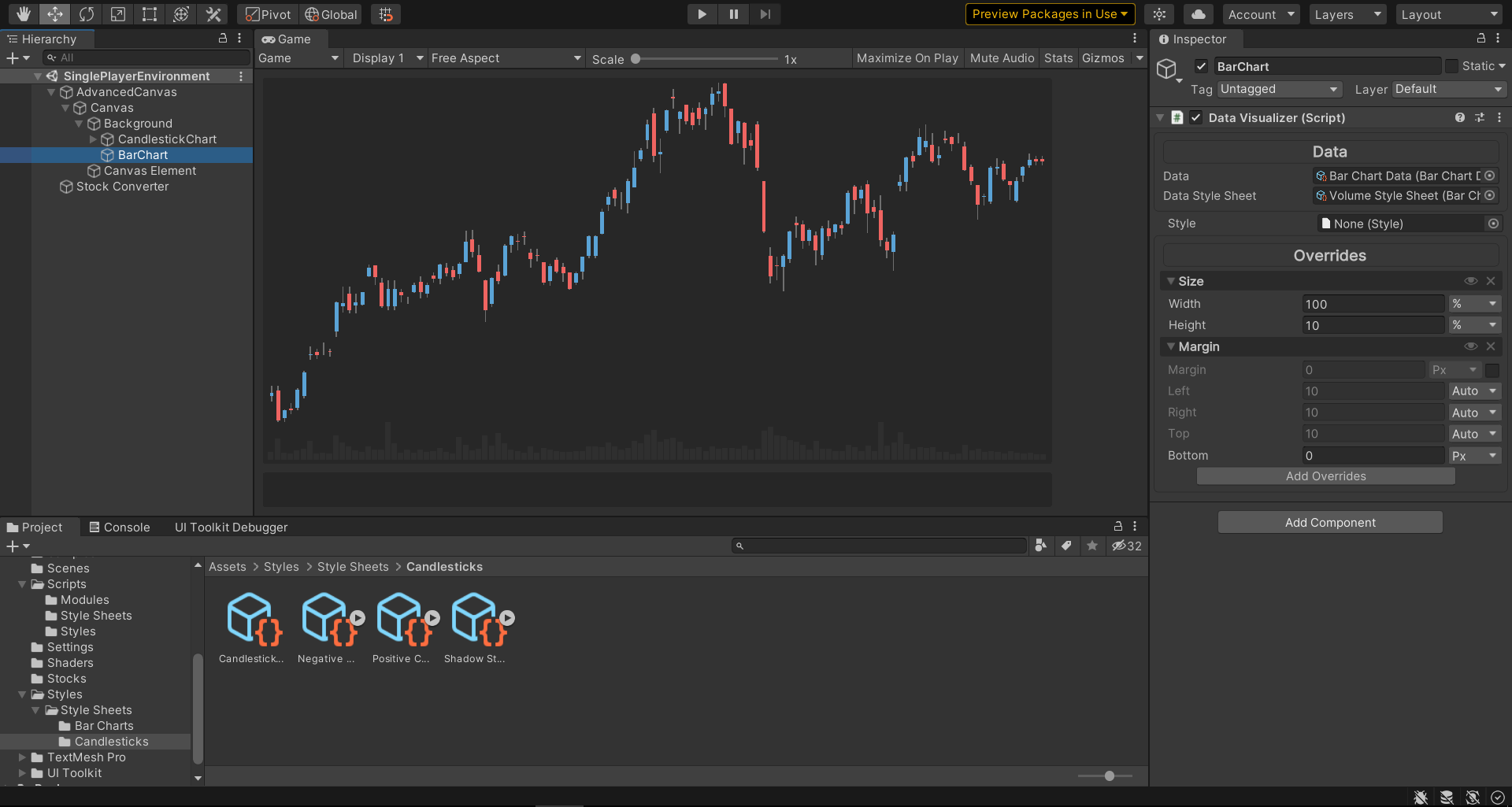
We would like to invite you to share the projects with the community.
Which kind of games, tools or application have you built with UI Toolkit ?
Are there any screen shots or videos you can show us ?
The development team is very curious to see what you’ve been doing, do let us know be responding to this post.
We would also like to take this opportunity to thank you for the feedback, comments and bug reports that you have sent us. This is much appreciated !
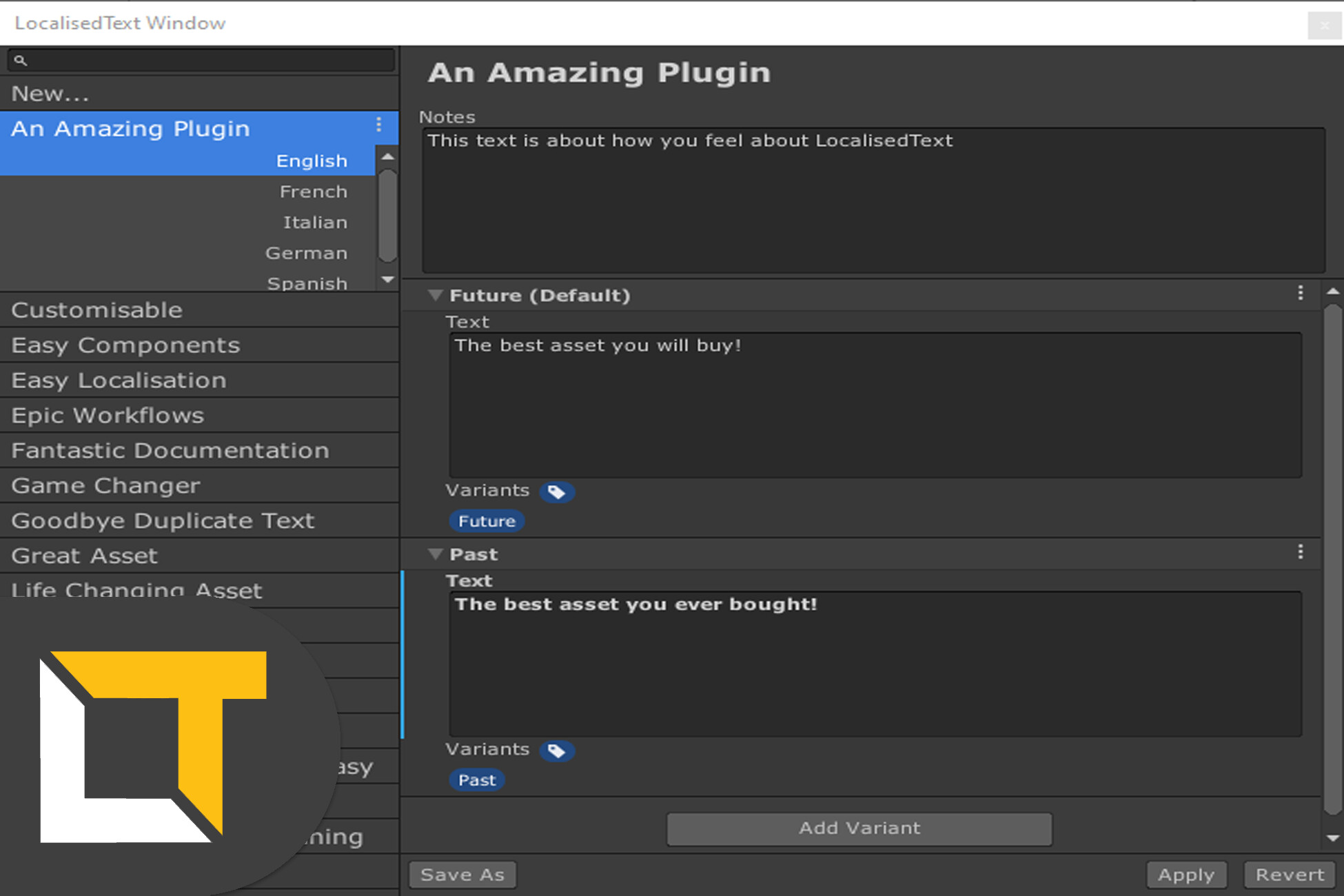
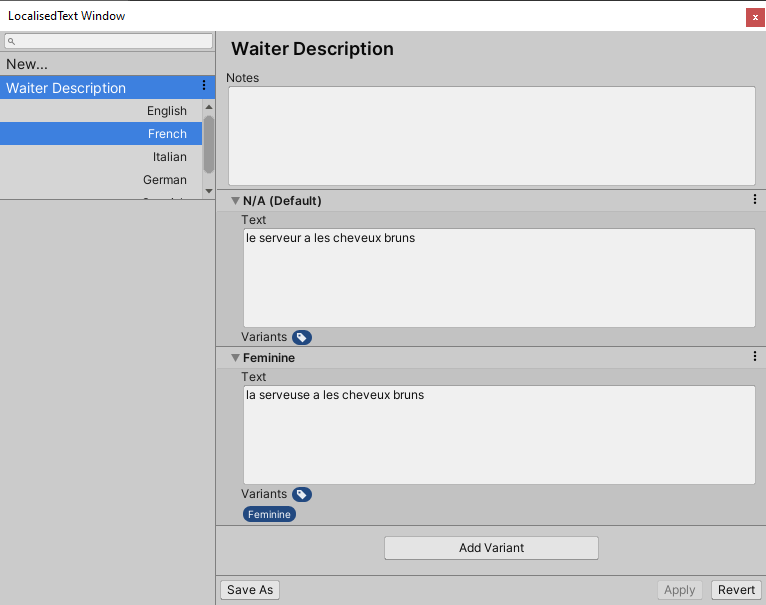
My project, coming soon to the asset store, is a Localisation and Text management system tool for unity
My UI philosophy was to make the tool look like it belongs in Unity, and so the users would already feel familiar with the tool. I mirrored the package manager, and took design incites from the prefab workflow to create a natural feeling product. I also wanted to only use built in resources, rather than create my own, which gives a little more Unity look&feel
I also mirrored the tag/layers styles for my user customisable settings
Frankly it was a little difficult to mirror Unitys UI/UX and I would like to see it improved, but i think i did a pretty good job.
I’ve just released version 0.1.0 for Graphene, an open-source framework & component-kit for UI Toolkit, inspired by web frameworks such as React or Angular.
I’d appreciate any feedback, and the project is open for collaborators!
Working on a DOTS Tween library with Timeline (Subscenes/Entities + GameObjects). #BTween
Hopefully coming soon but in the meantime, a quick sneak-peek:
I also use UITK for a clean Dropdown menu for #BTagged (u3d.as/1ZsW):
Thanks for all the teams hard work and more importantly, communication & forum participation - UITK is awesome!
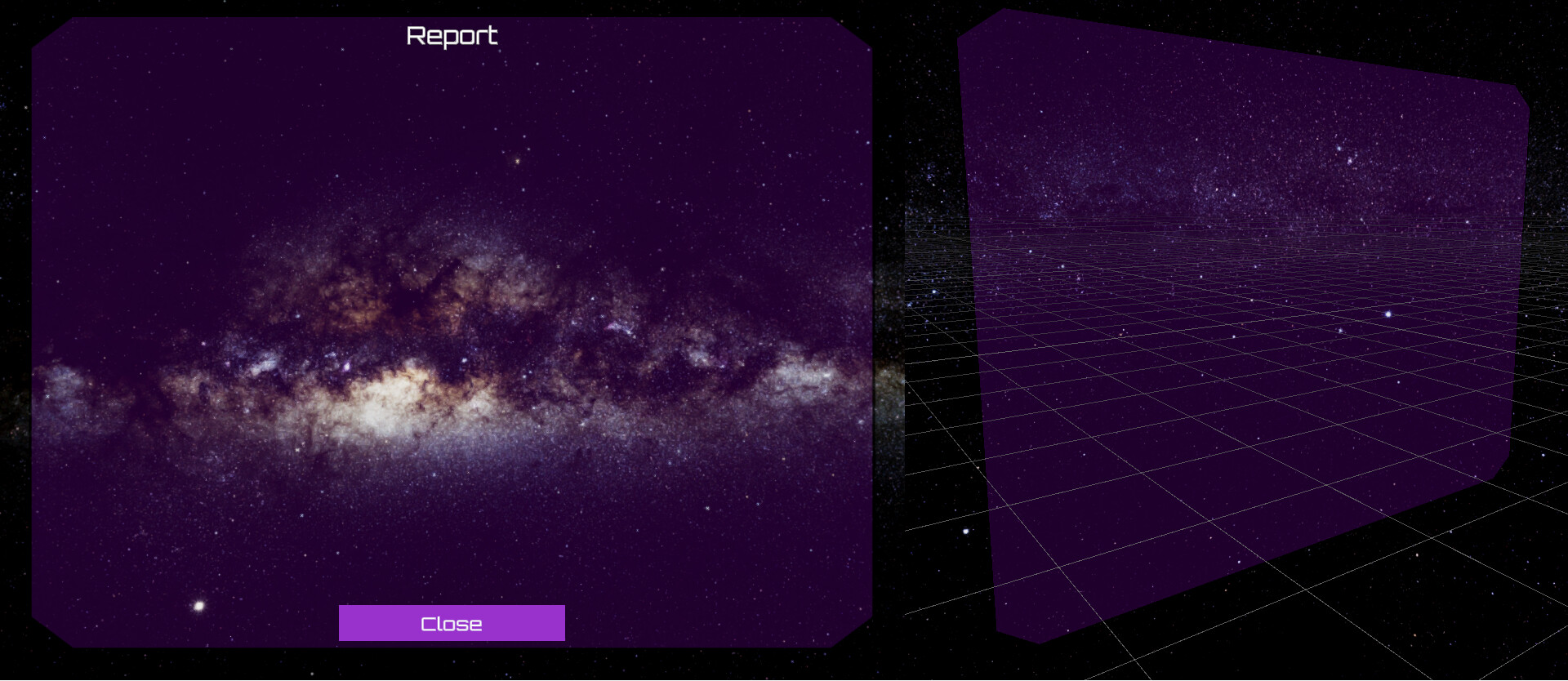
I didn’t want to be limited by having rectangular windows or requiring somebody else to draw “frames” for me, so I instead of taking 10 minutes to draw a simple shape in Photoshop, I built a whole mesh-based vector library that calculates the vertices for various shapes. I am now experimenting with integrating it with UI Toolkit. Here’s the result.
On the left is the game view of the 3D window / dialog aligned to the camera with UI toolkit controls overlaid on top. On the right, just to show that it is in fact a 3D object and not a texture.
The controls are automatically positioned based on anchor locations provided by the 3D window metadata. It is also possible to style the different elements of the 3D window, such as the top bar.
This way I can draw the shapes of the various controls in say Illustrator (which I am much more versed in) and import them using SVG using my library into my project. Hopefully this will provide a bit of variety and interesting shapes for the UI.
To test the speed of UI Toolkit I made a map of the 2019 Canadian Election results show how people voted in each constituency. So that is 33K of hexes that are generated from data at run time or turned on/off to switch map view. Not a method I would use in production but good for a speed test. Here are the Webgl Versions. Spoiler: UI Toolkit is much faster.
You’re a man to follow. Also, is there any way to enable having multiple tags per component? I’d want to save an memory and I am assuming each component is a full-blown monobehaviour with all the unecessary data they typically come with.
Please correct me if I am wrong, or if this feature is in the works or I simply haven’t noticed it’s already there, or it’s not a good idea for some reason. Considering this for my next purchase. Looks extremely promising thus far.
Thanks @dannyalgorithmic - happy to answer any questions (though might be better to take this over to [Released] BTagged - GUIDs per GameObject or the discord I just setup). The brief answer is the default is indeed one monobehaviour per tag but it’d be easy to extend to an array of tags (all source code given and the property drawers work fine with arrays). I’ll consider adding this to the package but given how easy it should be to extend and I’d say dubious gains, maybe not just yet. My expectation is that if you have that level of performance concern (counting Monobehaviours), DOTS & subscenes will absolutely be the way forward for you and the tags work great with that workflow (but I appreciate maybe not right now). Cheers!
I started using the new UI Toolkit last week and decided to build this (very simple) interface generator for components. It groups serialized members and methods (for organization) and exposes actions for invoking methods from the editor (for game mode iteration).
Import the git repo (quickytools-open-source / unity-auto-interface · GitLab) in package manager. There is a basic sample for rolling a ball to knock pins over. The pins group has an action to reset pins and the ball has an action to roll the ball.
I created a new system for my waypoints/pathfinding that lets me take the ScriptableObject tags that I have applied and either use them as normal tags on Unity GO’s , or for objects that get converted to entities, they act as a way to add Component Data and Component tags to the entities when they are created by seeing which ScriptableObjects were on the GO at the time of conversion. It’s a really nice way to go.
Though I appreciate the performance logs in the extremely, what I mean to ask is, is the dynamic searching through the scene (fetching) for an object with a BT Tag faster, as in "do you have to traverse the scene hierarchy in an time/resource inefficient way like how it seems to when using Unity Tags.
@dannyalgorithmic not wishing to hijack this thread I’ve written up a more technical post and recent progress here:
Hopefully it answers some of your questions! Hopefully you also find it of interest @MostHated but it looks like you have a solution you’re happy with. Happy to continue geeking out on SOs over there!
Now, bring on the UI Toolkit showcases please! I want to see me some more UI goodness! Thanks to all who have posted so far .
I have been working on an animation library of base animation helper methods, premade sequences, etc, in which I finally got around to putting together some examples and what not. https://github.com/instance-id/elementanimationtoolkit
fainthilariousangelwingmussel
I am working on adding more new complete “ready-made” animated element types, such as the AnimatedFoldout seen above, and there are a few “on-hover” animation types, such as the “HoverBorderPulse” seen below. I am going to keep adding to it as I go along.
I have a minimalist setup with the UI Toolkit. I’m pretty happy with being able to do a flex layout and use a CSS like styling. Well done UI Toolkit dev team.
I’ve not spent too much time trying to “pretty” it up. I’m waiting for the package to mature, options to become available, and getting closer to release of my game. I’m hopeful there will be more styling options available in the future beyond borders and background.
Making tools for procedural + user defined elements that combines IMGUI workflow with web principles. The end goal is to have a framework in which it is painless to create complex user interfaces for apps.










 .
.