Hello!
I am upgrading my project from Unity 2021.3.39 to 2022.3.33. When I run my project in 2022.3 on Android, I have a regression, which is the software keyboard is missing the “OK” button. Here’s a screenshot from 2021.3.39 after tapping a text mesh pro input field:
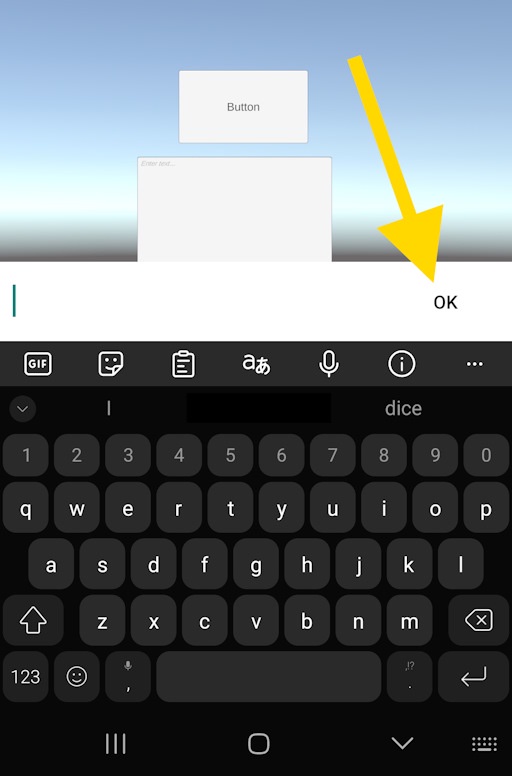
In 2022.3.33, this “OK” button is missing and it’s just white. This button is useful to me since it gives a way for users to close the keyboard and submit their entry in one click, instead of having to close the keyboard and then hunt for the in-app “done” button.
How can I restore this button in newer versions of Unity?
Thank you!